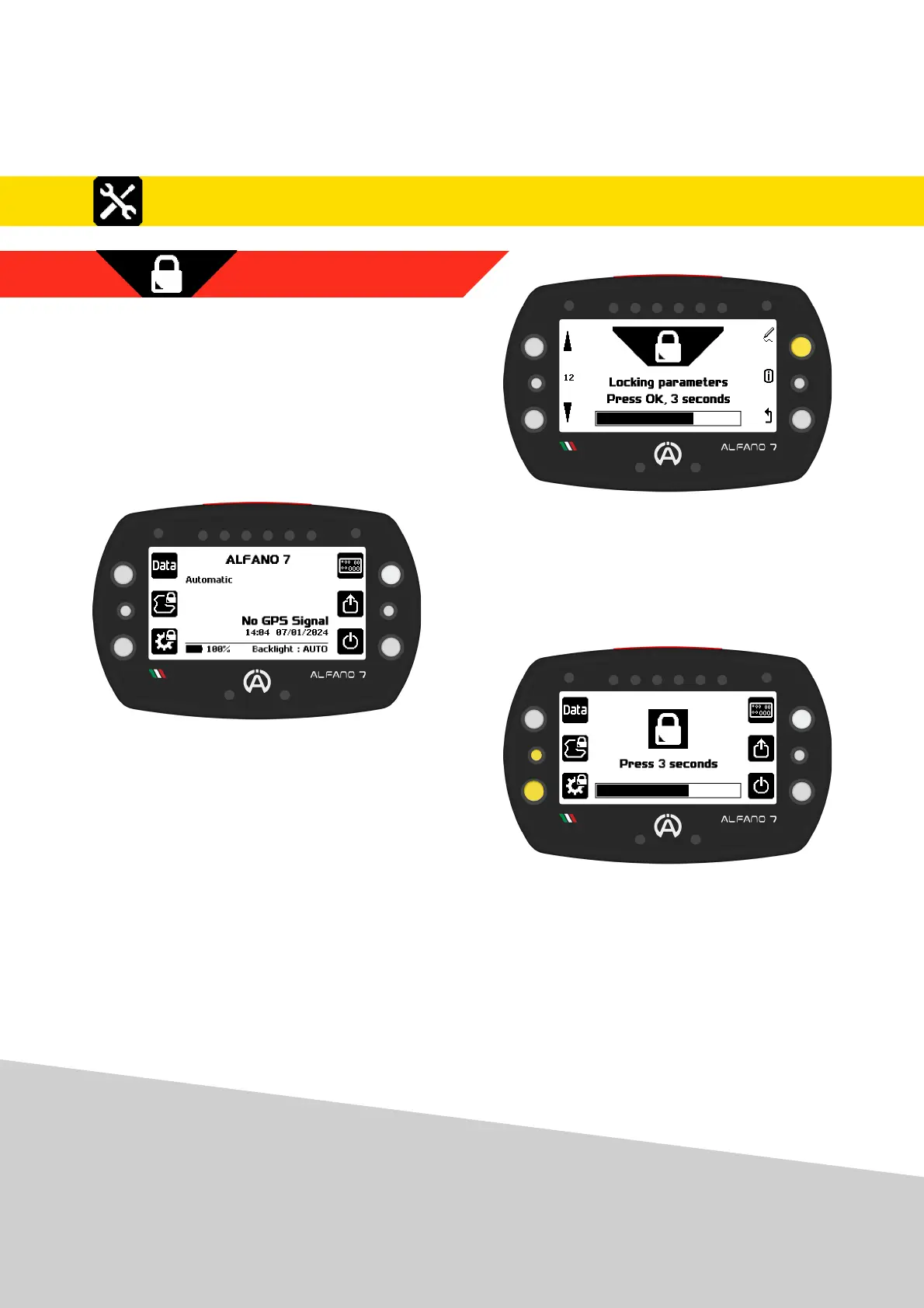
8.2.12. LOCKING PARAMETERS
The last page of the setup menu allows you to
lock the Alfano 7 parameters
To block parameter modification, press the
upper right button for 3 seconds
As soon as the progressive bar is loaded, the
device will block access to the parameter
modification pages and return to the home
page
Access to the all settings menu (icon on the
bottom left) and access to the Alfano mode
selection menu (icon on the centre left) is
not possible until the lock is removed
To unlock, press and hold the lower left or
centre left button for 3 seconds
43
8. Settings
8.2. Alfano 7 Settings, Connected Sensors and Boxes



 To Next Page