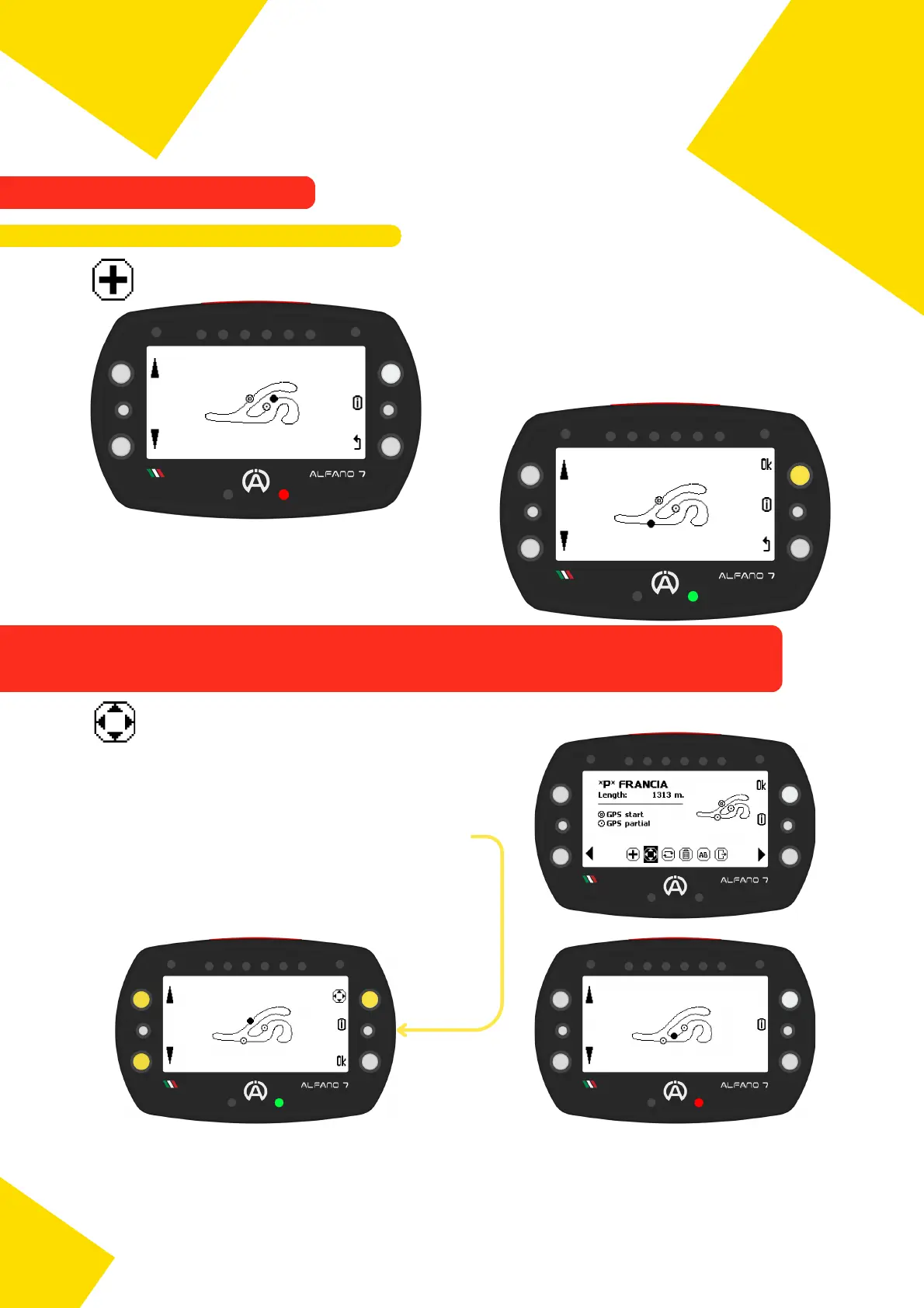
If the device does not allow you to add other lines, you have entered the maximum
number of sectors for this circuit or the maximum number of sectors supported by
Alfano 7, which is 9
The LED lights up red if the inserted line is too
close to a line already present on the track
In this case, the icons for the actions "Add line"
and "Confirm job" do not appear on the screen
If you do not wish to add any more lines, press
"ok" to exit and confirm the positions of the
new lines
9.2.3.1. Move a Sector Line
You can to move a line that already exists on
the track
To select the track lines to be moved, click on
the upper right button
Move it with the left buttons
Save the changes and exit the menu by
pressing the 'ok' button
The LED indicator displays a green light if the modified line is at a sufficient distance from
the existing lines on the layout, and a red light if it is too close to another line; in this case,
it is not possible to exit the modification until the line is in a valid position
67
9. Alfano Mode
9.2. PROFESSIONAL MODE
9.2.3. Professional Track Modification
9.2.3.1. Add a Sector Line



 To Next Page