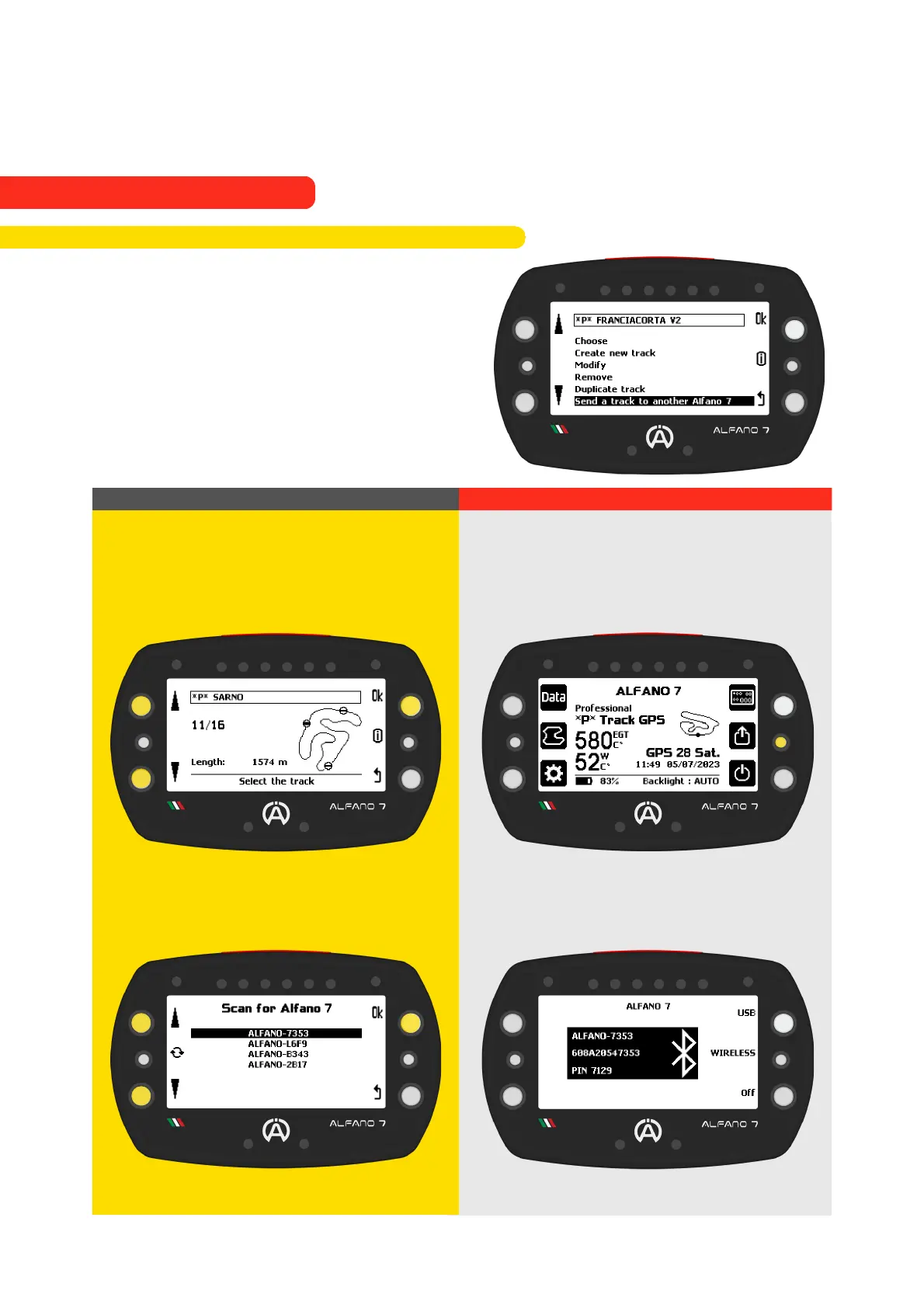
You can easily share a professional track with
another Alfano 7 to time yourselves on the
same track
Confirm by pressing the “Ok” button from
the device that will send the track
Alfano 7 Sending the Track
Alfano 7 Receiving the Track
Select the track from the Alfano 7
that has it in memory with the upper
and bottom left buttons, confirm
with the 'OK' button
The Alfano 7 device will scan for
nearby devices. Select the device you
want to share the track with once the
search is complete
Activate Bluetooth mode in the Alfano
7 that will receive the track
Wait for the connection
71
9.2.6. Share a Professional Track to another Alfano 7
9. Alfano Mode
9.2. PROFESSIONAL MODE



 To Next Page