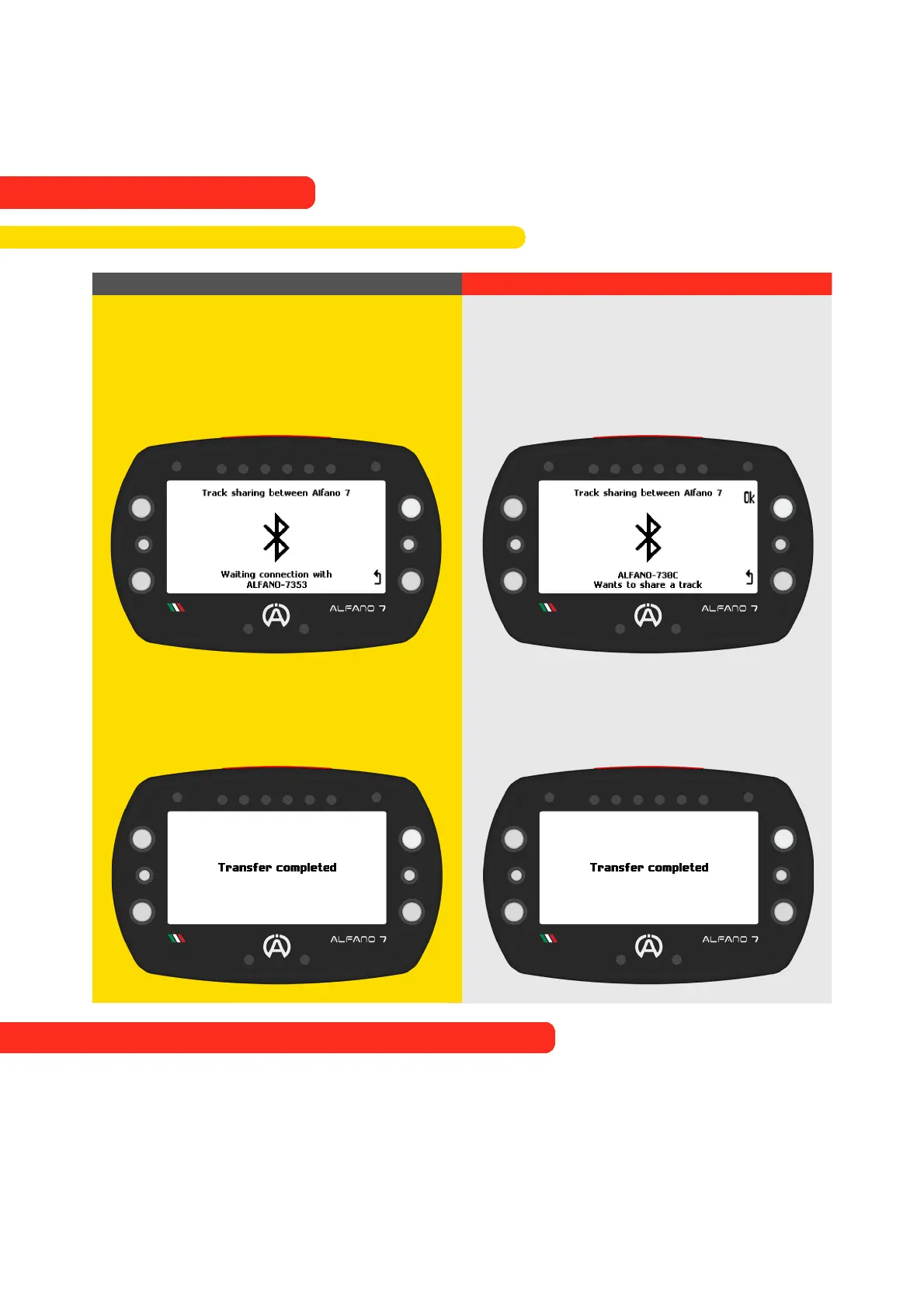
Alfano 7 Sending the Track
Alfano 7 Receiving the Track
After selecting the device to which you
want to send the trace, the Alfano 7
emitter will wait for approval from the
Alfano 7 receiver
By clicking 'OK', you confirm that you
wish to receive the track from the
specified Alfano 7 device (in this case, the
ALFANO-730C).
After sending the tracing, a
confirmation message will be displayed
After sending the tracing, a
confirmation message will be displayed
Professional tracks can only be shared between Alfano 7
72
9. Alfano Mode
9.2. PROFESSIONAL MODE
9.2.6. Share a Professional Track to another Alfano 7



 To Next Page