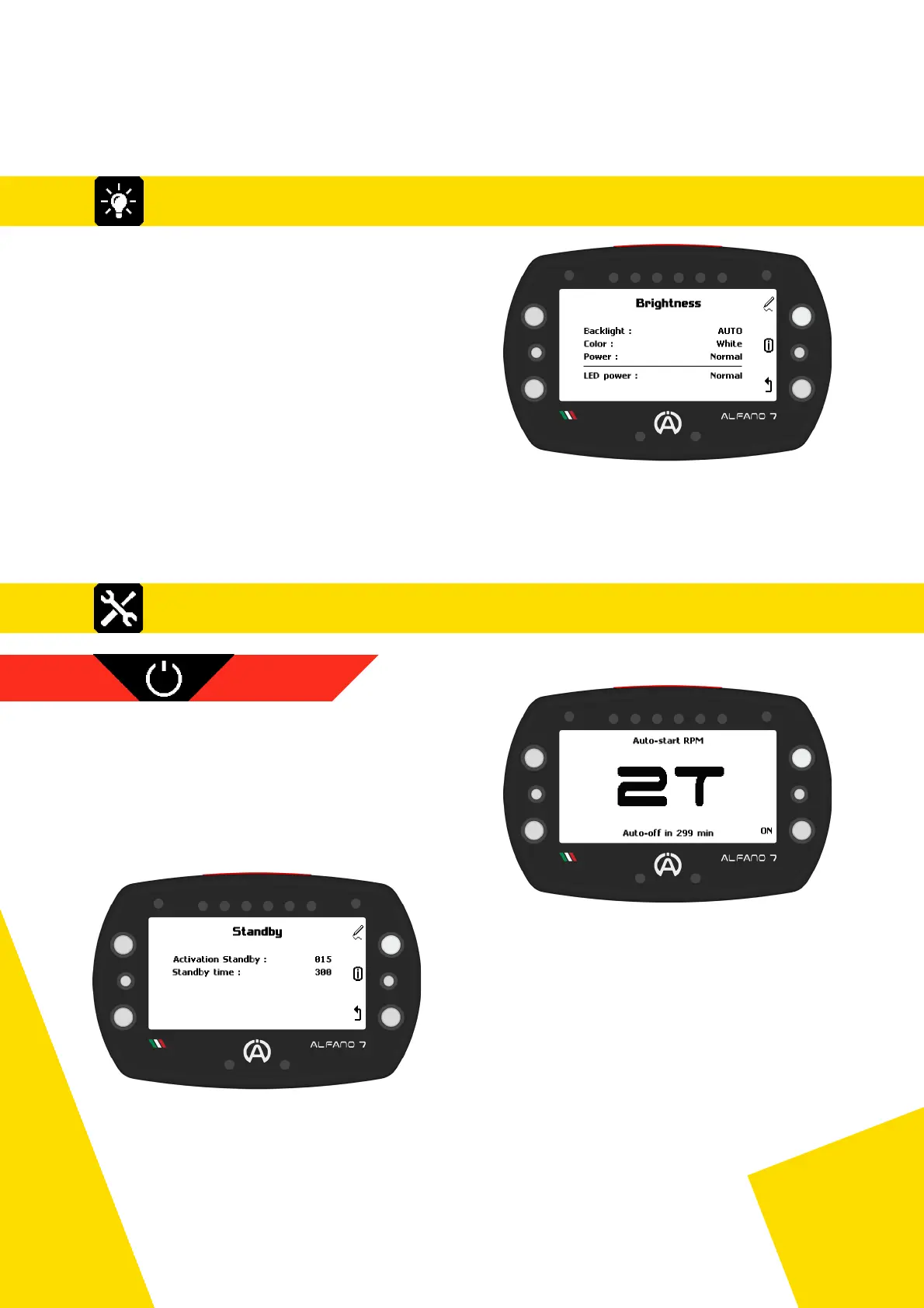
8.1. Backlight and Power Settings of the 9 LEDs
8.2. Alfano 7 Settings, Connected Sensors and Boxes
The Alfano 7 features a standby mode that is
activated automatically after a certain period of
inactivity
The device will reactivate either upon detection
of engine RPM or by pressing the lower right
button
8.2.1 STANDBY
The backlight can be set to always on, always
off or automatic
In automatic mode, the Alfano 7, thanks a
brightness sensor, will switch the backlight on
or off depending on the external conditions
The available backlight colours are White,
Orange, Purple, Green, Blue and Red.
The backlight can be set to 3 intensity levels:
low, normal and high.
The 9 LEDs (6 LED system, two alarm LEDs and status LEDs) can also be adjusted to three
levels of light intensity: low, normal and high
From factory settings, the device will enter
standby mode after 15 minutes of inactivity
If there are no RPMs detected or the device
is not manually activated within the next
300 minutes, it will turn off completely
On this page you can set the time for the device to enter standby mode (activation Standby)
and the duration it will remain in standby before turning off (standby time)
30
8. Settings



 To Next Page