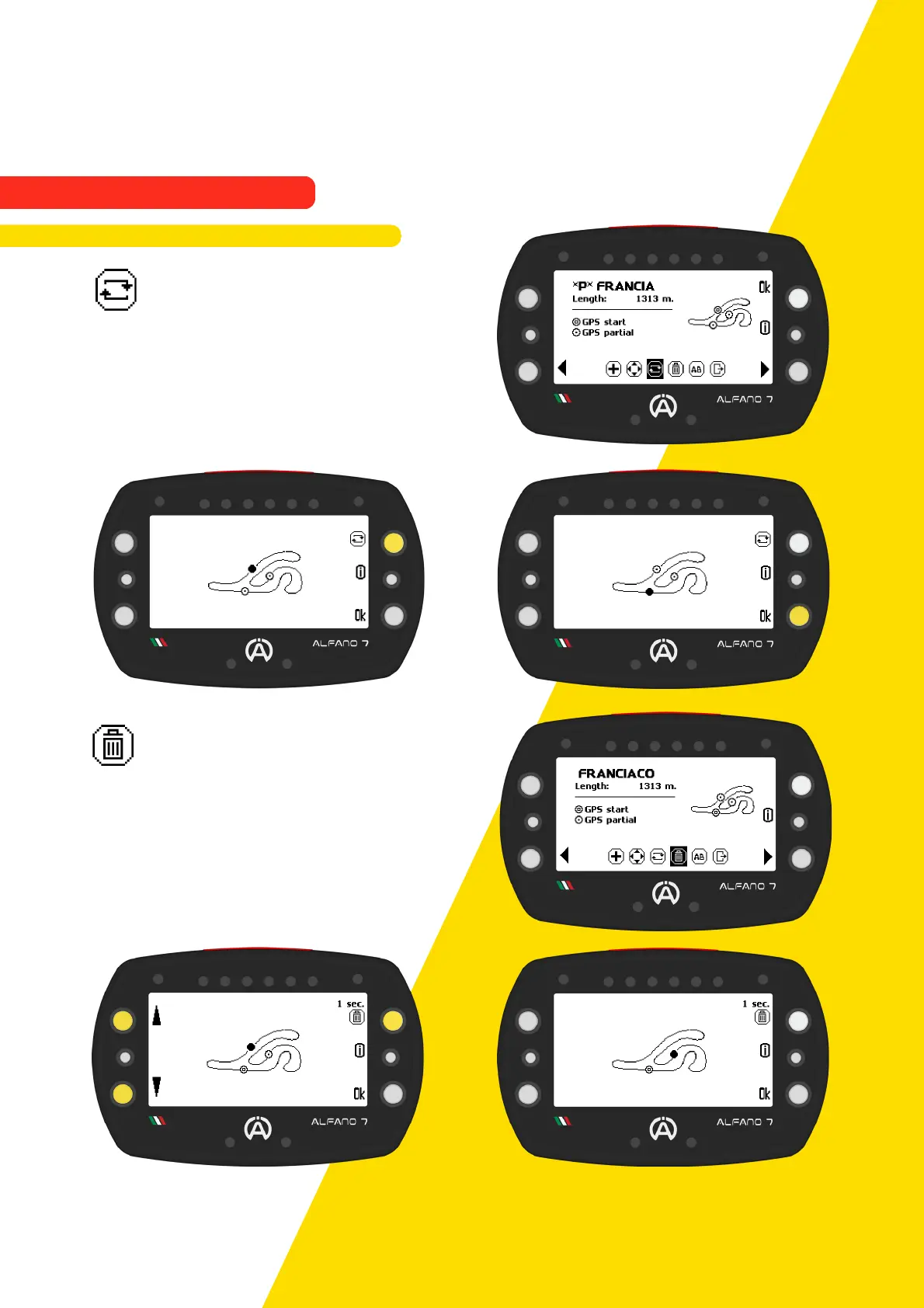
9.2.3.3. Change the Finish Line
To promote a line to the finish line, select the
desired line using the upper right button and
confirm with the 'ok' button
9.2.3.4. Delete a Sector Line
To delete a sector line, select it using the left
keys and press the top right key for one
second.
Confirm the change by pressing the 'ok'
button
To delete the finish line it will be necessary to change the finish line with another line and
then it will be possible to delete the old finish line
68
9. Alfano Mode
9.2. PROFESSIONAL MODE
9.2.3. Professional Track Modification



 To Next Page