After creating the professional track, you can
modify it to suit your needs
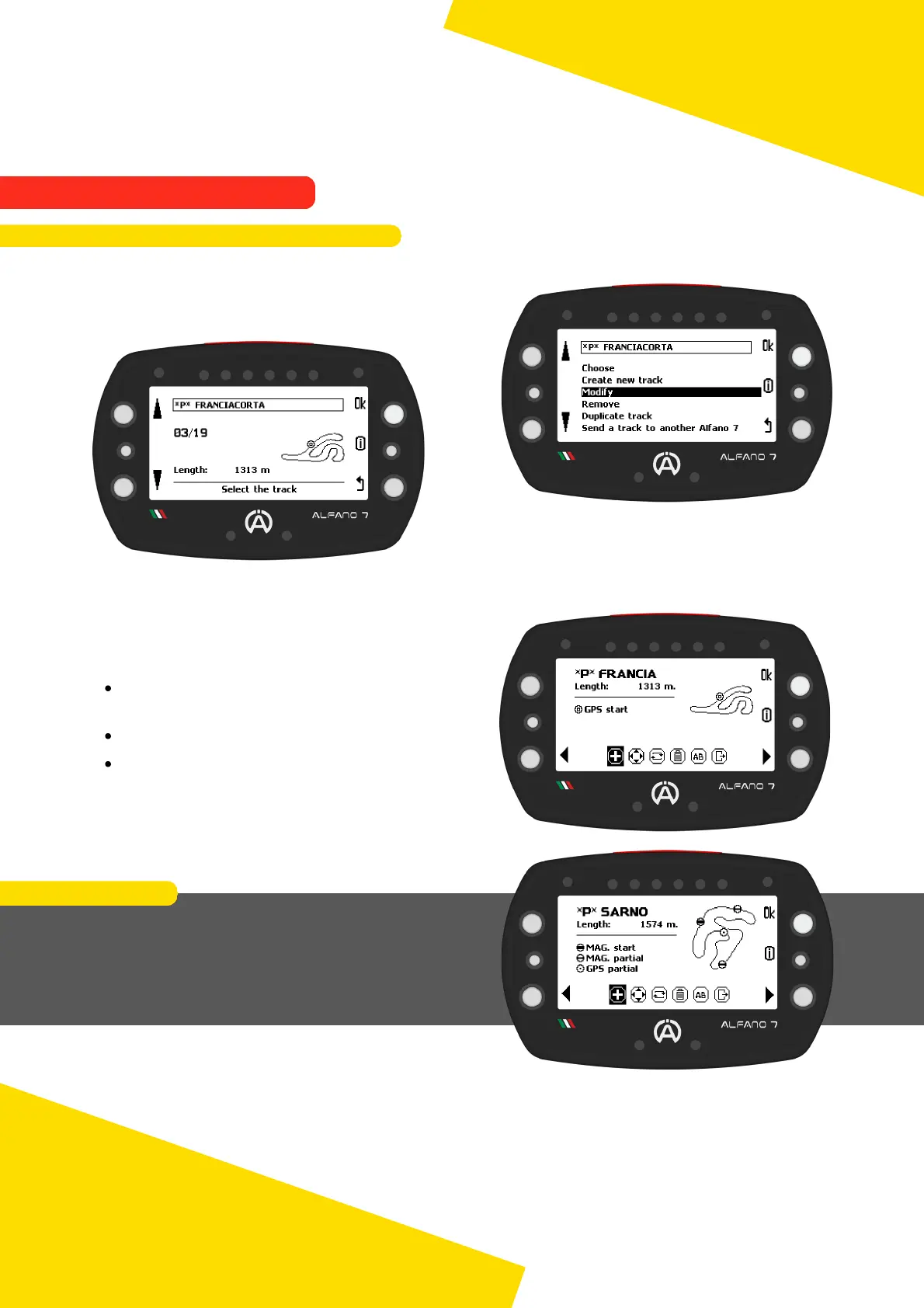
Select "modify", scroll through the
professional tracks in the memory with the
left buttons and select the track you want to
modify with "ok"
By entering the editing page of the specific
track, you will see:
At the bottom, the available tools for
editing the track
At the top right, the current track layout
On the left, a legend of the track
elements
65
EXAMPLE
In this case, the track in question has 3 magnetic
lines and 1 GPS line
This means that the track was created using the
GPS+Mag/IR function and a fourth GPS line was
added by modifying the track previously created
9. Alfano Mode
9.2. PROFESSIONAL MODE
9.2.3. Professional Track Modification



 To Next Page