64
Create new professional track through Mag/IR mode
EXAMPLE
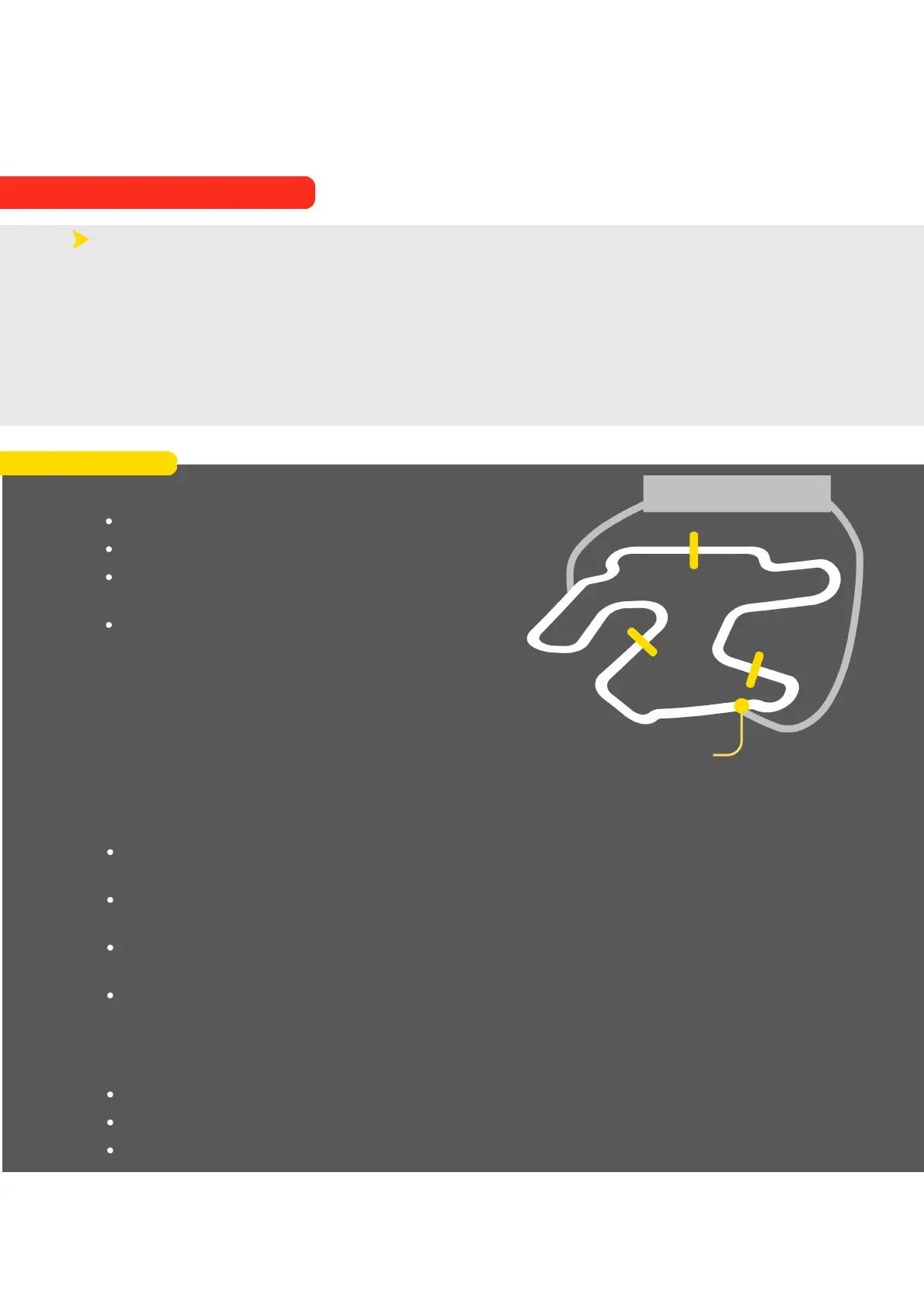
In this case:
The track has 3 magnetic stripes (A,B,C)
The device is set with departure Mag/IR strip = 2
The access point is the one shown in the
illustration (Z)
The direction of drive is clockwise
The device will enter the track from point Z ready to learn the track, during the learning lap
it will encounter in order:
MAGNETIC STRIP C: as this is the first strip the device will encounter it will set it as a
magnetic strip delimiting a sector (having set strip number 2 as the finish line)
MAGNETIC STRIP A: as this is the second strip that the device will encounter it will set it
as the magnetic strip of the finish line (strip number 2 having been set as the finish line)
MAGNETIC STRIP B: the device having already assigned the magnetic strip of the finish
line will set this strip as delimitation of a sector
ACCESS POINT Z: device will pass over the access point Z again, it will realise that it has
completed a complete lap and will end the learning process
The newly created track will then have the following characteristics:
Sector 1: portion of track between A and B
Sector 2: portion of track between B and C
Sector 3: portion of track between C and A
PIT LANE
A
B
C
ACCESS POINT
Z
9. Alfano Mode
9.2. PROFESSIONAL MODE
The Alfano 7 records all GPS points during track creation even in this mode
This allows the track to be used without the magnetic/IR sensor and to edit it but track
creation in this mode will be impossible if the Magnetic or IR sensor is not connected during
the learning lap
Tracks created in Mag/IR mode can be edited by swapping the finish line with other
magnetic/IR lines but these, of course, cannot be moved.
Other GPS lines can be added and moved



 To Next Page