Create new professional track only through GPS
The device will create the track only using GPS data. The track will not have intermediate
times and the finish line will not necessarily correspond to the actual finish line of the
circuit. Once the professional circuit has been created, it will be possible to modify it by
inserting split times and moving the finish line wherever you want
Create new professional track through Mag/IR mode
The device creates the track using the magnetic/IR sensor. By entering the number of the
magnetic strip/IR line in the order of exit from the pit lane that you wish to assign to the
finish line, the device will create the track assigning the finish line to the strip previously
selected and will consider the other strips detected during the learning lap as split times
The number of the magnetic strip to be considered as the finish line must be set according
to the point of access to the track during the learning lap, i.e. it must be the number of the
desired strip in the order of crossing from the point of access to the track
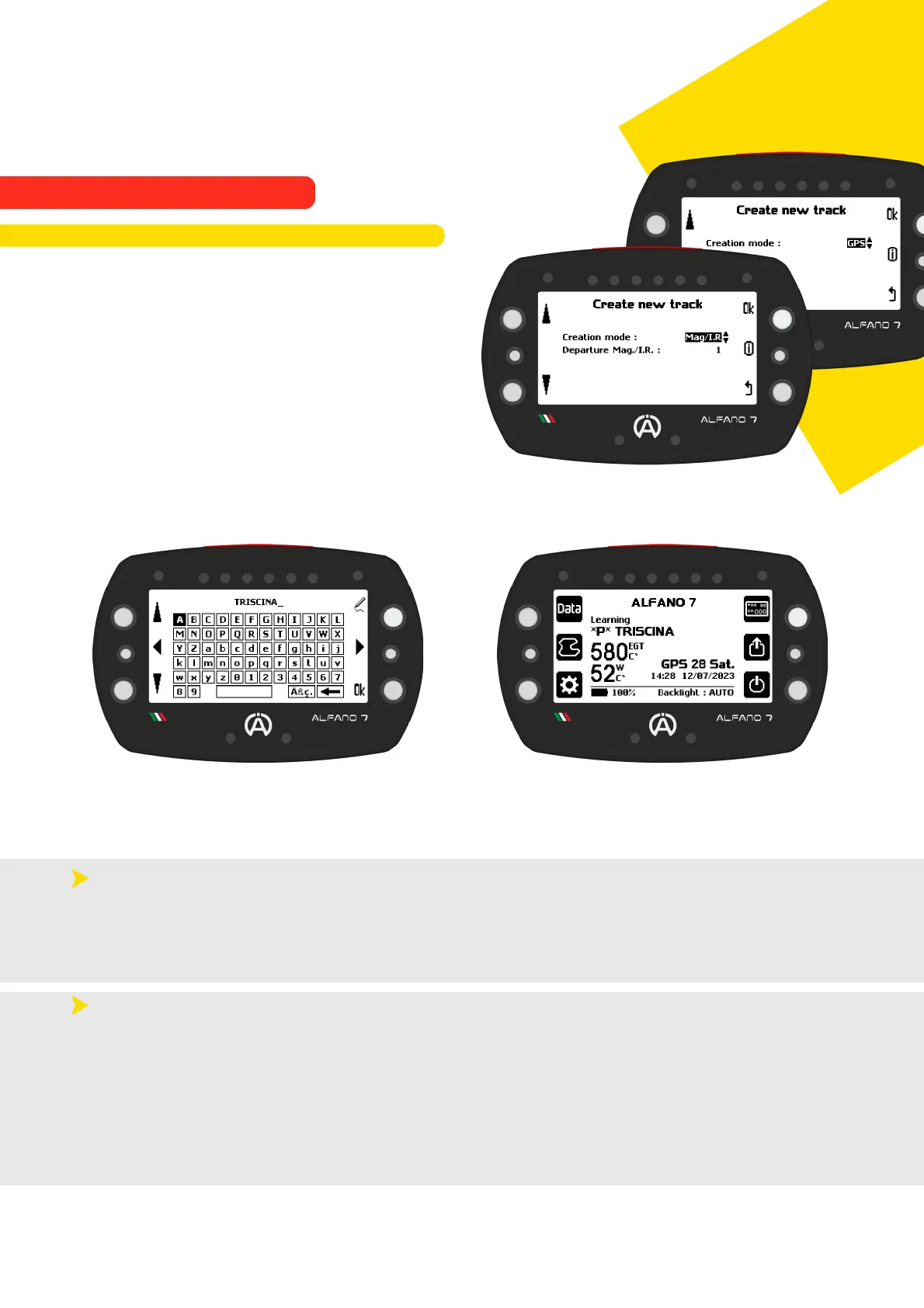
When configuring the creation of a new
professional track, it is possible to choose
whether to create the track using GPS only or
in combination with the Magnetic/IR sensor
If the Mag/IR option is selected, it is necessary
to enter the number of the magnetic stripe or
IR line that the device must consider as the
finish line (example on page 64)
Once you have confirmed your selection with the 'ok' button, the unit will ask you to name
the track. Once you have assigned a name and confirmed with "ok", the device will enter
learning mode and return to the homepage, ready to get on track and learn it
To complete the configuration, simply complete one lap of the track. The session will be
recorded from the second lap, so there is no need to return to the pits, the driver can start a
session if he wishes
63
9. Alfano Mode
9.2. PROFESSIONAL MODE
9.2.2. Creation of a New Professional Track



 To Next Page