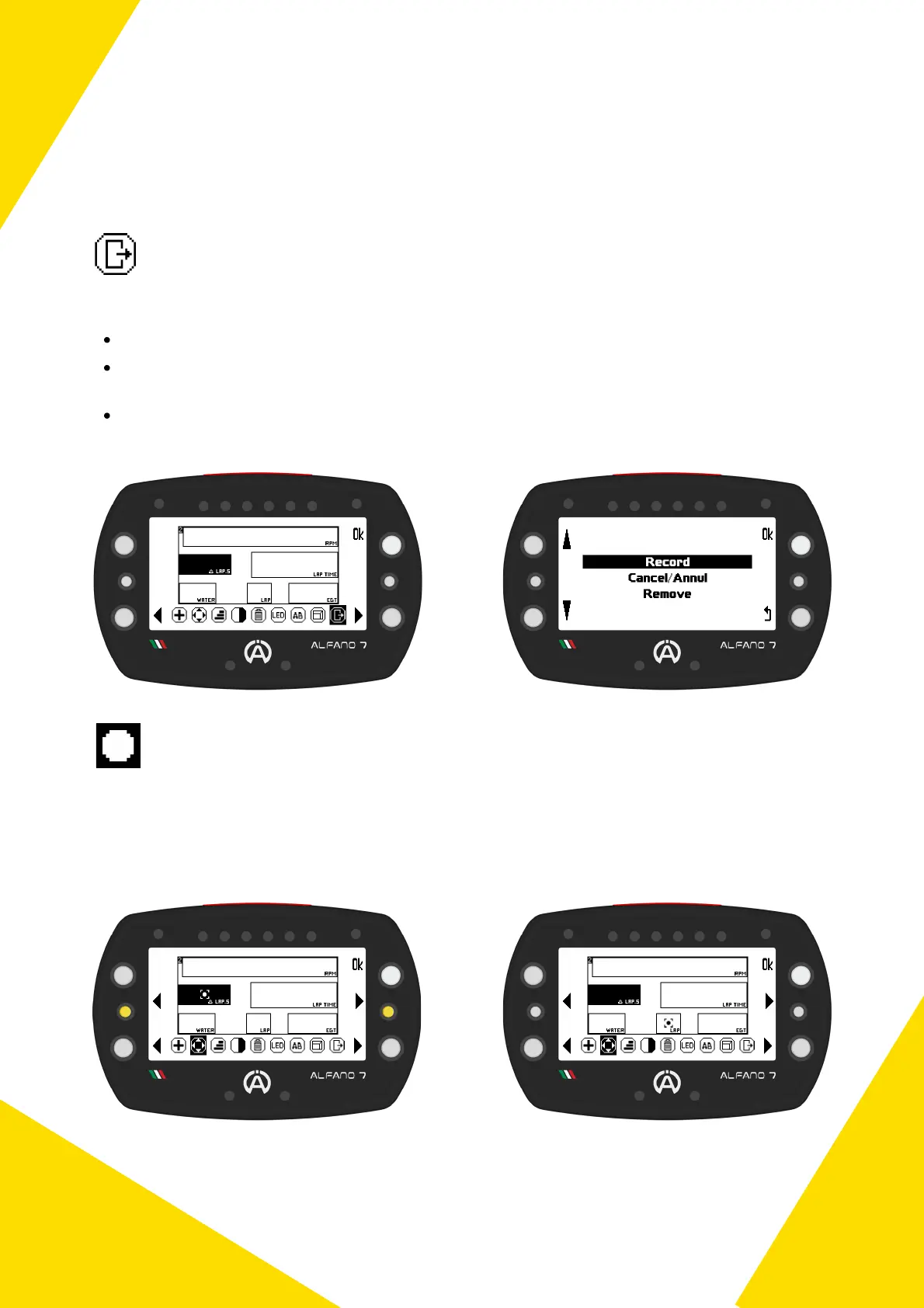
Exit Editing Race Screen
To exit the workspace you can:
Record: save the race screen
Cancel/Annul: cancel the work done, in this case the race screen in memory will revert to
the previous one, if present, or remain empty if no race screen had been saved
Remove: Remove all settings, in this case the race screen will be saved blank
To edit a widget when there are multiple widgets in the workspace, select the block you
wish to edit using the left and right center keys
A pointer will move between the widgets and select the one you want to edit, allowing
you to move, resize, invert colors, and delete the desired widget
Workspace Widget Pointer
24
7. Race Screen
7.1. Edit Race Screen 2/3/4/5 - EDITABLE



 To Next Page