ALPINE iLX-F509E 68-41657Z84-A (EN)ALPINE iLX-F509E 68-41657Z84-A (EN)
20-EN
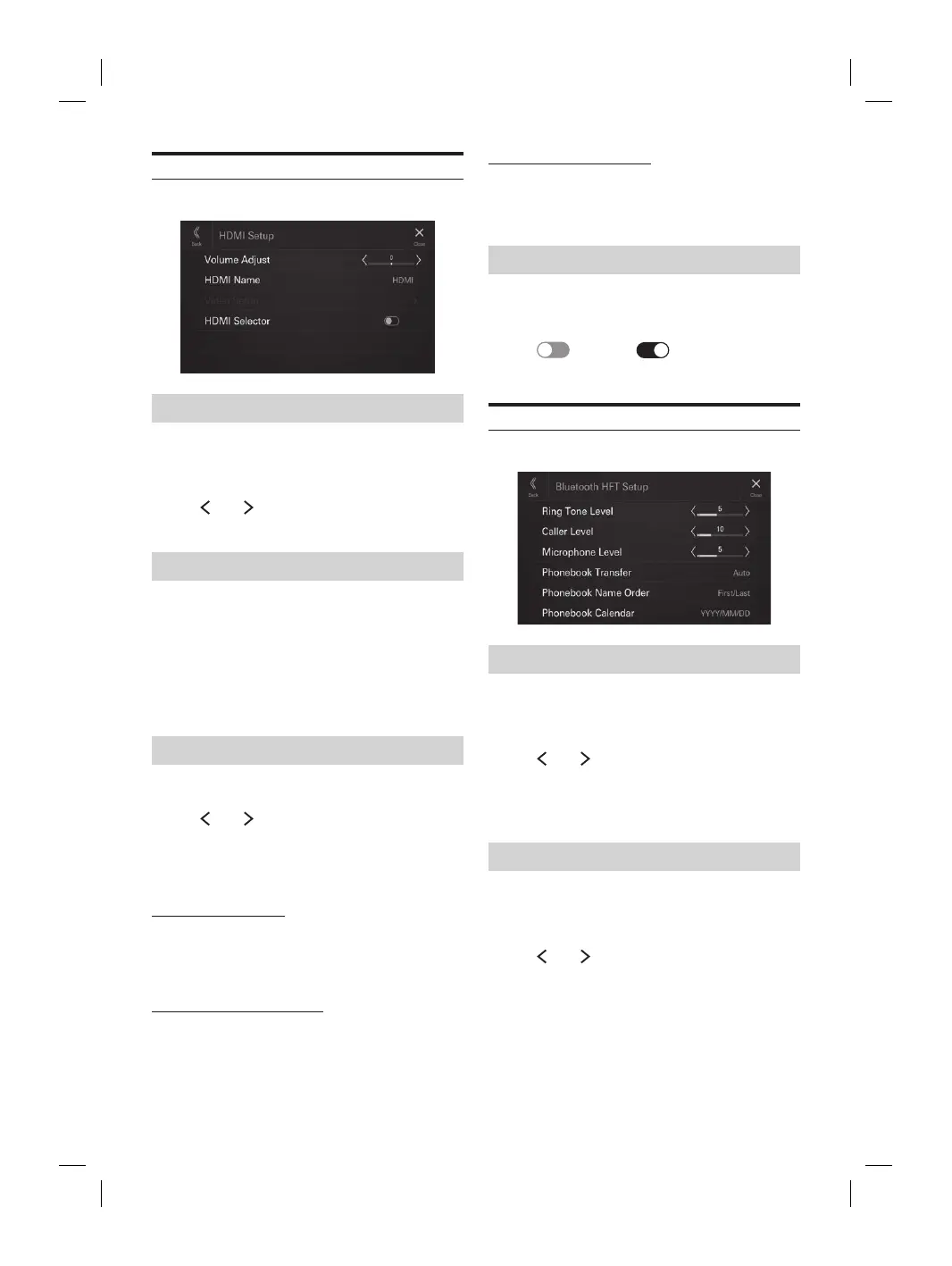
HDMI Setup
[HDMI] is selected on the Function Setup Menu screen.
Adjusting the HDMI Volume
Setting item:
Volume Adjust
Setting level:
-14 to +14 (Initial setting: 0)
Touch [ ] or [ ] of “Volume Adjust” to set the
volume level for HDMI playback.
Setting the HDMI Name
You can set the name of an external device connected via
HDMI.
Setting item:
HDMI Name
Setting contents:
Off / HDMI (Initial setting) / Digital TV
• Not available when the current source is HDMI (or Digital
TV).
Video Setup
Setting item:
Video Setup
Touch [ ] or [ ] of “Brightness, Colour,
Contrast” to set the picture quality.
• Available only when the current source is HDMI (or Digital
TV).
Adjusting Brightness
Setting item:
Brightness
Setting contents:
-15 to +15 (Initial setting: 0)
Adjusting Colour of Picture
Setting item:
Colour
Setting contents:
0 to 2 (Initial setting: 0)
Adjusting Image Contrast
Setting item:
Contrast
Setting contents:
-15 to +15 (Initial setting: 0)
Setting the HDMI Selector
Set to On when the optional HDMI Selector is connected.
Setting item:
HDMI Selector
Touch [ ] (Off) or [ ] (On) of “HDMI
Selector”.
Phone Setup
[Phone] is selected on the Function Setup Menu screen.
Adjusting the Ringtone Level
Setting item:
Ring Tone Level
Setting level:
1 to 11 (Initial setting: 5)
Touch [ ] or [ ] of “Ring Tone Level” to set the
Ringtones volume level.
• Not available when Apple CarPlay or Android Auto is
connected.
Adjusting the Phone Calls Volume
Setting item:
Caller Level
Setting level:
1 to 35 (Initial setting: 5)
Touch [ ] or [ ] of “Caller Level” to set the calls
volume level.
• Not available when Apple CarPlay or Android Auto is
connected.
icrophone Level
evel
el:
nitial setting: 5)
] or [ ] of “Microphone Level” to set
olume level.
able when Apple CarPlay or Android Auto is
.
ook Transfer
o transfer the phonebook automatically.
ransfer
tents:
anual
ook Name Order
yed in
.
der
tents:
irst/Last (Initial setting)
ook Calendar
e format displayed in the phonebook.
alendar
tents:
nitial setting) / MM/DD/YYYY /
YYY














 To Next Page