ALPINE iLX-F509E 68-41657Z84-A (EN)ALPINE iLX-F509E 68-41657Z84-A (EN)
56-EN
About the adjustment of guide display
ON/OFF setting and adjustment of
Caution display location
As with the rear camera, the front camera guide display ON/
OFF setting and Caution display location can be adjusted.
See “Guide Display ON/OFF Setting” (page 52) and
“Adjusting the Caution Display Location” (page 53) for the
operations.
Side Camera Operation
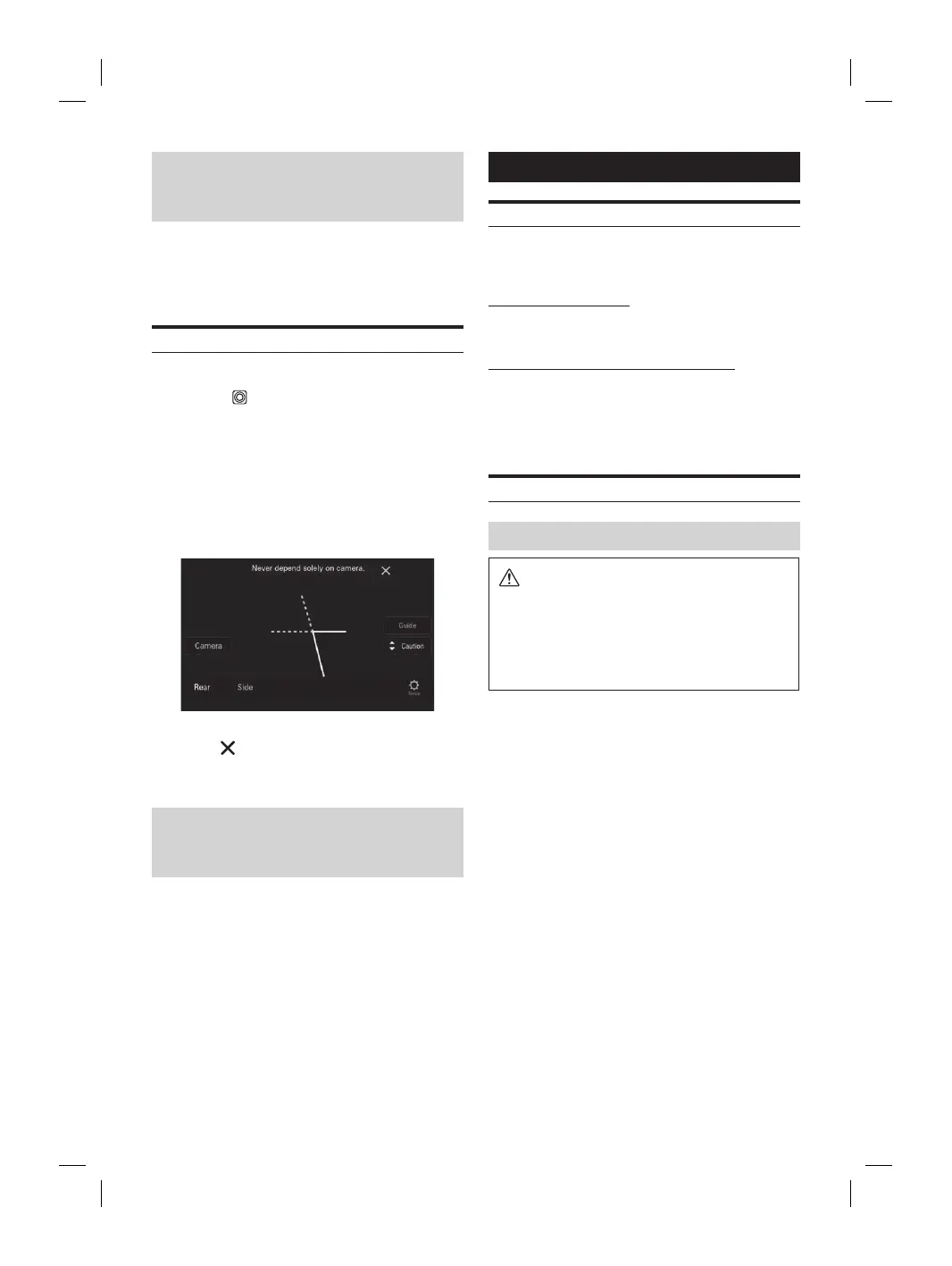
Displaying the Side Camera image from the Menu screen
1 Press the (CAM) button.
The Camera view image is displayed.
2 Touch the screen when the image from the
camera is displayed.
The operation screen is displayed on the screen.
3 Touch [Side].
The Side Camera view image is displayed.
• Touch the screen while the camera image is being displayed,
and touch [
] to return to the previous screen.
• You can perform a Guide Adjustment. For details, see
“Camera Guide Setup” (page 22).
About the adjustment of guide display
ON/OFF setting and adjustment of
Caution display location
As with the rear camera, the front camera guide display ON/
OFF setting and Caution display location can be adjusted.
See “Guide Display ON/OFF Setting” (page 52) and
“Adjusting the Caution Display Location” (page 53) for the
operations.
Information
Product Software Update
This product uses software that can be updated through a
USB flash drive. Download the software from the Alpine
website and update the product using the USB flash drive.
Updating this product
Check the Alpine website for details on updating.
http://www.alpine-asia.com/en
Important information on the software
About the software license of the product
The software installed in the product contains open-source
software.
For details, refer to the “Open source licenses” screen on this
unit. See “Displaying Software License” (page 27).
About the Supported Formats
About MP3/WMA/AAC/FLAC/WAV/APE
CAUTION
Except for private use, duplicating audio data
(including MP3/WMA/AAC/FLAC/WAV/APE data) or
distributing, transferring, or copying it, whether for
free or for a fee, without permission of the copyright
holder is strictly prohibited by the Copyright Act
and by international treaty.
What is MP3?
MP3, whose official name is “MPEG Audio Layer 3,” is a
compression standard prescribed by the ISO, the
International Standardization Organization and MPEG
which is a joint activity institution of the IEC.
MP3 files contain compressed audio data. MP3 encoding
is capable of compressing audio data at extremely high
ratios, reducing the size of music files to as much as
one-tenth their original size. This is achieved while still
maintaining near CD quality. The MP3 format realizes
such high compression ratios by eliminating the sounds
that are either inaudible to the human ear or masked by
other sounds.
What is WMA?
WMA, or “Windows Media™ Audio,” is compressed audio
data.
WMA is similar to MP3 audio data.
What is AAC?
AAC is the abbreviation for “Advanced Audio Coding,”
and is a basic format of audio compression used by
MPEG2 or MPEG4.
AC?
ree Lossless Audio Codec) is an audio file codec
ompression, developed and offered as open
tware.
ompression forms, such as MP3 and
e part of the data to improve compression
y.
, FLAC can reconstruct compressed data to be
tical copy of the original data by performing
ompression. The compression ratio of FLAC is
V?
d audio format for Windows. It is the
ormat before compression. You can enjoy music
y as a CD. WAV is also
as WAVE.
ormat called lossless compression. It can be
o its original quality by decoding. Mainly, it is
“Monkey’s Audio.”
eating MP3/WMA/AAC/FLAC/WAV/APE
e) files
ta is compressed using software with MP3/
C/FLAC/WAV/APE (USB Flash drive) codecs. For
eating MP3/WMA/AAC/FLAC/WAV/APE (USB
ive) files, refer to the user’s manual for that
e.
A/AAC/FLAC/WAV/APE (USB Flash drive) files
yable on this device have the file extensions.
”
”
”/”fla”
av ”
”
ted for the following files, Windows
udio Professional, Windows Media Audio 10 std
ws Media Audio 10 Pro Lossless.
e many different versions of the AAC format.
t the software being used conforms to the
ormats listed above. It’s possible that the
y be unplayable even though the extension is
C files encoded by iTunes is supported.
yback sampling rates and bit rates
lash drive)
ates: 8 kHz, 11.025 kHz, 12 kHz,
16 kHz, 22.05 kHz, 24 kHz,
32 kHz, 44.1 kHz, 48 kHz
8 - 320 kbps
lash drive)
ates: 8 - 48 kHz
8 - 385 kbps














 To Next Page