ALPINE iLX-F509E 68-41657Z84-A (EN)ALPINE iLX-F509E 68-41657Z84-A (EN)
73-EN
If an ACC power supply is not available
Connection Diagram of SPST Switch (sold separately)
BATTERY
iLX-507E
iLX-F509E
iLX-F511E
(Red)
ACC
Ba
(Yellow)
SPST SW (Optional)
FUSE (20A)
(Optional)
(O
• If your vehicle has no ACC power supply, add an SPST (single-pole, single-throw) switch (sold separately) and fuse (sol
• The diagram and the fuse amperage shown above are in the case when the unit is used individually.
• If the switched power (ignition) lead of the unit is connected directly to the positive (+) post of the vehicle’s battery, the un
some current (several hundred milliamperes) even when its switch is placed in the OFF position, and the battery may b
To prevent external noise from entering the audio system.
• Locate the unit and route the leads at least 10 cm away from the car harness.
• Keep the battery power leads as far away from other leads as possible.
• Connect the ground lead securely to a bare metal spot (remove any paint, dirt or grease if necessar
• If you add an optional noise suppressor, connect it as far away from the unit as possible. Your Alpine dealer car
various noise suppressors, contact them for further information.
• Your Alpine dealer knows best about noise prevention measures so consult your dealer for further information.
System Example
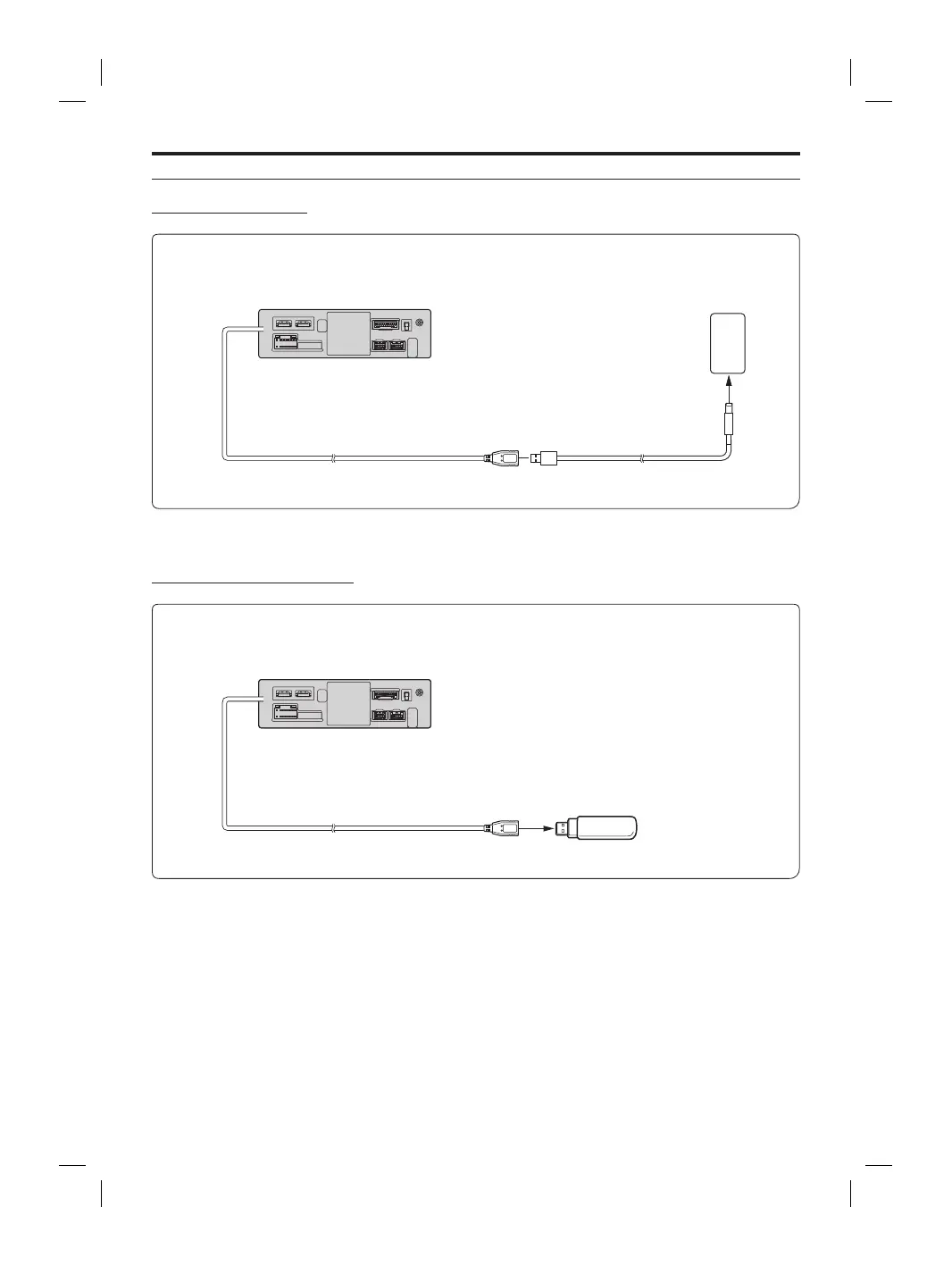
Connection of an iPhone
■
When connecting to an iPhone with a Lightning connector
USB Connector 2.4A (Black)
iPhone with a Lightning
connector
(sold separately)
Lightning to USB Cable
KCU-471i (sold separately)
• Do not leave an iPhone in a vehicle for a long time. Heat and humidity may damage the iPhone, and you may not be able to play it
again.
Connection of a USB Flash Drive
USB Connector 2.4A (Black)
USB Flash Drive
(sold separately)
• Do not leave a flash drive in a vehicle for a long time. Heat and humidity may damage the flash drive.














 To Next Page