ALPINE iLX-F509E 68-41657Z84-A (EN)ALPINE iLX-F509E 68-41657Z84-A (EN)
48-EN
Changing the Voice Output
The voice output for calls is switchable between car
speakers and the mobile phone speaker.
Touch [ ] or [ (orange)].
• Depending on the mobile phone, this operation may not be
possible.
Muting the Microphone
Touch [ ].
• To cancel MUTE mode, touch [ (orange)].
DTMF (Touch-Tone) Function
A DTMF (Touch-Tone) signal transmits during a call.
1 Touch [ ] (Keypad).
The number input screen (Keypad) appears.
2 Input number.
• You can transmit a Touch-Tone signal during a call.
• You cannot hear the DTMF (Touch-Tone) signal.
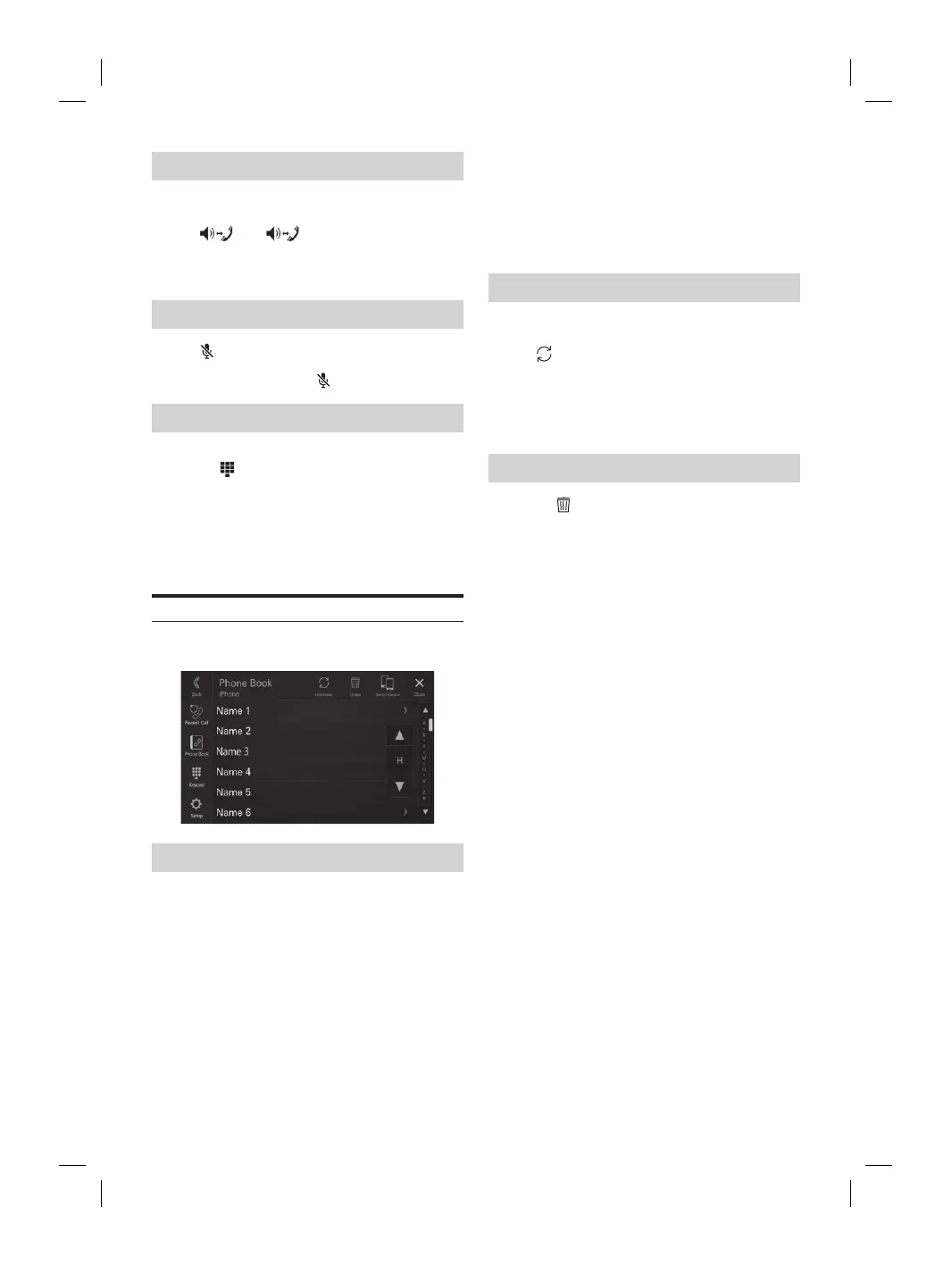
Phone Book Function
■
Phone Book screen example
Searching in the Phone Book
The unit is provided with an alphabet search function for
effective searching. When you use this function in the
search mode, you can quickly search a name, etc. of the
contact which you want to call.
1 Touch the initial search bar on the Phone
Book screen and slide your finger up and
down to align the bar with the target letter.
2 Touch the name of the contact you want to
call.
The Detail info screen is displayed.
3 Touch the phone number.
The phone call is started.
• If there are no names in the list beginning with that letter, the
next letter of the alphabet is searched. For example: If there
are no names beginning with “R,” the search list begins with
“ S .”
Synchronizing the Phone Book
You can synchronize the system’s phone book with the
mobile phone’s phone book.
Touch [ ] (Download) on the Phone Book
screen.
Synchronization of the phone books starts.
• You can store up to 2,000 registered name in the phone book.
• You can store up to 5 phone numbers by one person’s name.
Deleting the Phone Book Entries
1 Touch [ ] (Delete) on the Phone Book
screen.
The confirmation screen is displayed.
2 Touch [OK].
All entries of the phone book are deleted.
ooth Audio
ompatible mobile phone, portable player,
ted by wireless, you can play back a song
ontrollable from the unit).
may vary, depending on the Bluetooth compatible
oth Audio main screen example
tion display
inning of next chapter/Fast-
ds when touched for at least 1 second
t track number/Total track number
s the audio codec information (SBC/AAC/
s the BT Audio Setup Menu screen (page
s the Device Setup Menu screen (page
otal time for playing
s the search screen
t mode
lay
inning of the current file/Finds a
onds after playback
ast-reverses when touched for at least 1
yed onscreen buttons may differ depending on the
ersion.
ck audio, a mobile phone or a portable player
g to A2DP (Advanced Audio Distribution Profile)
udio/Video Remote Control Profile) is required.
nctions work with all devices.
all, sound on the Bluetooth audio source is paused.
VRCP versions: 1.6
unctions may differ depending on the AVRCP














 To Next Page