ALPINE iLX-F509E 68-41657Z84-A (EN)ALPINE iLX-F509E 68-41657Z84-A (EN)
23-EN
■
Front Camera screen example
■
Side Camera screen example
• When adjusting the side camera, touch [View], an
[ ] (Left steering) or [ ] (Right steering) t
guide line adjustment that matches the position o
wheel in your vehicle.
3 Select a guide to adjust by touching [
4 Touch [ ], [ ], [ ] or [ ] t
position of the guide.
5 Touch [Back] or [Close] to complet
adjustment.
• The setting can be returned to the default setting b
[Default].
Hitch Guideline Adjustment
Adjustment can be made only by Rear Camera.
1 Touch [View], and then touch [Hitch].
The Hitch adjustment screen is displayed.
2 touch [ ][ ]to select the guide t
3 Touch [ ], [ ], [ ] or [ ] t
position of the guide.
4 Touch [Back] or [Close] to complete the
adjustment.
• The setting can be returned to the default setting by touching
[Default].
Video Setup
Setting item:
Video Setup
Touch[ ] or [ ] of “Brightness, Colour,
Contrast” to set the picture quality
Adjusting Brightness
Setting item:
Brightness
Setting contents:
-15 to +15 (Initial setting: 0)
Adjusting Colour of Picture
Setting item:
Colour
Setting contents:
0 to 2 (Initial setting: 0)
Adjusting Image Contrast
Setting item:
Contrast
Setting contents:
-15 to +15 (Initial setting: 0)
Setting the Mute while Reversing
The audio volume can be muted when the shift gear lever is
set to the reverse (R) position.
Setting item:
Mute while Reversing
Touch [ ] (Off) or [ ] (On) of “Mute
while Reversing”.
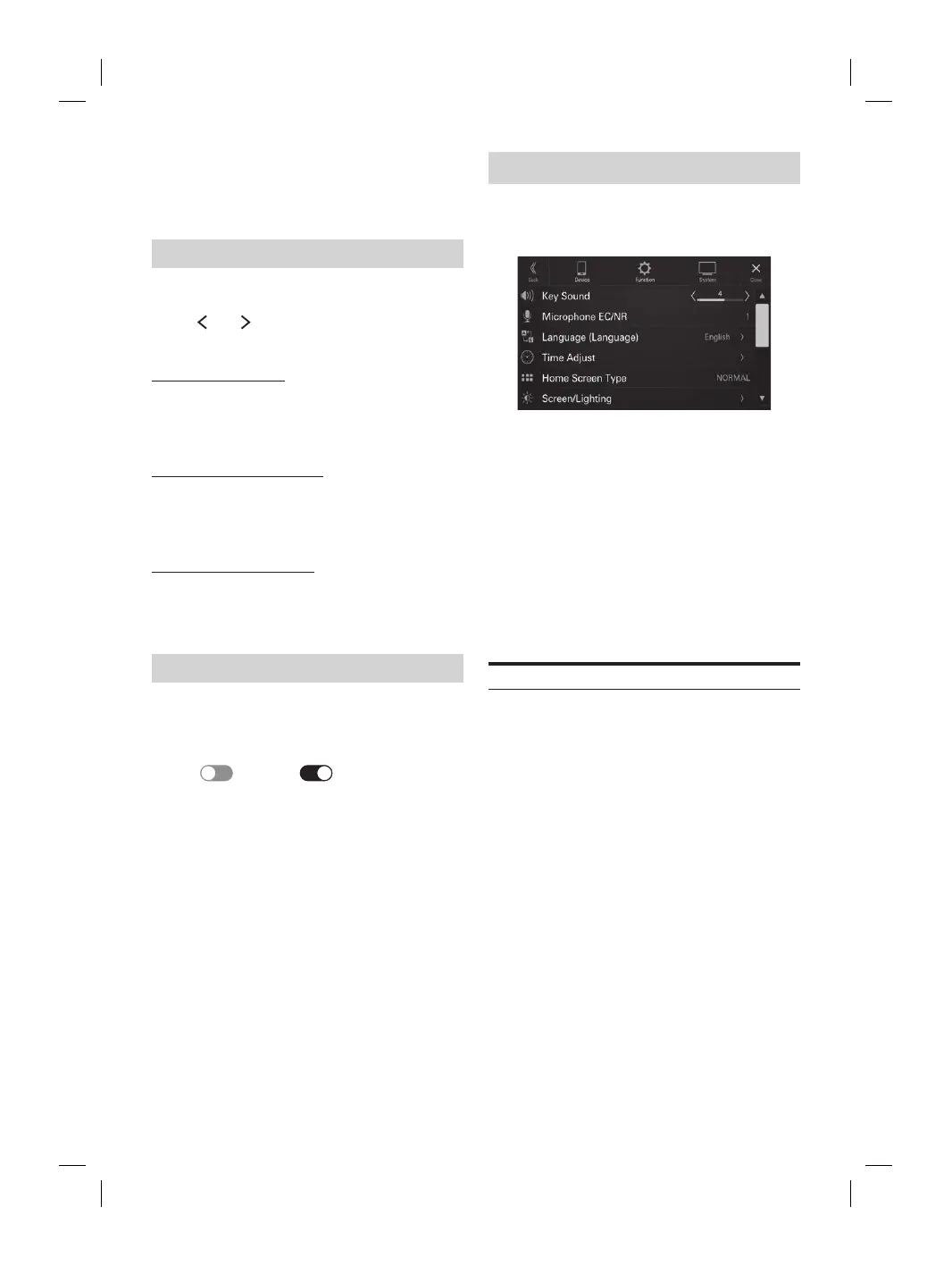
System Setup
[System] is selected on the Settings menu screen.
■
System Setup Menu screen
Setting Items:
Key Sound (page 23)
Microphone EC/NR (page 24)
Language (page 24)
Time Adjust (page 24)
Home Screen Type (page 24)
Screen/Lighting (page 24)
Screen Colour (page 25)
Source Priority Setup (page 25)
Car Type (page 25)
Security Code (page 25)
Vehicle Types for Phone Link (page 26)
Installation Status (page 26)
About (page 26)
Adjusting the Key Sound
[Key Sound] is selected on the System Setup Menu screen
You can change the volume of the sound heard when a
button is touched.
Setting item:
Key Sound
Setting contents:
0 to 7 (Initial setting: 4)














 To Next Page