ALPINE iLX-F509E 68-41657Z84-A (EN)ALPINE iLX-F509E 68-41657Z84-A (EN)
35-EN
Using Voice Recognition function
You can use the Siri function of your iPhone. T
function, set the Siri setting of your iPhone to ON.
• When using Apple CarPlay, the operation scre
from the screen design in the Owner’s Manual.
1 Press the button.
The Voice Recognition mode screen is display
2 Speak into the micr
unit.
3 To finish the Voice Control mode, pr
button.
• Depending on the iPhone, the Siri function may fi
automatically.
• For adjusting the volume, see “Adjusting the Voic
Level” (page 17).
Android Auto (Optional)
What is Android Auto
Android Auto brings your favorite smartphone apps into
one place, making it easier for drivers to access their
favorite navigation, media, and communication apps on the
road while minimizing the distractions. Talk to Google on
Android Auto™ and get things done with your voice so you
can keep your eyes on the road and hands on the wheel.
Easily send messages, get directions, control media and
more. Just short-press or long-press the voice control
button on your steering wheel.
Activate Android Auto
Download the Android Auto App from the Google Play
store before continuing.
Just plug in your smartphone to the unit’s USB connector.
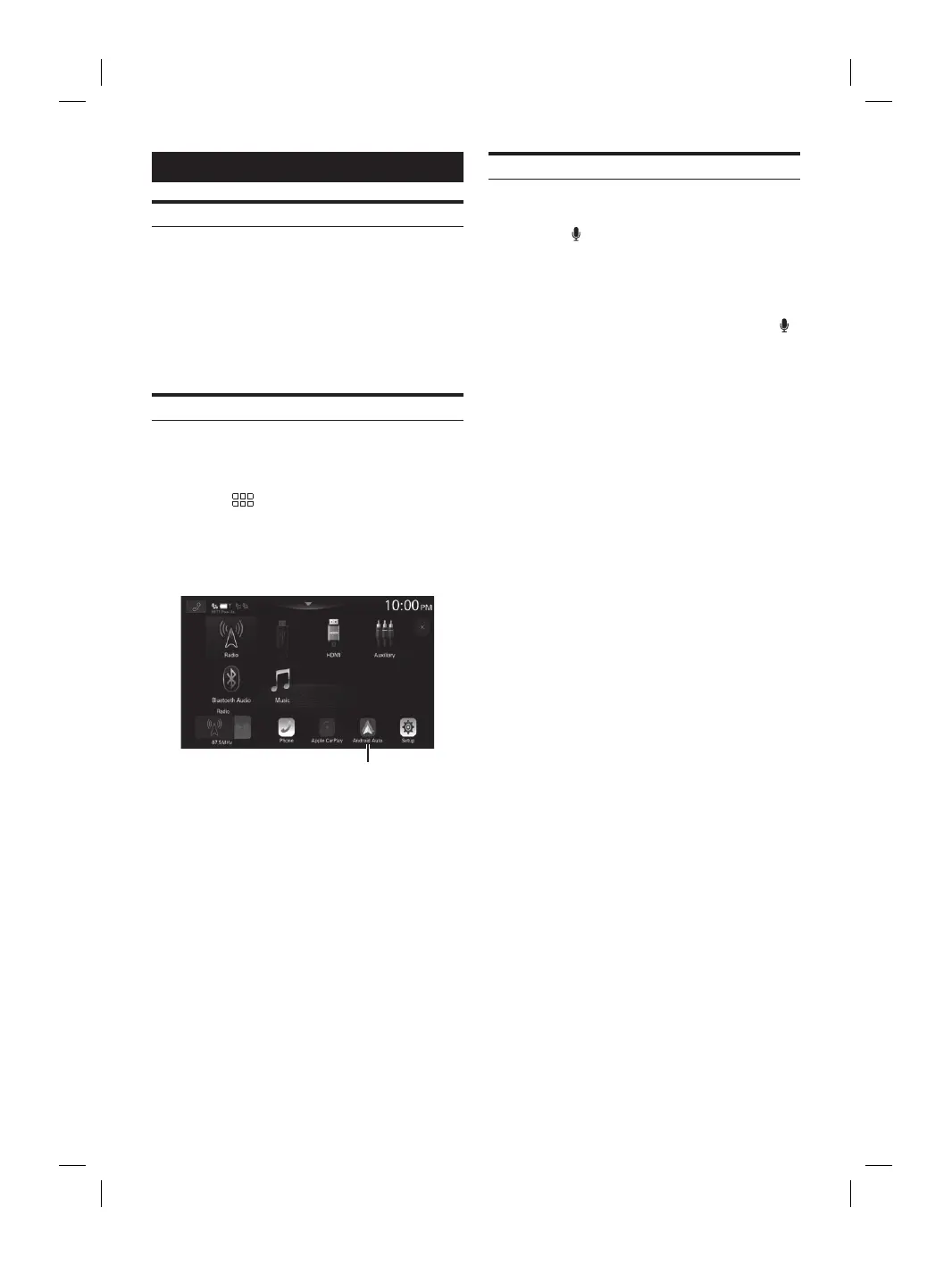
1 Press the (HOME) button.
The HOME screen is displayed.
2 Touch [Android Auto].
The Android Auto screen is displayed.
[Android Auto] button
• You can make a call, use voice recognition function and
Android Auto’s compatible navigation app, etc.
• Only Google approved apps with necessary driver-safety
measures in place can be used.
Using Voice Recognition function
You can use the Voice Recognition function of the Android
Auto.
1 Press the button.
The Voice Recognition mode screen is displayed.
2 Speak into the microphone supplied with this
unit.
3 To finish the Voice Control mode, press the
button.
• Depending on the smartphone, the Voice Recognition function
may finish automatically.
• For adjusting the volume, see “Adjusting the Voice Recognition
Level”(page 18).














 To Next Page