4.3 SETUP – USER NAME, PASSWORD AND SYSTEM NAME
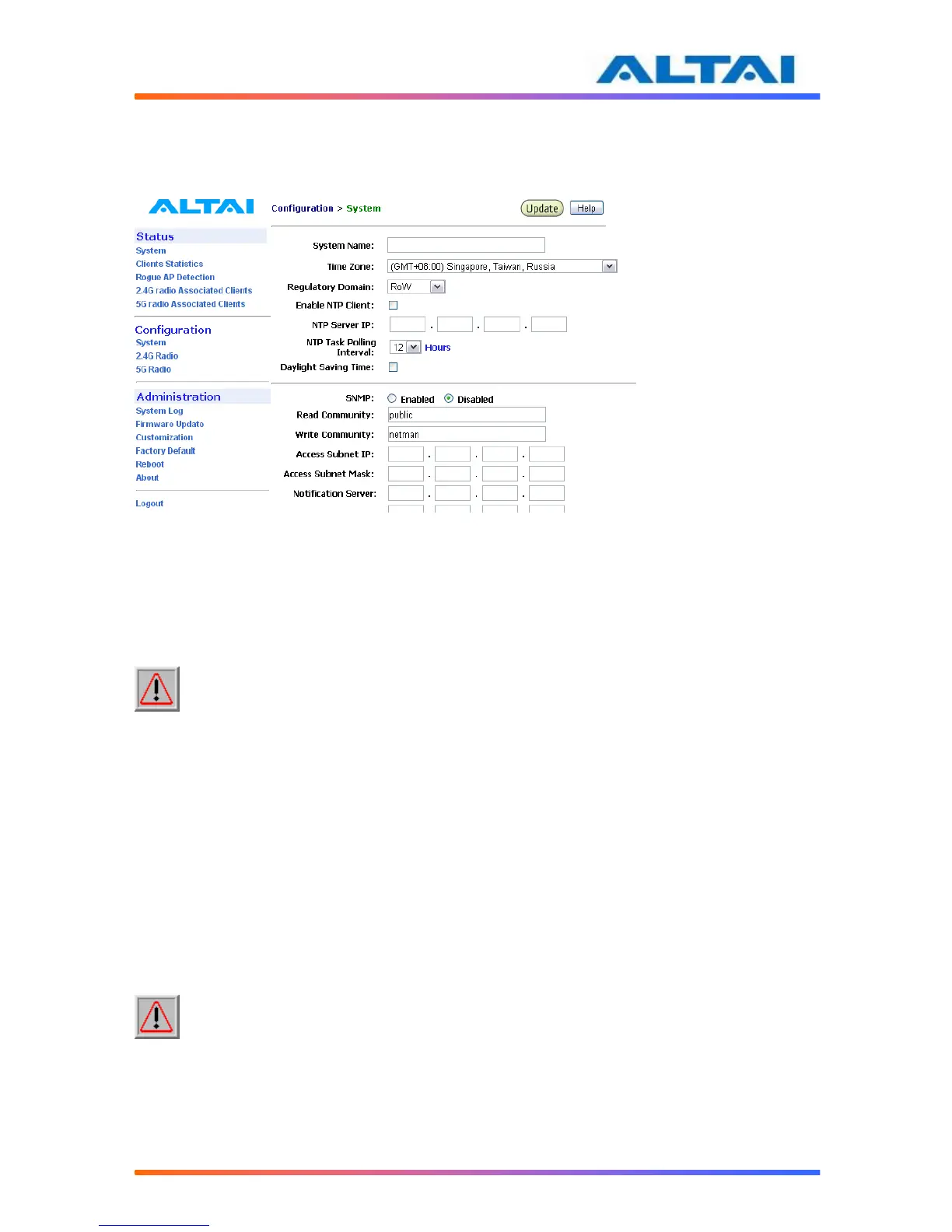
The Password and System Name can be configured by selecting System under Configuration
in the menu bar, as shown in Figure
Figure 10 System Configuration
The User Name and Password for login are mentioned in Section 4.1, but only password can be
changed by entering a new string in the field of Password. Note: it is need to re-enter to
confirm the password. Please press Change Password button to store the new password.
The System Name is the name of A2.
NOTE: Click the Update icon to store the changed settings.
4.4 REGULATORY DOMAIN CONFIGURATION
Regulatory Domain configuration controls the permitted wireless mode, frequency spectrum,
Maximum EIRP, and Maximum TX power in the system to fulfill the customer country
regulation.
The ETSI setting is intended for use in Europe or other ETSI-compliant countries, though some
European countries have regulations slightly different from the ETSI ones.
The FCC setting is intended for use in the US or other FCC-compliant countries.
The RoW setting is a super regulatory domain which allows access to all 2.4GHz and 5GHz
channels, with no limit on EIRP and conducted TX power.
The Malaysia setting is intended for use in Malaysia.
NOTE: Click the Update icon to store the changed settings.



 To Next Page