NOTE: Click the Update icon to store the WEP or WPA settings.
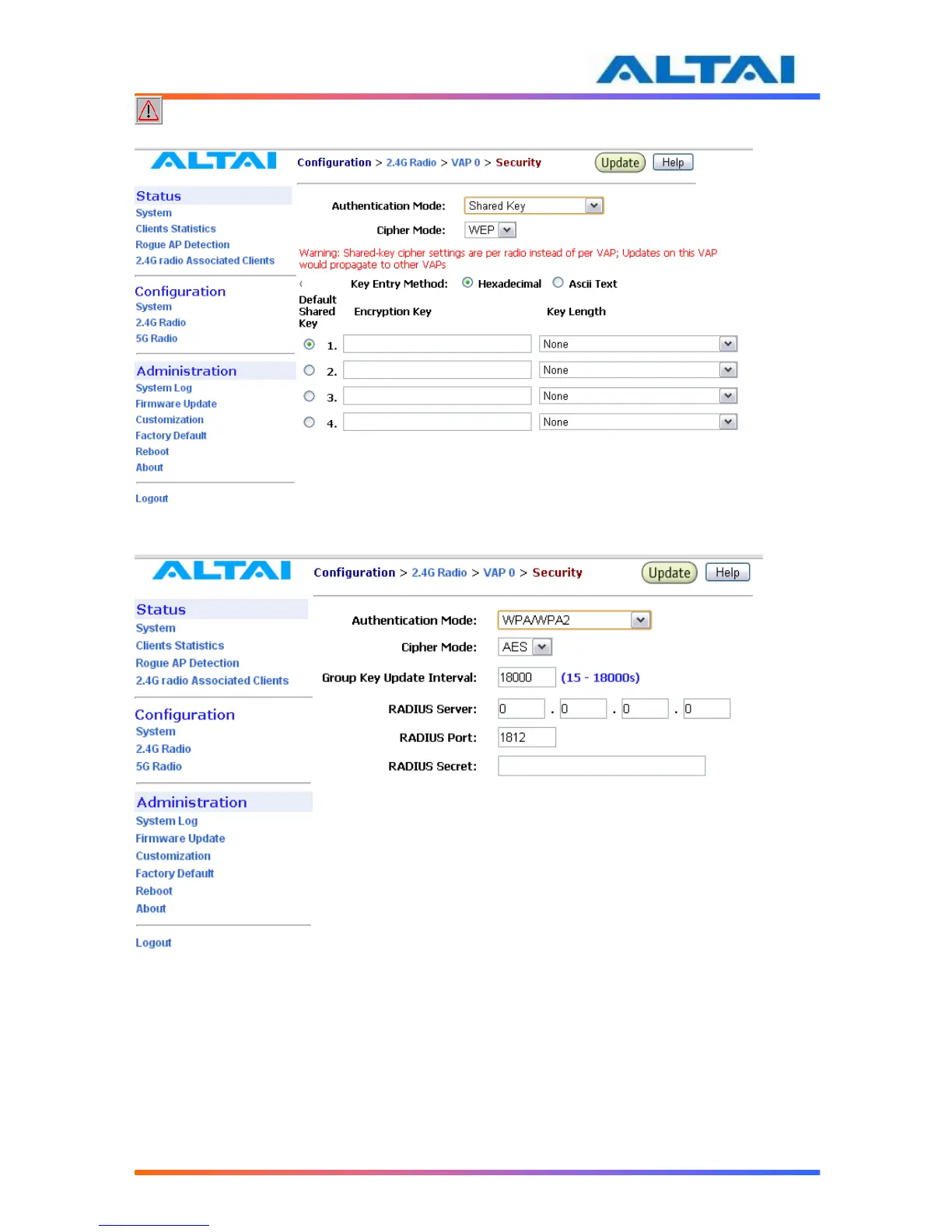
Figure 195 WEP Key Settings
Figure 206 WPA Settings
RADIUS server is used for authentication. A2 can store separate RADIUS server address for
each VAP. It is only visible when the Authentication Mode is set to “WPA”. The default setting
of RADIUS server port is 1812. RADIUS secret shared password between the RADIUS server
and A2. A password up to 128 characters long can be added. The VLAN IP address and VLAN
Subnet Mask configured on the VAP security web page will be used only when A2 runs in the
following conditions.
1. A2 runs in switch mode and VLAN is enabled.
2. The VAP does not belong to native VLAN.



 To Next Page