4.12.3 LAN Configuration
In Gateway Mode, A2 can be a DHCP server, a DHCP relay or none of them.
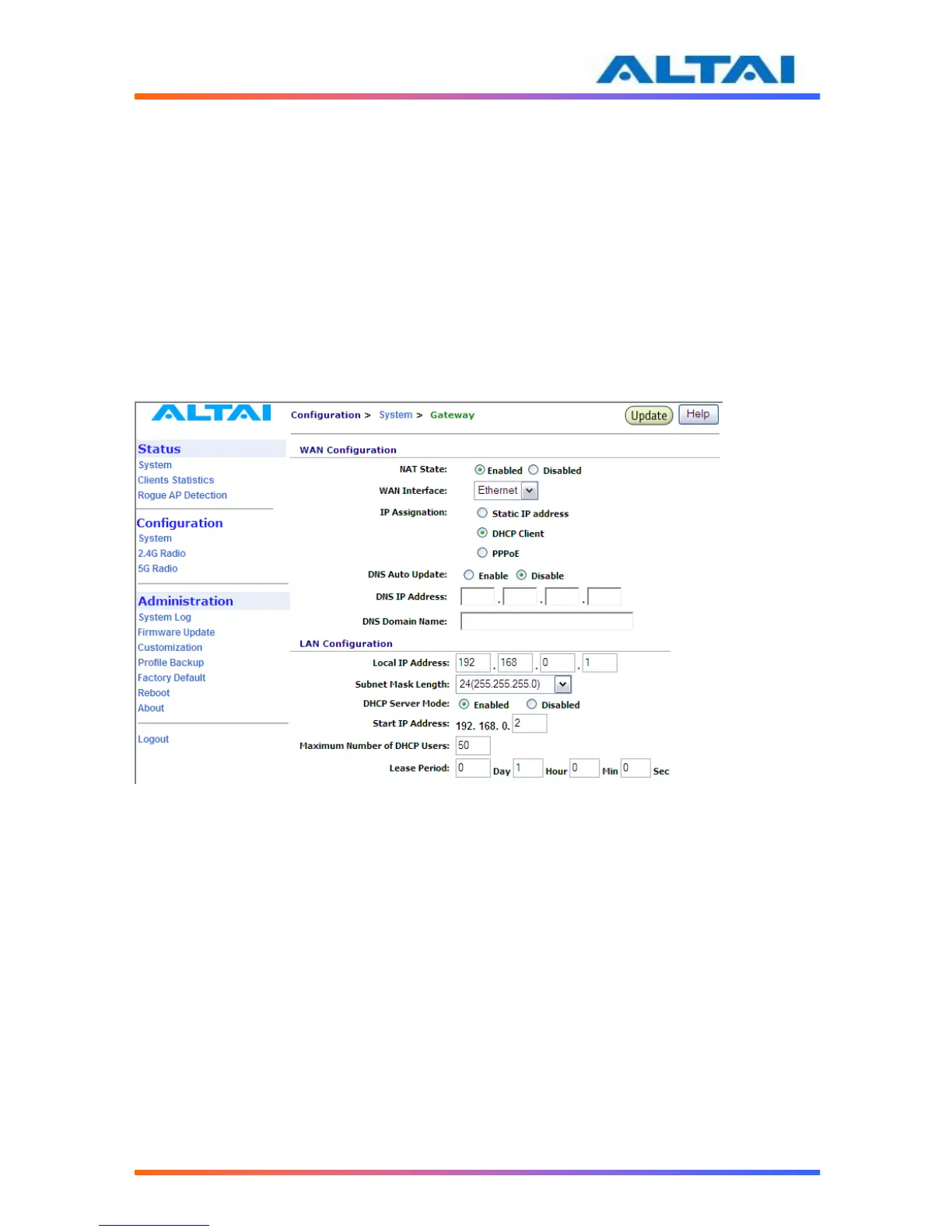
When the DHCP Server Mode sets to Server, the A2 will act as a DHCP server and use the
settings specified in the field Start IP Address, Maximum Number of DHCP Users and DNS to
serve the wireless clients.
1. Configure the Local IP Address and Subnet Mask Length. Local IP Address is the
gateway IP address for the client who associates A2. Only the clients under the same
subnet of local IP address can get IP address from A2.
2. Configure the Start IP Address, Maximum Number of DHCP Users, and DNS, see
Figure 13.
3. Reboot the A2
Figure 13 Configure DHCP Server
When the DHCP Server Mode sets to Disabled, the A2 will neither be a DHCP server nor a
DHCP Relay and hence the wireless clients CANNOT get IP addresses from the A2 to access
the Internet. Instead, each wireless client should set a fixed static IP address which is in the same
network domain as the A2.
1. Configure the Relay Server IP Address, see Figure 14.
2. Reboot the A2



 To Next Page