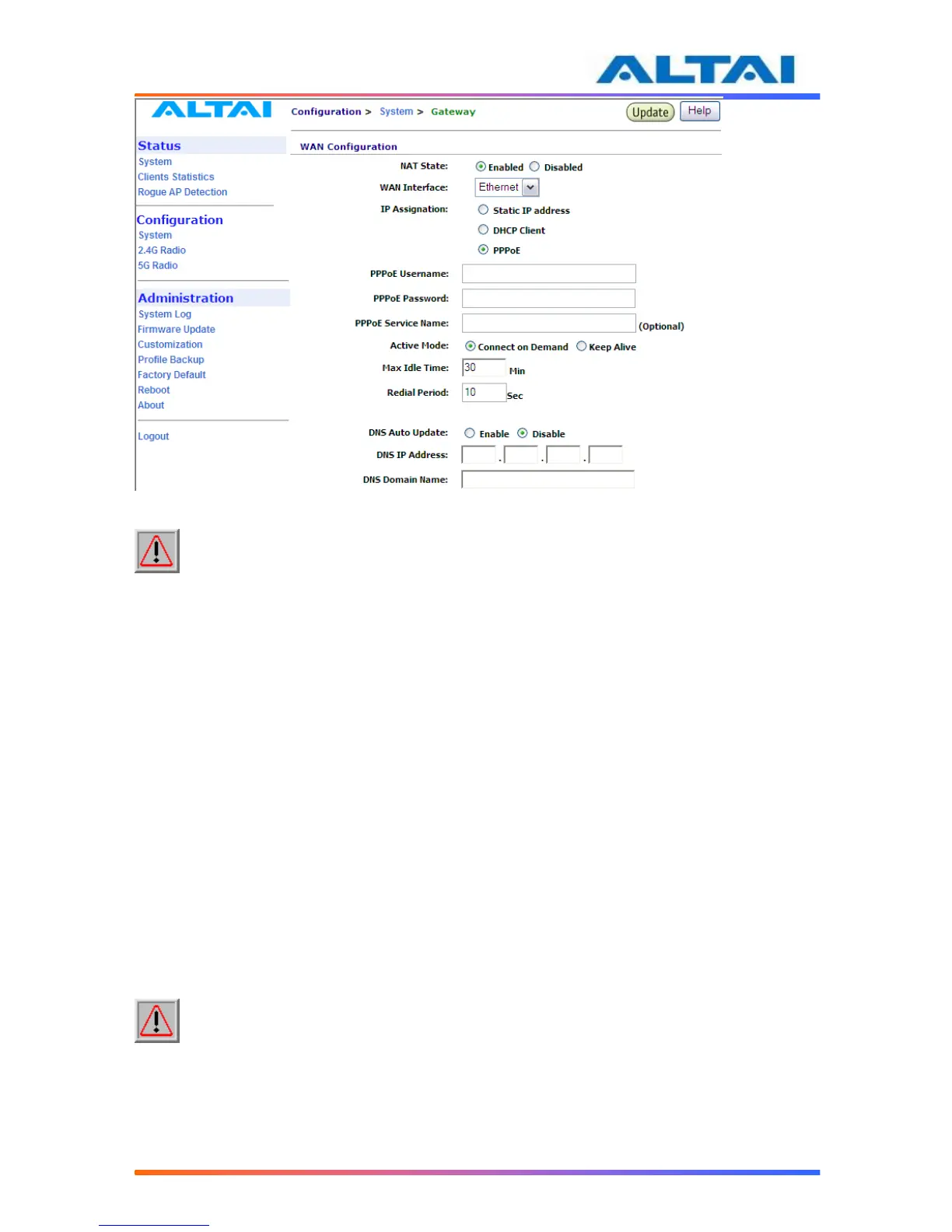
Figure 12 PPPoE Configuration
NOTE: The DNS Auto Update should be set to Disable when using PPPoE. User need
to configure the DNS server IP address manually.
PPPoE Active Mode, Max Idle Time and Redial Period can be configured.
When “Connect on Demand” is selected, PPPoE will establish the connection with the remote
access concentrator only when hosts in the local subnet need to access the internet. If the
parameter is set “Keep Alive”, PPPoE will establish the connection with the remote access
concentrator upon boot-up.
Default setting of Max Idle Time is 30 minutes. Only when PPPoE works under Connect on
Demand mode, it will be disconnected if PPPoE connection has been idle for the Max Idle
Time.
When last attempt failed, A2 will attempt to establish the PPPoE connection at Redial Period.
4.12.2 DNS Auto Update
By setting DNS Auto Update to “Enabled” and clicking the icon Update, the A2 will acquire a
DNS Server IP address via the DHCP Server after rebooting. User need not to set a DNS Server
IP Address manually.
Without enabling the A2 as a DHCP Client, the DNS IP Address and DNS Domain Name
should be configured by the user.
NOTE: DNS Auto Update can only be enabled when DHCP client is enabled. If the
DNS Auto Update is enabled, it must be used in conjugation with either the DHCP Client or the
PPPoE Mode being enabled. If both the DHCP Client and the PPPoE Mode are disabled then the
DNS Auto Update must also be set to Disabled.



 To Next Page