22 MaxAgent for Lync Manual
Note: While you have a call on hold, no other workgroup calsl will ring
your extension.
Transferring Calls
To transfer a call to another extension,
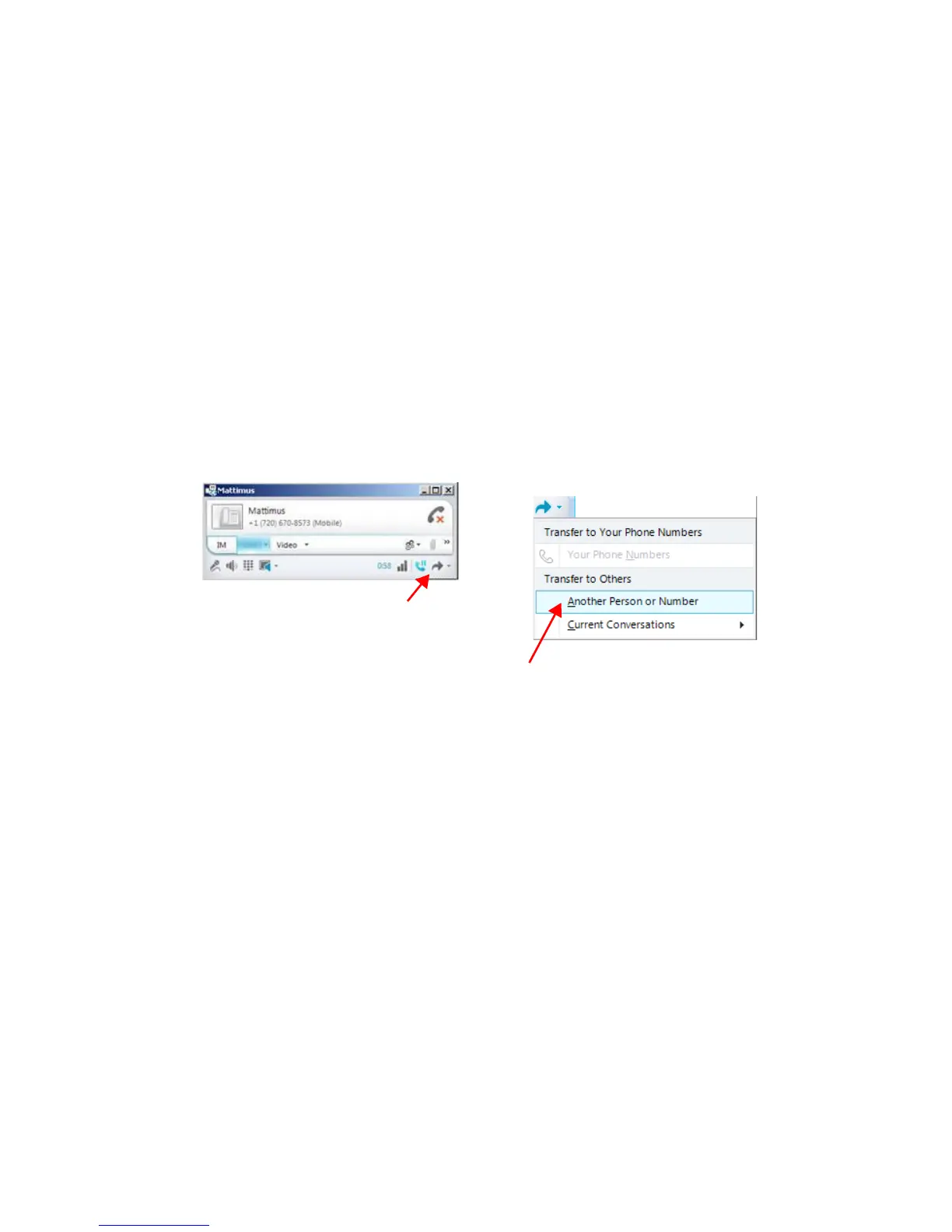
1. Click the Lync Transfer button.
2. From the menu, do one of the following:
• Choose one of your numbers
• Select Another Person or Number or Current Conversations, then
click the appropriate party.
Note: Lync may not show the originating Caller ID for transferred PTSN
calls.
Forwarding Calls
If you are using MaxAgent Lync in a workgroup, we recommend that you
do not set call forwarding in Lync.
Choose a number, or click a command
to select the right extension
Click here to transfer the call



 To Next Page