MaxAgent for Lync Manual 33
Using MaxAgent
• Caller Name – The name of the caller, from the Caller ID (if available)
• Number – The phone number of the caller
• Department – If the caller is an internal extension, this shows the
department associated with that extension
• DNIS – The DNIS digits collected, if available
• Duration – The current duration of the call
Calling or Picking Up Calls
When viewing the Monitor list, if a monitored extension is Idle (green dot)
you can click its Extension field to ring the extension.
If a monitored extension is Ringing (red dot), you can click its State field
to pick up the call.
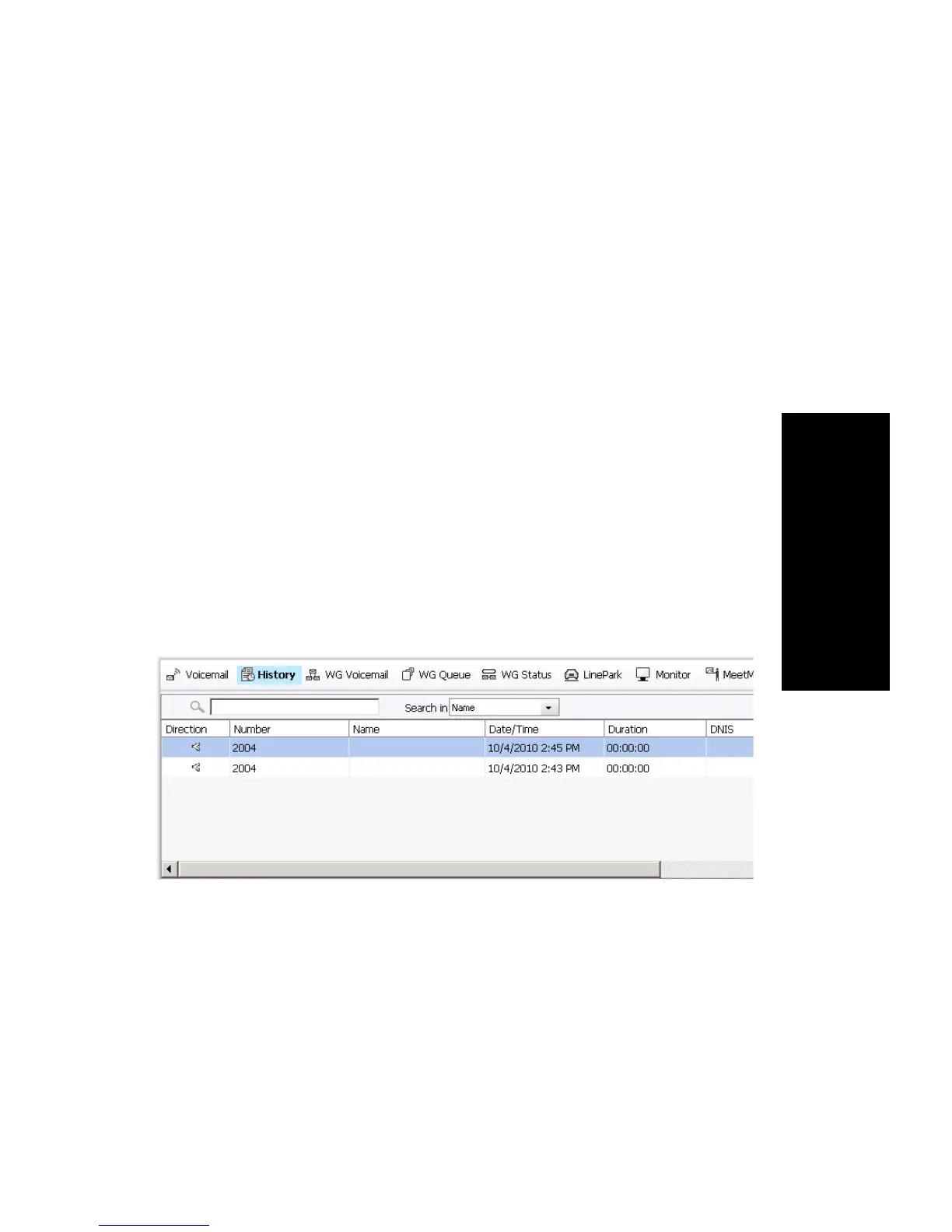
Viewing the Call History
Click the History tab to view data about handled workgroup calls.
(Personal calls are not recorded in the History tab.)
Note: Click on the column headings to sort the data.
Information includes:
• Direction – Indicates if the call is incoming or outgoing, or was a
missed call. Left-pointing arrow indicates outgoing call; right-pointing
arrow indicates incoming call. Right-pointing arrow with exclamation
point indicates a missed call.
• Number – The extension or phone number on the other end of the call.
Click a number in the Number column to dial that number.



 To Next Page