40 MaxAgent for Lync Manual
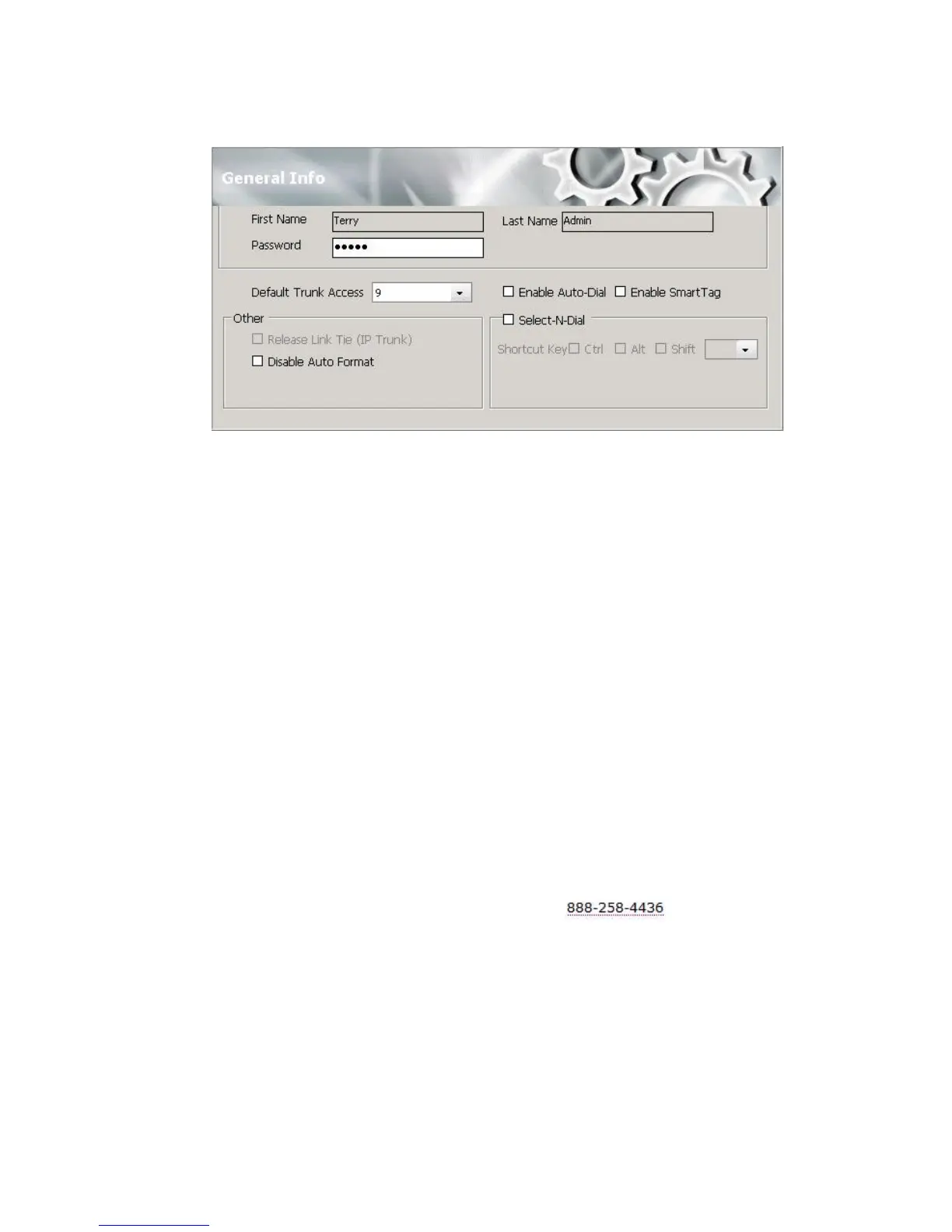
• Default Trunk Access – The trunk access codes are defined by the
system administrator. When you get an incoming call over multiple
trunks and cannot issue a return call, the system will automatically
select the default trunk access code to place your call.
• Enable Auto Dial – Any phone number you dial using a Smart Tag or
the Select-N-Dial method is dialed automatically. The phone number
appears in the Number column and the state column displays Ringing.
• Enable Smart Tag – Smart Tags allow you to dial calls by clicking
phone numbers in various Microsoft Office applications.
• If this box is not checked, then a phone number selected by the
Smart Tag method or the Select-N-Dial method is displayed in the
MaxAgent dialer, and you need to click Connect to make the call.
• If you check this option, two things happen:
• In Internet Explorer, a dotted underline appears beneath
phone numbers. You can click the number to make the call.
The number will look like this: .
• In Microsoft Office programs (Office 2003 and 2007), a
Smart Tag action icon will appear beside phone numbers.
From the drop-down menu, you can select Dial By
MaxClient.
Whether the call is made automatically or the number is simply
placed in the Dialing field depends on how you set Auto-Dial.
For instructions, see the section Configuring Max Smart Tags.



 To Next Page