42 MaxAgent for Lync Manual
Configuring Office 2003 programs for Smart Tags
1. Open the Office 2003 program.
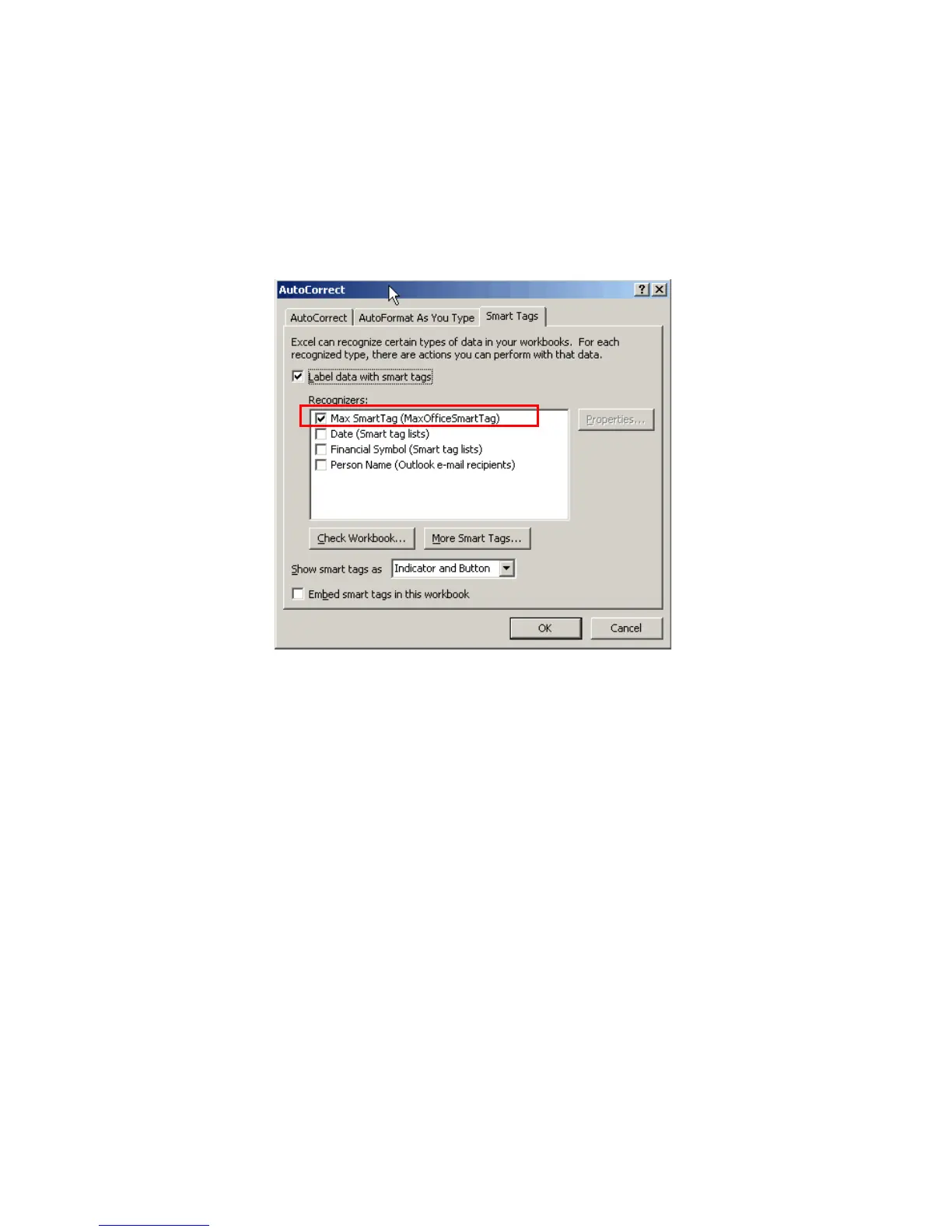
2. Select Tools > AutoCorrect Options, and click the Smart Tags tab.
The next figure shows a dialog box in Excel.
4. Check Label Data with Smart Tags, and check Max Smart Tag.
Click OK.
Configuring Office 2007 programs for Smart Tags
The procedure for enabling Smart Tags in Office 2007 application differs
slightly from one application to another. Here are the steps to follow for
two common applications.
Configuring Excel 2007 to display Smart Tags
1. Click the Microsoft Office button.
2. Click Excel Options (at the bottom of that window).
3. Click Proofing > AutoCorrect Options.
4. Select the Smart Tag tab.
5. Check the Max Smart Tag option in the window, then click OK.



 To Next Page