IS-200A
3. Name and Functions of Each Section
3-4
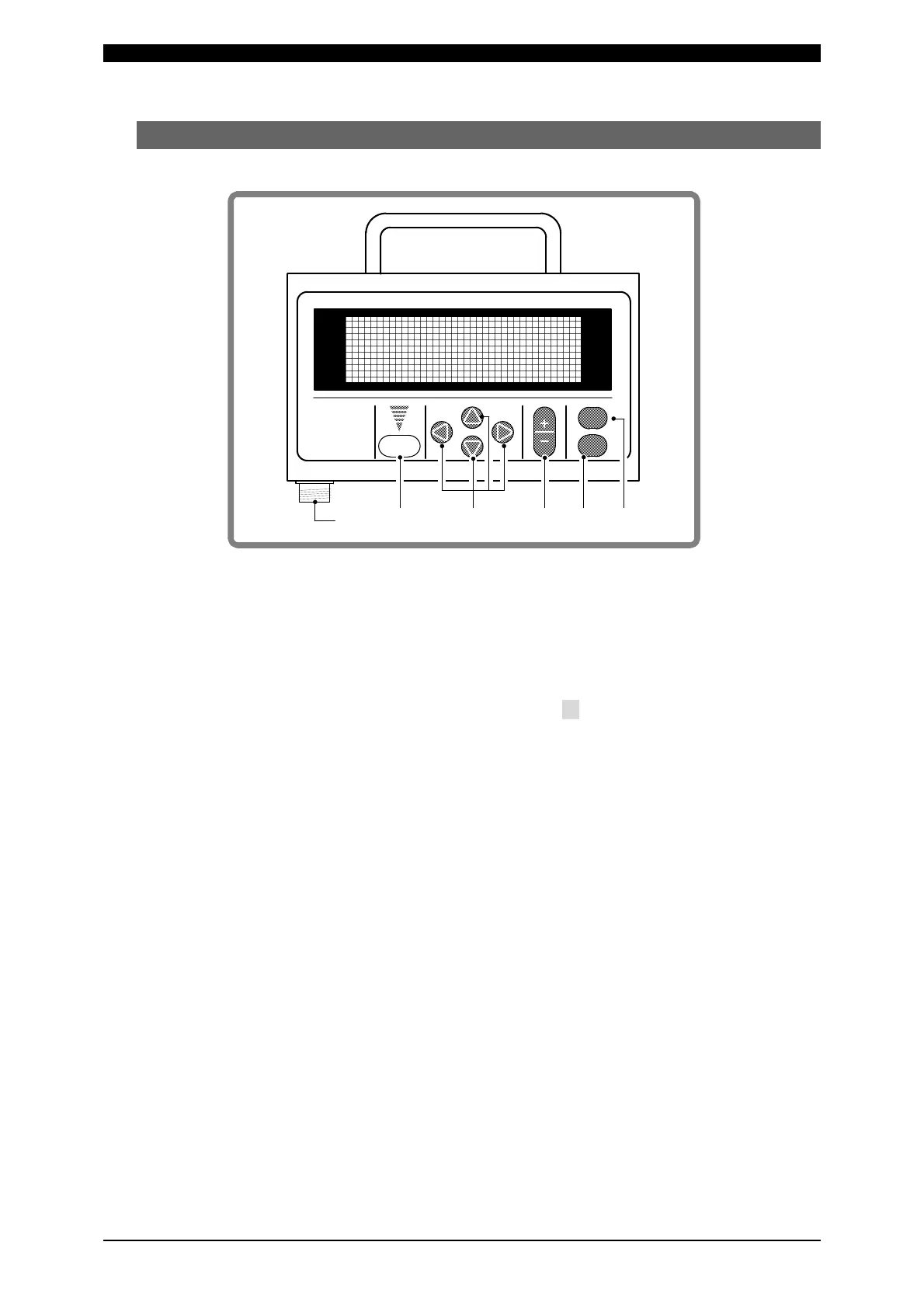
(3) MA-627A (Sold Separately)
1) [TROUBLE RESET] key
If this key is pressed while the [TROUBLE] lamp on the Power Supply is lit, the
lamp goes off. This key has the same function as the [TROUBLE RESET] key on
the Power Supply.
2) [CURSOR] keys
These keys are used to move the cursor (> or ) to select an item.
3) [+ON/-OFF] keys
These keys are used to change the value of a selected item or to turn the item on
and off. When the [+ON] key is pressed, the selected value increases, and if the
[-OFF] key is pressed, the value decreases. The selected item is activated by
pressing the [+ON] key, and turned off by pressing the [-OFF] key.
4) [ENTER] key
This key is used to write the set or changed value and [ON/OFF] data to the
MA-627A. After any data is set or changed, be sure to press this [ENTER] key to
write the relevant data before moving the cursor.
If this [ENTER] key is not pressed, the MA-627A will not save the set data.
5) [MENU] key
This key is used to display the [MENU] screen. Press this key to return to the
[MENU] screen from any other screen.
ON
OFF
CURSOR
①
②③
④⑤
⑥
TROUBLE
RESET
ENTER
MENU
1)
6)
5) 4) 3) 2)



 To Next Page