IS-200A
4. How to Operate Screens
4-24
(8) MONITOR MODE Screen
-
MONITOR MODE
WELD COUNT 0000
NO CURRENT TIME 99ms
NO CURRENT LEVEL 0.00kA
NO VOLTAGE LEVEL 0.00V
MONITOR FIRST TIME 15ms
MONITOR SLOPE MODE EXCLUDE
CURRENT MONITOR NUMBER 1
(a) WELD COUNT
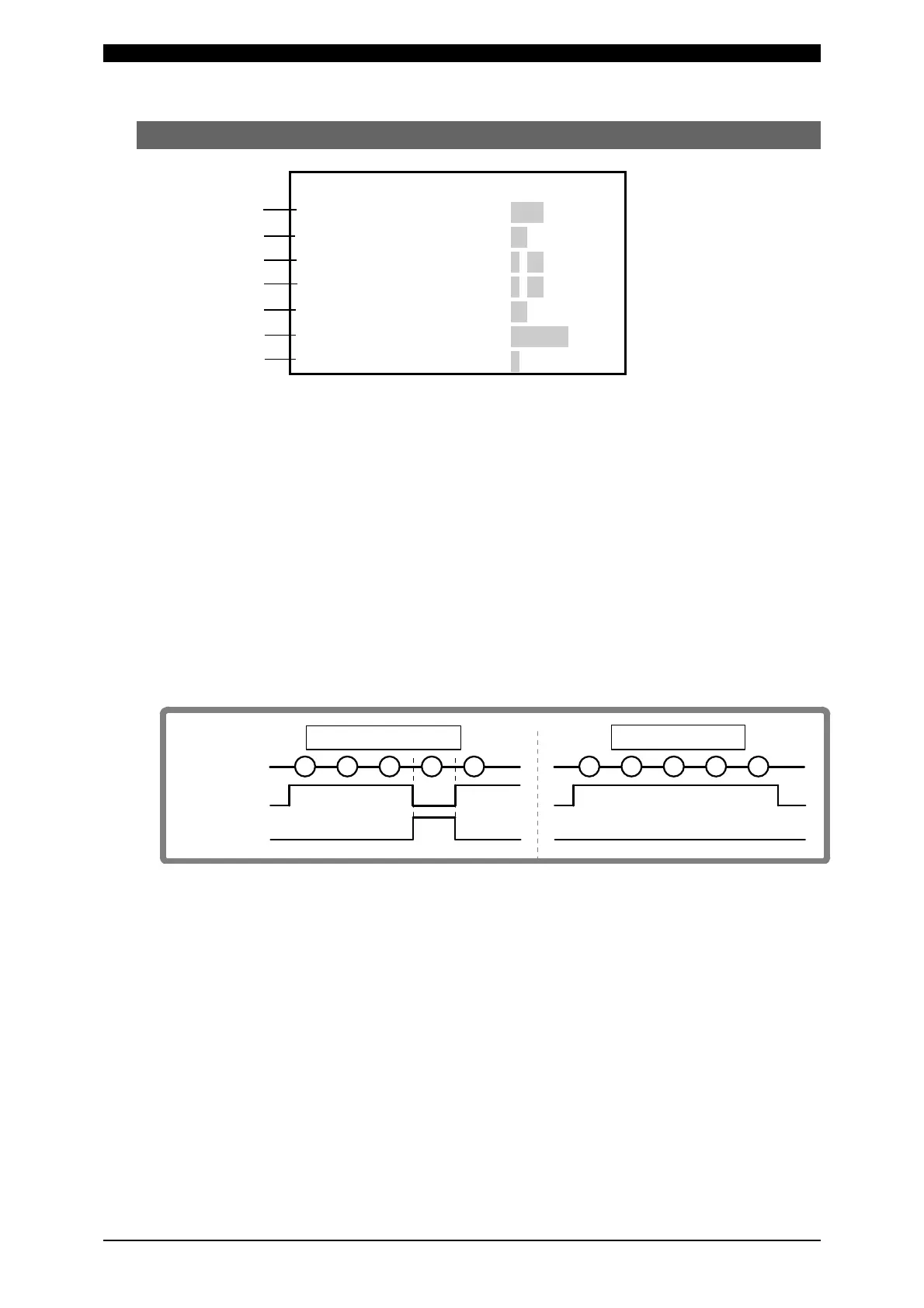
A count error signal is output if the number of welds deposited while the external
weld count signal is input is smaller than the value set for WELD COUNT (weld
count signal is turned off before the number of welds set for WELD COUNT is not
deposited). (Refer to the figure below.)
For example, if you set the number of welds to 5 from the programmable logic
controller, select “5” for WELD COUNT as well.
This function can be turned ON or OFF through WELD COUNT on the (7) MODE
SELECT screen. (Refer to (7)(g).)
To clear the count error signal, you need to input the weld count signal again or
add required number of welds to make up for insufficiency.
The count error signal is not cleared if the error reset signal is input. Also, when
required number of welds are added to make up for insufficiency, the count error
signal is output until the insufficient number of welds is complete.
(b) NO CURRENT TIME
The absence of welding current will not be detected as a no-current or no-voltage
error (see 12. Troubleshooting) as long as the absence lasts for a period within
the time set here.
If, for example, you select 3 ms, the absence of current will not be detected as an
error as long as it lasts no more than 3 ms. An absence of current will be detected
as an error if it lasts for 4 ms or more.
The time can be set in a range from 1 to 99 ms.
(a)
(b)
(c)
(d)
(e)
(f)
Weld count
Count error
Number of welds
4
5
1
2
3
4
5
1
2
3
In the event of error
Normal operation



 To Next Page