IS-200A
4. How to Operate Screens
4-3
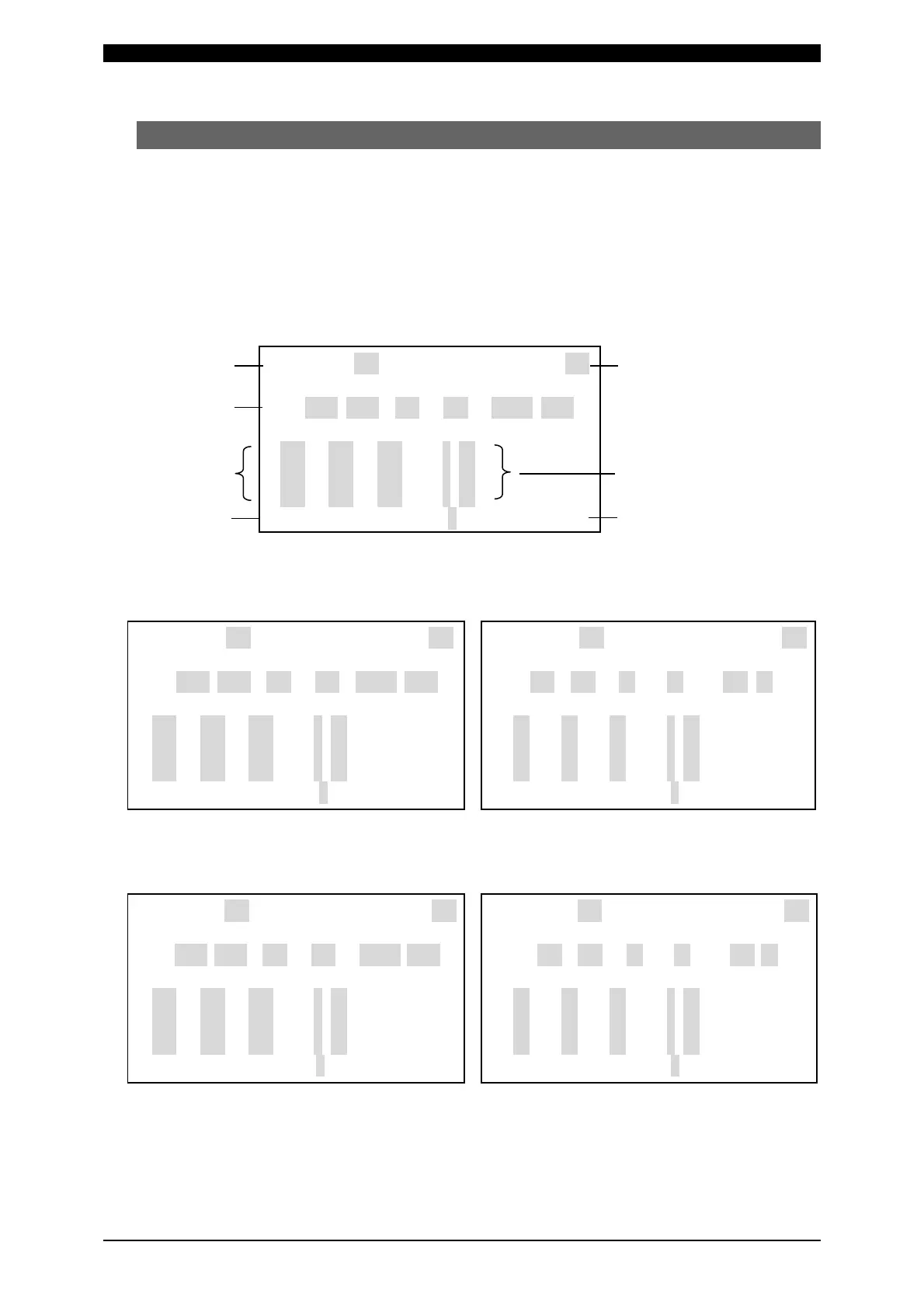
(3) SCHEDULE Screen
Up to 255 welding schedules can be set on the Power Supply. These schedules
are indicated as SCHEDULE #1 to #255.
This screen is used to set the SCHEDULE No., length of weld time, welding current,
and so on. This data can be indicated using the 12 modes shown below, but the
indicated items are the same for all modes.
The ms mode or CYC mode can be changed via WELD TIME (See (7)(i)) on the
MODE SELECT screen.
(a)
(b)
(c)
(g)
-SCHEDULE #255 WELD ON/OFF OFF
SQD SQZ COOL1 COOL2 HOLD OFF
TIME 0000 0000 000 000 00000 0000ms
UP WELD DOWN HEAT
1 000 000 000 ms 1.00kA
2 000 000 000 ms 1.00kA
3 000 000 000 ms 1.00kA
PAGE
DOWN
HEAT CTRL0:<PRIMARY RMS >
(f)
(d)
(e)
<Primary constant-current
effective value control ms mode>
<Primary constant-current
effective value control CYC mode>
-SCHEDULE #001 WELD ON/OFF OFF
SQD SQZ COOL1 COOL2 HOLD OFF
TIME 0000 0000 000 000 00000 0000ms
UP WELD DOWN HEAT
1 000 000 000 ms 1.00kA
2 000 000 000 ms 1.00kA
3 000 000 000 ms 1.00kA
PAGE
DOWN
HEAT CTRL0:<PRIMARY RMS >
-SCHEDULE #001 WELD ON/OFF OFF
SQD SQZ COOL1 COOL2 HOLD OFF
TIME 000 000 00 00 000 00 CYC
UP WELD DOWN HEAT
1 00 00 00 CYC 1.00kA
2 00 00 00 CYC 1.00kA
3 00 00 00 CYC 1.00kA
PAGE DOWN
HEAT CTRL0:<PRIMARY RMS >
<Secondary constant-current
effective value control ms mode>
<Secondary constant-current
effective value control CYC mode>
-SCHEDULE #001 WELD ON/OFF OFF
SQD SQZ COOL1 COOL2 HOLD OFF
TIME 0000 0000 000 000 00000 0000ms
UP WELD DOWN HEAT
1 000 000 000 ms 1.00kA
2 000 000 000 ms 1.00kA
3 000 000 000 ms 1.00kA
PAGE
DOWN
HEAT CTRL1:<SECONDARY RMS >
-SCHEDULE #001 WELD ON/OFF OFF
SQD SQZ COOL1 COOL2 HOLD OFF
TIME 000 000 00 00 000 00 CYC
UP WELD DOWN HEAT
1 00 00 00 CYC 1.00kA
2 00 00 00 CYC 1.00kA
3 00 00 00 CYC 1.00kA
PAGE
DOWN
HEAT CTRL1:<SECONDARY RMS>
The items (a) to (f) indicated at the top screen are described beginning on Page
4-5.



 To Next Page