IS-200A
4. How to Operate Screens
4-5
(a) SCHEDULE #
Select from #1 to #255 to set the SCHEDULE.
Normally select #1 first, then select additional schedules in sequential order.
(b) TIME
Set the time for each operation during welding. Units of time are in ms or CYC.
For each operation, see 8. Timing Chart.
SQD / Squeeze delay time
Length of time added to SQZ; only for the
first
weld after start signal in repeat operation
SQZ / Squeeze time
Length of time until proper squeeze is applied
to workpiece
COOL1 and COOL2 / Cooling
time 1 and Cooling time 2
Length of time to cool workpiece after turning
off welding current
HOLD / Hold time
Length of time to hold workpiece after turning off
welding current
OFF / Off time
Length of time to turn off valve signal between
repeated operations
(No repeat operation if set to "0" or the upper/
lower limit judgment error occurs in a
sequence.)
(c) WELD (1, 2, 3)
Set the length of time to allow welding current to flow.
UP
Set the upslope time (to increase the welding current gradually).
DOWN
Set the downslope time (to decrease the welding current gradually).
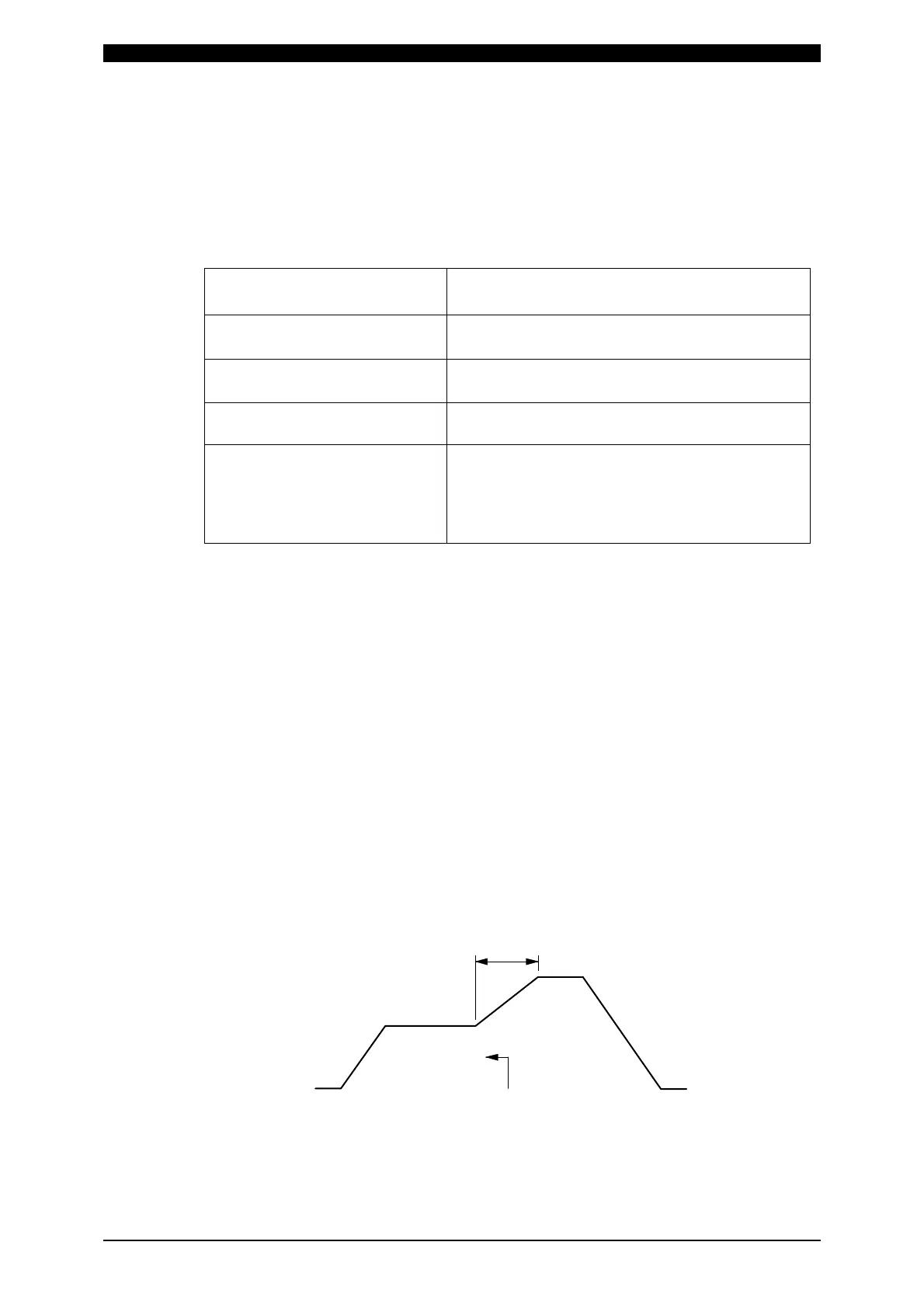
(Note) Upslope / Downslope waveform when COOL (cooling time) is set to 0.
The welding current normally increases from the minimum value to the set
value in Upslope and decreases from the set value to the minimum value
in Downslope, but the following is an exception.
When the upslope time is set for the subsequent stage in the
multi-stage welding.
The upslope in the subsequent stage starts from the set current of the
previous current. (See example below.)
WELD1
WELD2
{
Upslope
Upslope in WELD2
increases from the
set current in WELD2.



 To Next Page