IS-200A
4. How to Operate Screens
4-16
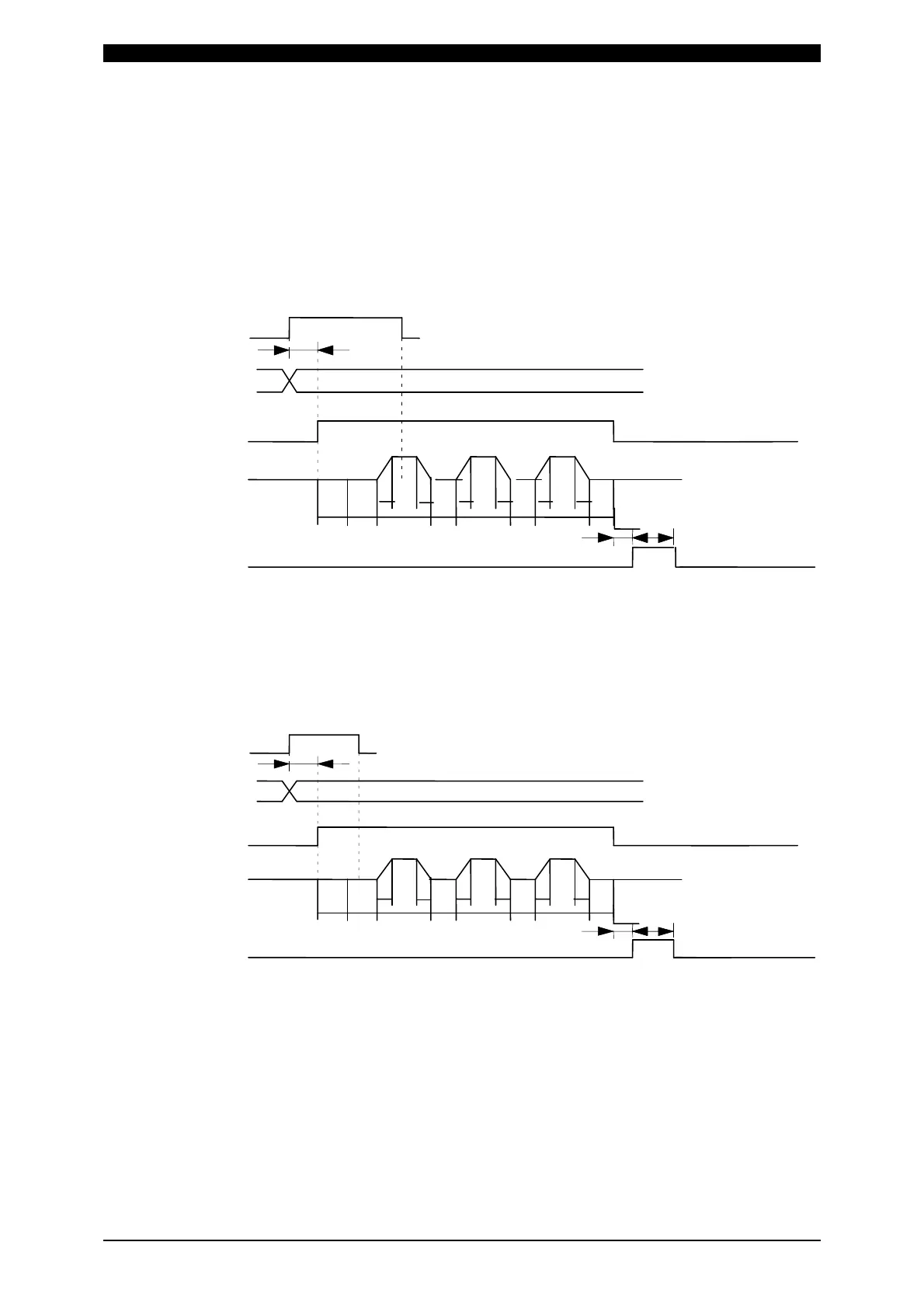
(b) START SIG.MODE
Set the input method of the start signal to activate the Power Supply.
1) LATCHED
The welding sequence halts if the 2ND STAGE signal stops during
squeeze time (SQZ).
The welding sequence proceeds to completion when the 2ND STAGE
signal stops during Weld 1 time (WE1) or later.
A
2ND STAGE
A: DELAY START SET
Schedule
selection
(1,2,4,8,16
32,64,128,P)
SQD
Weldin
sequence
SQZ
U U
D
D
WE1 WE2
U
D
HO CO1
CO2
WE3
B: Monitored value
ud
ment
time
B
C
C: END si
nal output
time
END si
nal output
Valve output
(SOL1 or SOL2)
2) PULSED
When the 2ND STAGE signal is input for more than the time set through
DELAY START SET and then stops, the welding sequence will proceed to
completion.
A
(1,2,4,8,16
32,64,128,P)
B
C
Schedule
selection
Weldin
sequence
B: Monitored value
ud
ment
time
C: END si
nal output
time
END si
nal output
Valve output
(SOL1 or SOL2)
2ND STAGE
A: DELAY START SET
SQD SQZ
U U
D
D
WE1 WE2
U
D
HO CO1
CO2
WE3



 To Next Page