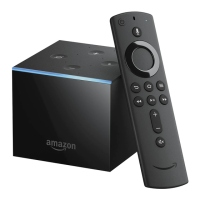
Amazon Fire TV Voice Remote
2 AAA Batteries (for the remote)
For more information, check out Amazon Fire TV Hardware Basics.
Set Up
Follow these steps to set up your Fire TV:
1.
Connect the power adapter - Plug one end of the included power cord into the back of your Fire TV,
then plug the other end into a power outlet.
2.
Connect your device to your TV - Plug one end of your HDMI cable into the HDMI port on your Fire TV
and then plug the other end into an available HDMI port on your TV.
Remember which port you used to connect to your Fire TV, as you'll need to select the corresponding input channel on
your TV for the next step.


 To Next Page