66 ARX 4
1208531 | 03.07.2012
7.12.3 Switching on continuous sprinkling
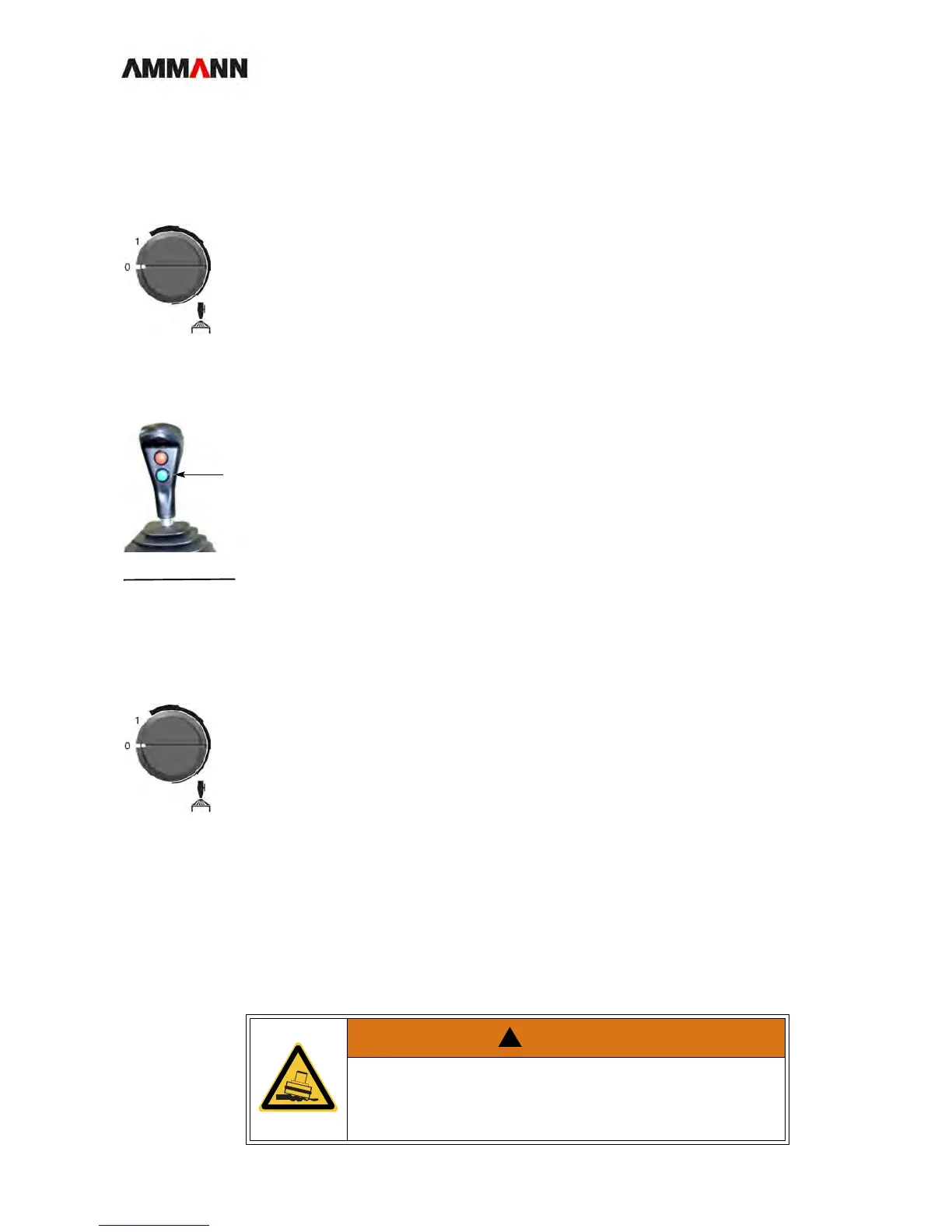
On the instrument
panel
1 Turn the sprinkler switch from Pos. 0 to Pos. 1.
The sprinkler switches on.
On the operating
lever
1 Press the bottom button (1).
The sprinkler stays on as long as you are pressing the button.
NOTE In the combined roller, operating lever sprinkling is used only for tire sprin-
kling.
7.12.4 Switch on interval sprinkling
1 Turn the sprinkler switch from Pos. 0 to Pos. 1.
The sprinkler switches on.
2 Turn the switch further to the right.
The interval sprinkler switches on.
3* Interval times: Turn the switch continuously toward the right to adjust the sprin-
kling intervals infinitely.
7.13 Simple/double vibration
Item 0 OFF
Item 1 Interval sprinkler
WARNING
Danger to life through slipping or caving in of the roller!
• Do not use vibration on steep embankments or at steep angles!
• Do not vibrate inside buildings and on unstable ground!




 To Next Page