68 ARX 4
1208531 | 03.07.2012
7.14.1 Manual vibration
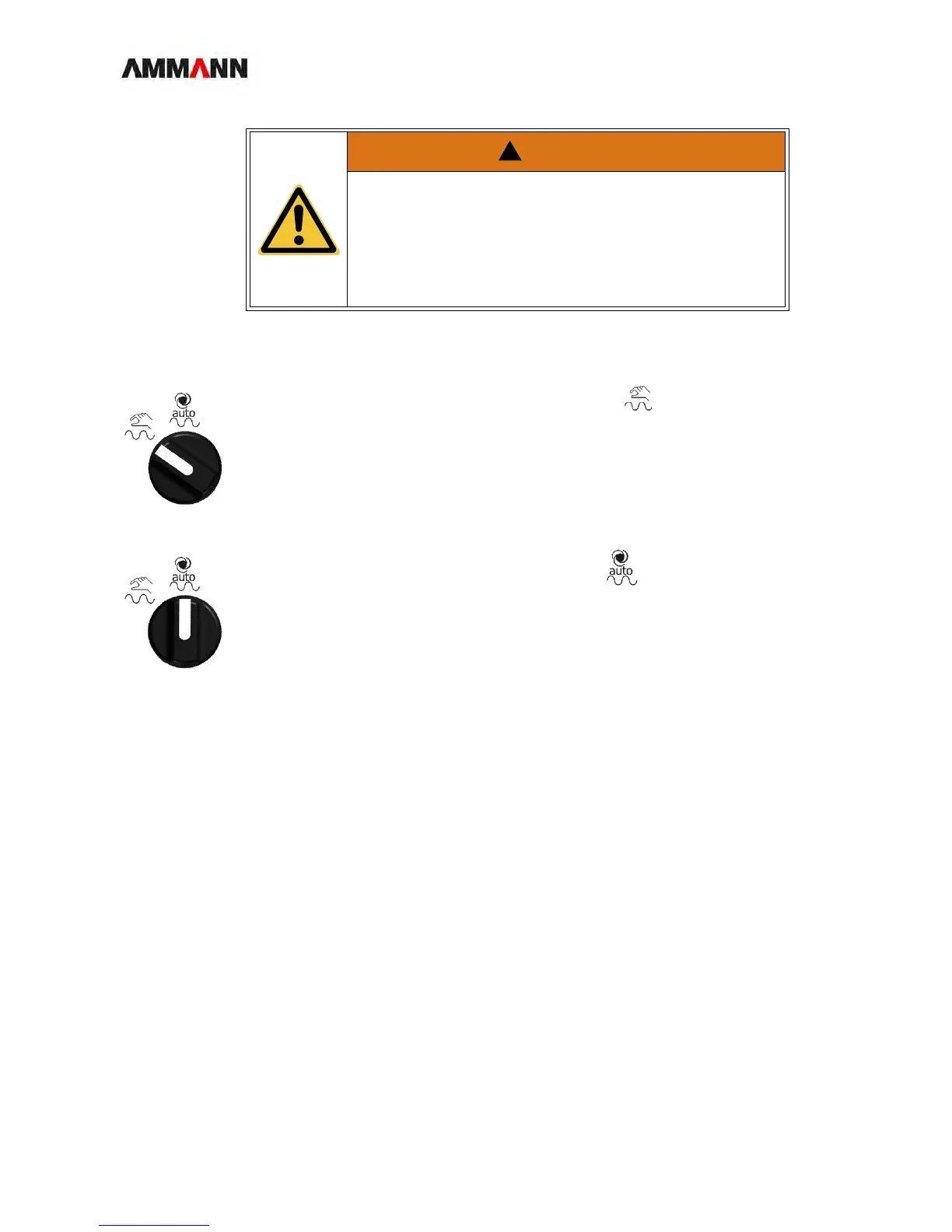
1 Set the pre-select switch to the "Manual" position .
2 Press the vibration button (upper button) on the operating lever.
The roller vibrates.
7.14.2 Automatic vibration
1 Set the pre-select switch to the "Auto" position .
The roller vibrates as soon as vibration is activated and the roller reaches a speed of
1-2 km/h.
The minimum speed can be changed if desired. Ask your authorized dealer.
WARNING
Unintentional reaction / accident hazard
• If the vibration automation pre-select switch is set to automatic
and vibration is activated, the roller begins to vibrate as soon
as the operating lever is pushed forwards.
If the driver is surprised by this reaction an uncontrolled and ha-
zardous action may result.



 To Next Page