66
8.2.25 Special features
useful to choose the transparency value of your keying.
Once your keying mode is selected, the Pulse² provides you some keying advance seng:
• Luma Keying is used to key from a parcular luminous intensity. It produces a hard edged key based on
intensity, which is most suitable for tling eects. You can choose to key things that are extremely dark or
extremely bright and keep everything in between, or invert to key only things that are of a medium intensity.
• The black and white levels dene where to begin the keying. In the range 0 to 255, 0 represents no luminance,
or black and 255 represents full luminance, or white.
- Level Black: As the Black Level is changed from 0 to 255, things that are black are rst keyed out, followed
by dark grey, then light grey, and so forth, unl the enre picture is keyed out at 255.
As the White Level is changed from 255 to 0, things that are white are rst keyed out,
followed by light grey, then dark grey, and so forth, unl the enre picture is keyed out at 0.
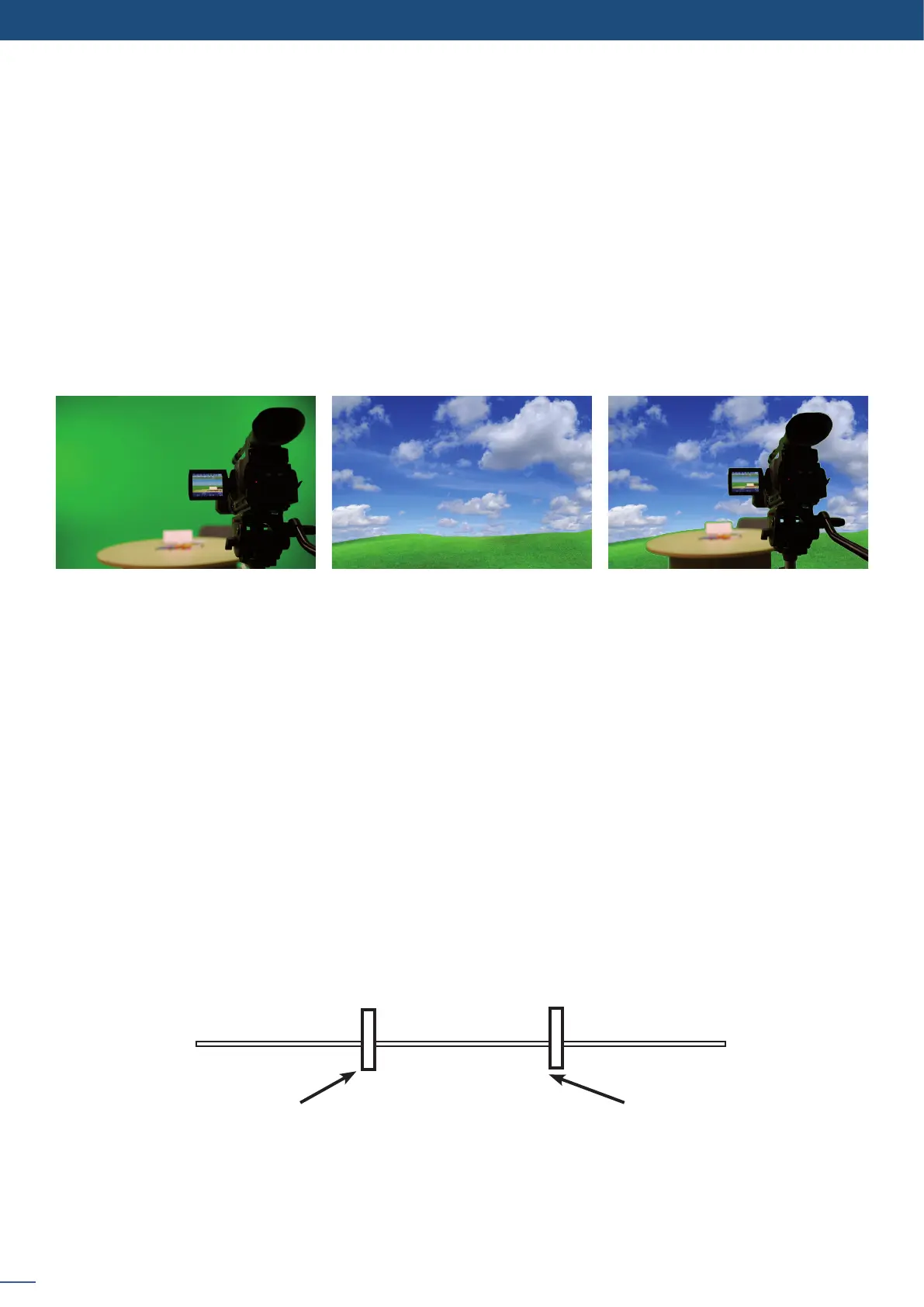
Chroma Keying is used to key from a parcular color. It produces a key which is most suitable for moving
images and “weatherman” style applicaons.
Using a crosshair, you can select a parcular hue based on what is on screen. Once you have adjusted the
crosshairs to a desired posion, press set/enter to capture the color value at that instant. You can then adjust
the other parameters such as Tolerance to further rene your key.
+ =
>
White levelBlack level
Keyed Away Keyed Away
Visible Picture
Non-Inverted mode


 To Next Page