2.6 Adjustment tips
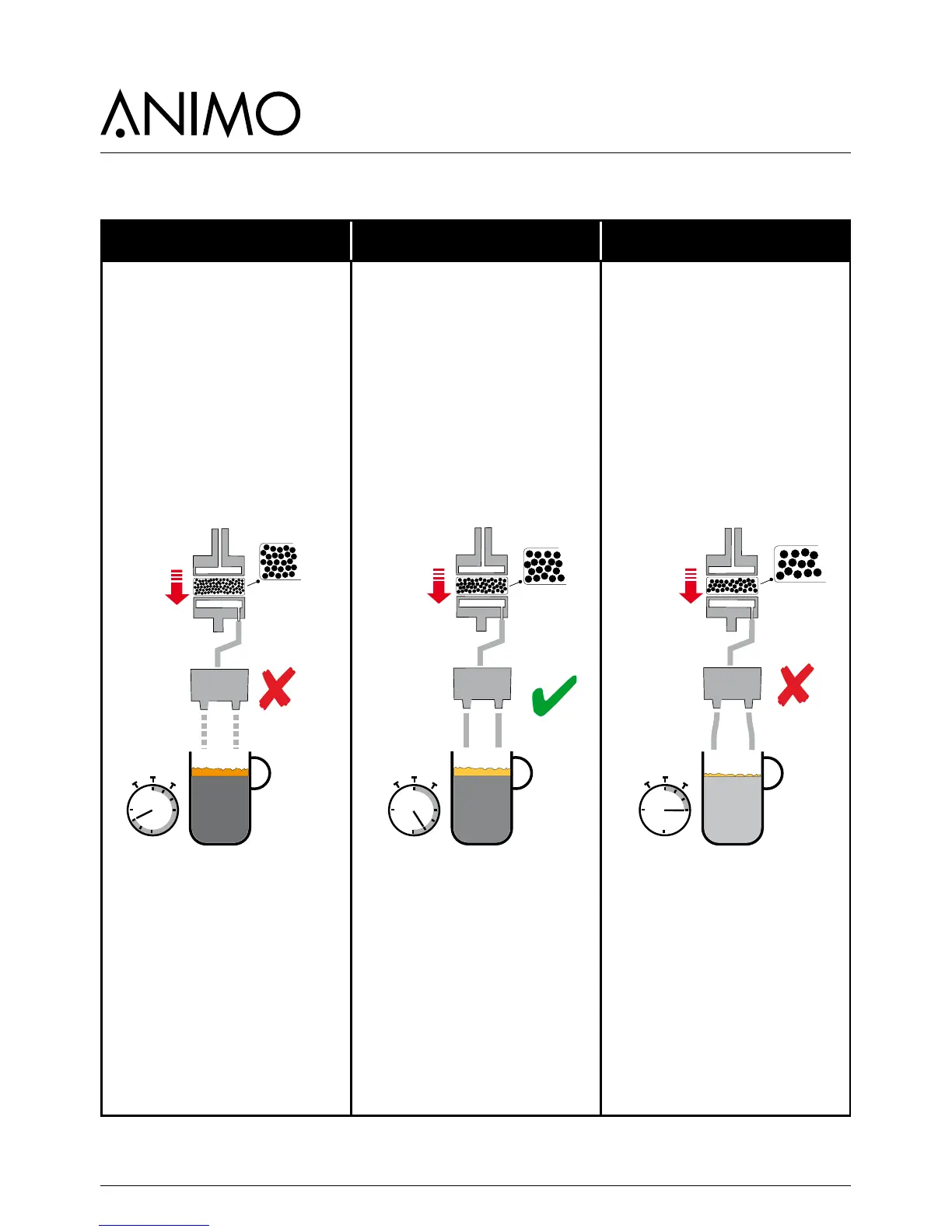
Cream layer too low Cream layer perfect Cream layer missing or too light
- Grind too ne
- Bitter
- Preparation too long
- Too much ground dosing
- Coffee drips from splitter
The coffee is ground too ne,
or the dispensed coffee is
too high. The extraction is
too extreme due to a too long
contact time. (to many bitter
substances).
Advice: set the coffee grinder
coarser (adjustment anti-
clockwise). Also shorten the
coffee dosing by 0.1 sec.
Note!
When setting the grinder
coarser there is a risk of excess
measurement (coffee volume/
weight increases) as a result of
which the espresso group can
jam (Error E7).
- The right grind
- Perfect coffee taste
- The right preparation time
- The right coffee measurement
- Coffee sprays full and parallel
The coffee is ground well, the
taste extraction is optimal. The
cream layer is rm and persists
for a long time.
Advice: enjoy your coffee
- Grind too coarse
- Weak
- Preparation too short
- To low ground coffee dosing
- Coffee sprays bent outwards
The ground coffee is too coarse
for reaching a good extraction.
The coffee will be under-
extracted. Little or no cream
layer.
Advice: set the coffee grinder
ner (adjustment clockwise).
Adjust the grind setting only in
steps of a maximum 1/4 turn
each time. Only the 3rd cup of
coffee is 100% made with the
changed grind neness! (do not
measure the rst 2).



 To Next Page