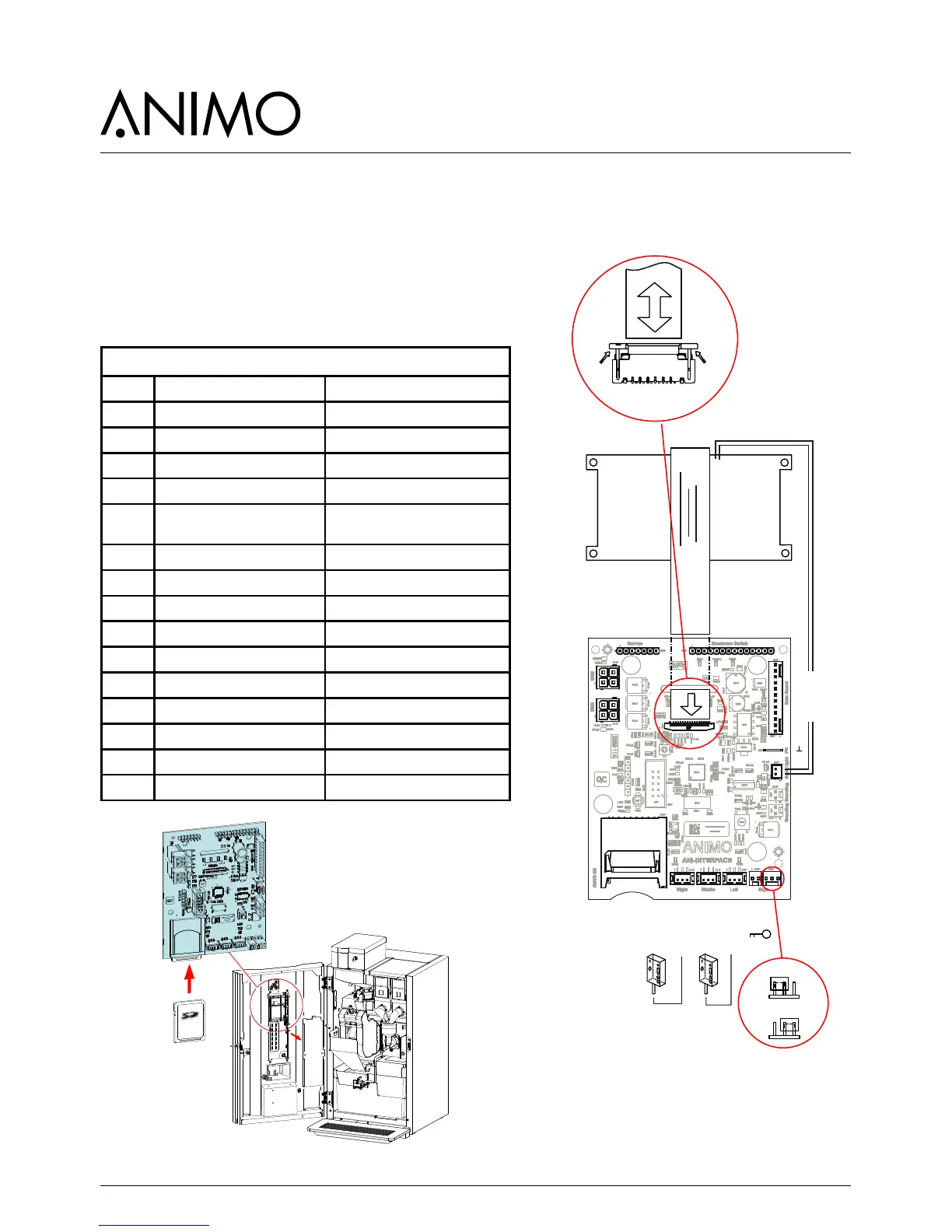
9.2 Interface / Display
The interface connects all the components located in
and on the door and is connected by a cable to the
main control.
9.2.1 Connections
Interface & Display
Conn Notes
J100 Main control
J101 Front membrane panel
J102 Service membrane panel
J103 Key switch
J104 Jumper position A-B A = cup sensor; no
B = cup sensor; yes
J105 Display connection See dismantling instructions
J106 RGB LED
J107 RGB LED
J108 - not used
J109 Backlight display
J110 - not used
J112 cup sensor left coffee spout position
J113 cup sensor middle
J114 cup sensor right hot water spout position
J200 SD card holder













 To Next Page