6. MAINTENANCE
6.1 Daily rinsing program
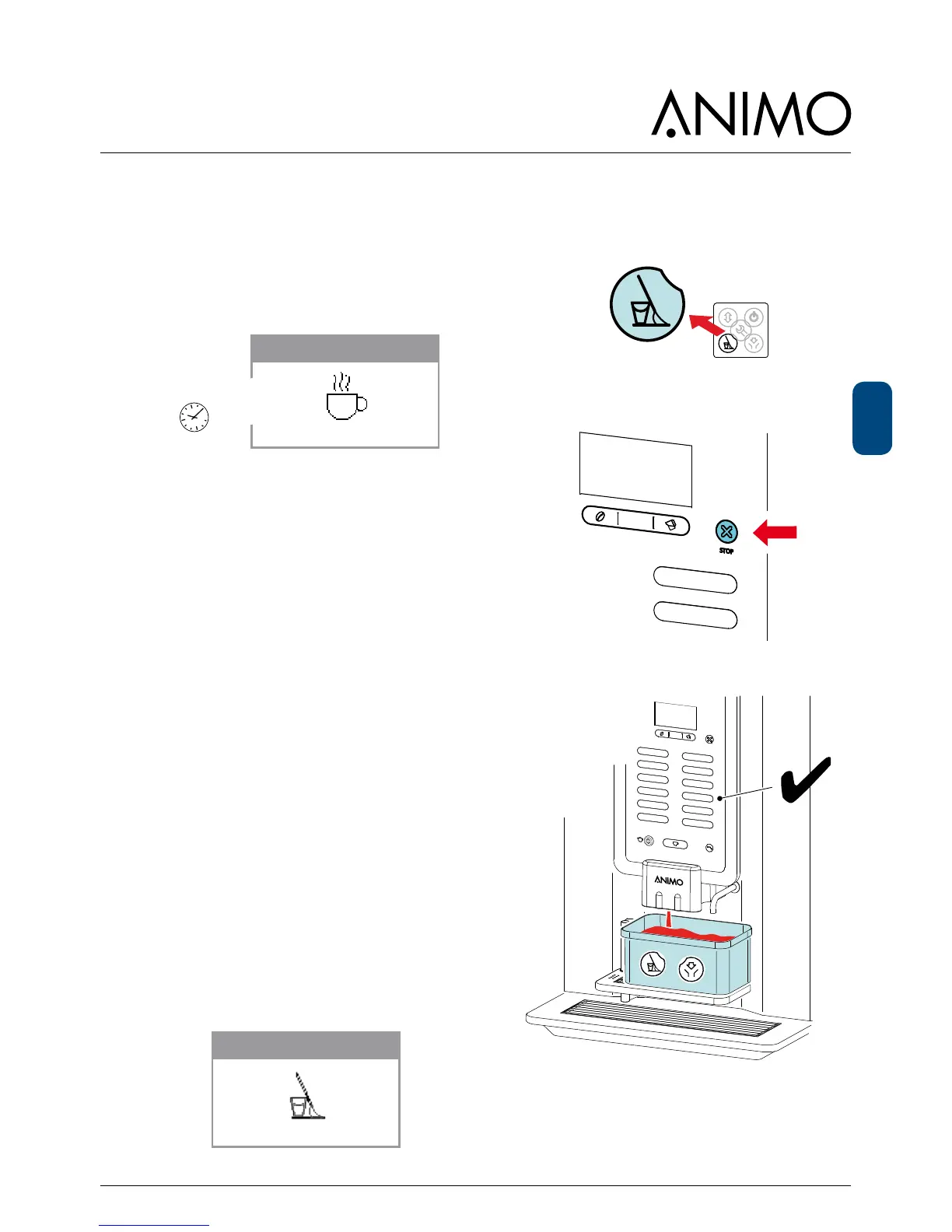
After 1 day the display shows RINSE.
This message will disappear again after the rinsing
program is executed.
Place cup
Rinse
1. a) Activate the rinsing program [1a] and follow the
instructions in the display.
b) The rinsing program can also be activated by
pressing the STOP button for 10 sec. [1b].
2. Conrm with the V-key [2] to start the rinsing.
The brewer and mixer unit are rinsed with clean
water.
In the Service menu / 2.16 Cleaning management /
Rinsing mandatory (yes / no), the user can even be
obliged to carry out the rinsing program. If the rinsing
program is not activated the machine blocks.
Out of order
Rinse













 To Next Page