4. MENU STRUCTURE
4.1 The operator / service menu
Most of the settings, including the product settings are secured by a PIN code. This PIN code is
intended to prevent the user accessing the service menu.
It is recommended not to leave this document with the user after installation and to change the
standard factory PIN code.
This chapter describes the various settings that can be changed by trained, authorised service
personnel. How you gain access to the service menu is described below. Once in the service menu,
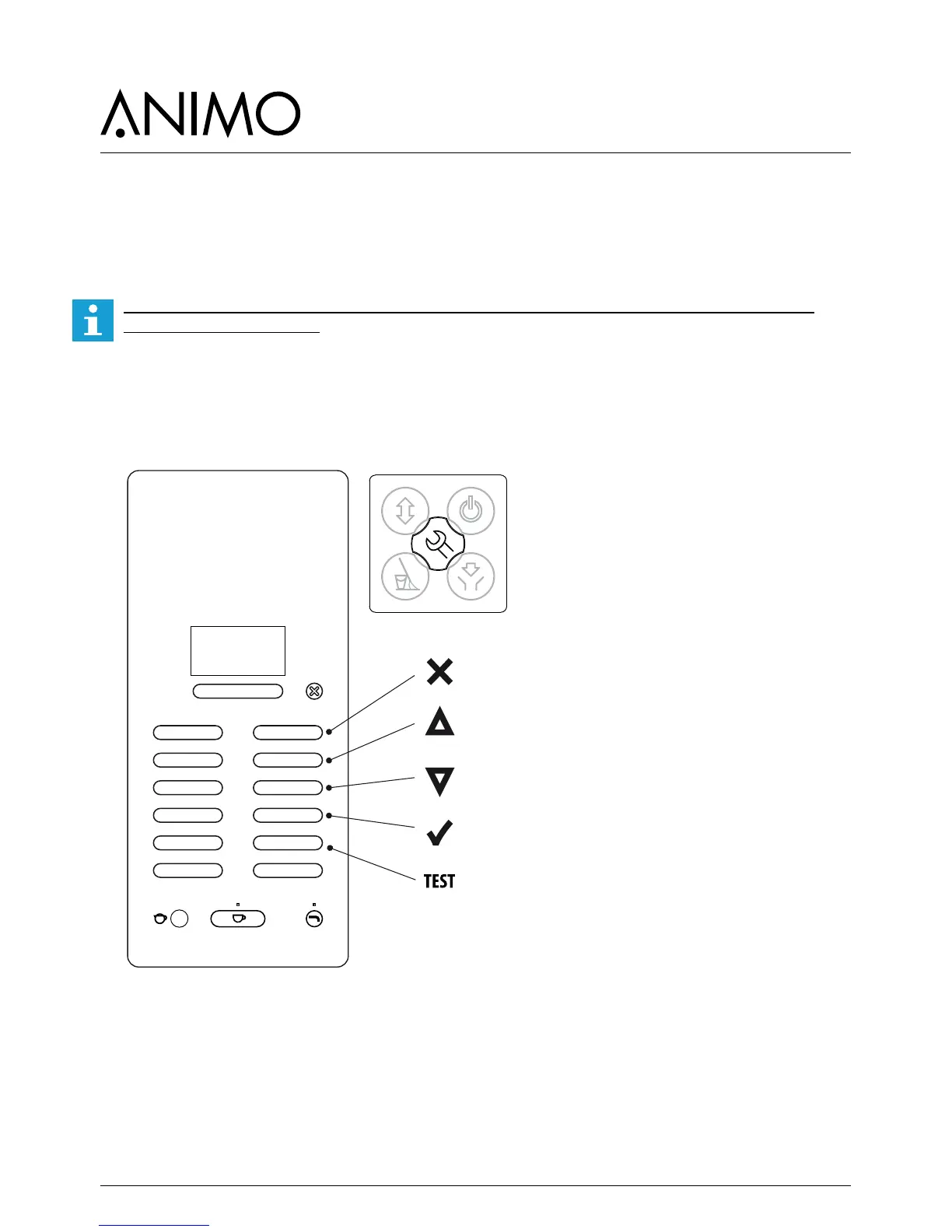
the control panel has the following functions:
Escape (return without changing)
Previous (menu item / increase value)
Next (menu item / decrease value)
Enter (accept menu option)
Test (test button for hardware test)













 To Next Page