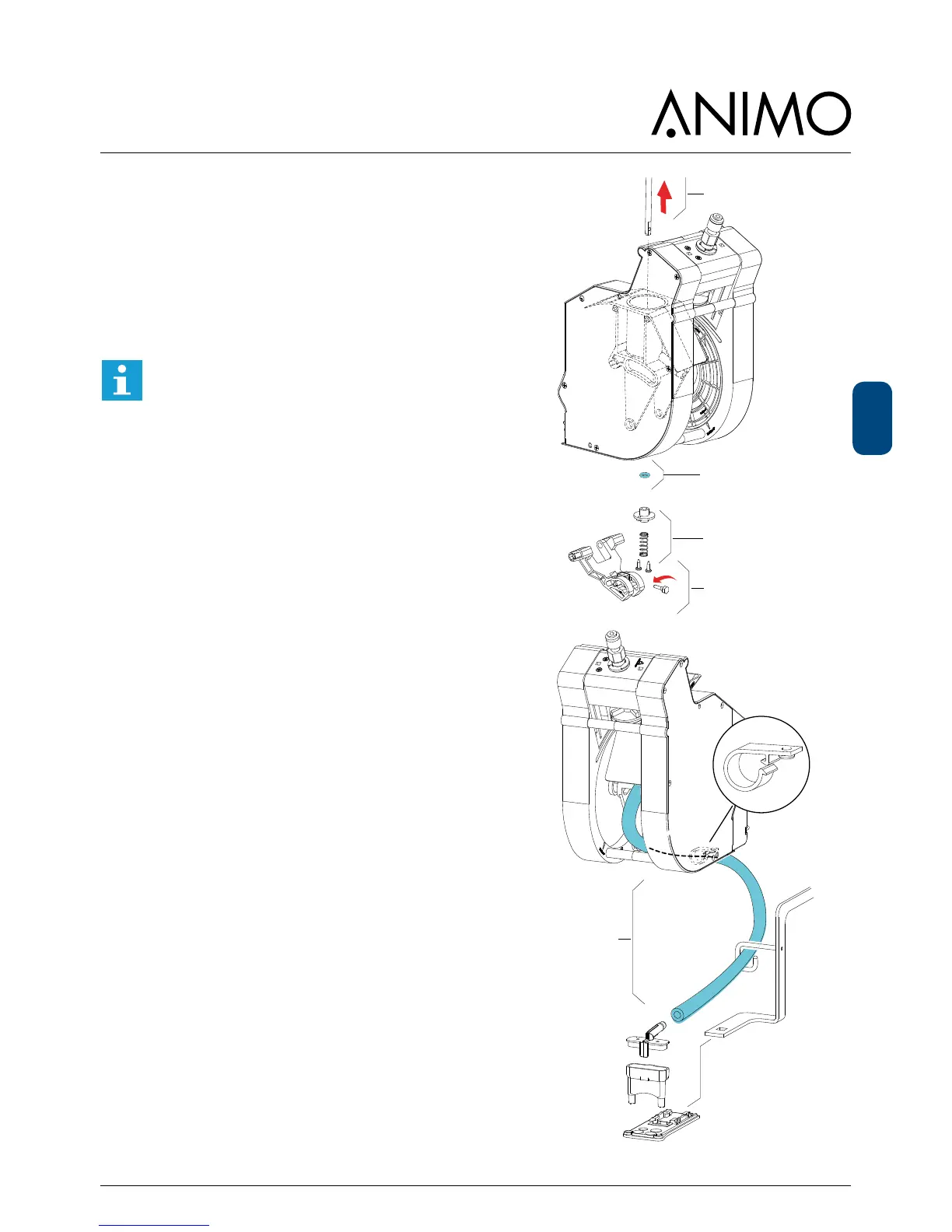
5. To place a new O-ring [8] rst unscrew bold [5].
6. Pull out piston-rod [6].
7. Unscrew the two screws which hold the
lower ange [7].
8. Place a new O-ring [8] and replace all parts in
reversed order.
9. Place a new brewer outlet hose [9].
Always place the outlet hose according the
drawing below
10. After the brewer maintenance reset the service
brewer signal in the service menu:
2.13Othersettings
│
└──2.13.04ResetServicebrewer
New brewer installed?
After a new brewer was installed reset the cycle counter
in the service menu:
2.13Othersettings
│
└──2.13.02ResetCyclecounter)
6.6.2 Drive unit
- Clean out potential coffee dust from the drive unit.
- Check the switch- and gear function













 To Next Page