Digital Video Recorder User Manual
101
3. Click the icon to delete the selected user account.
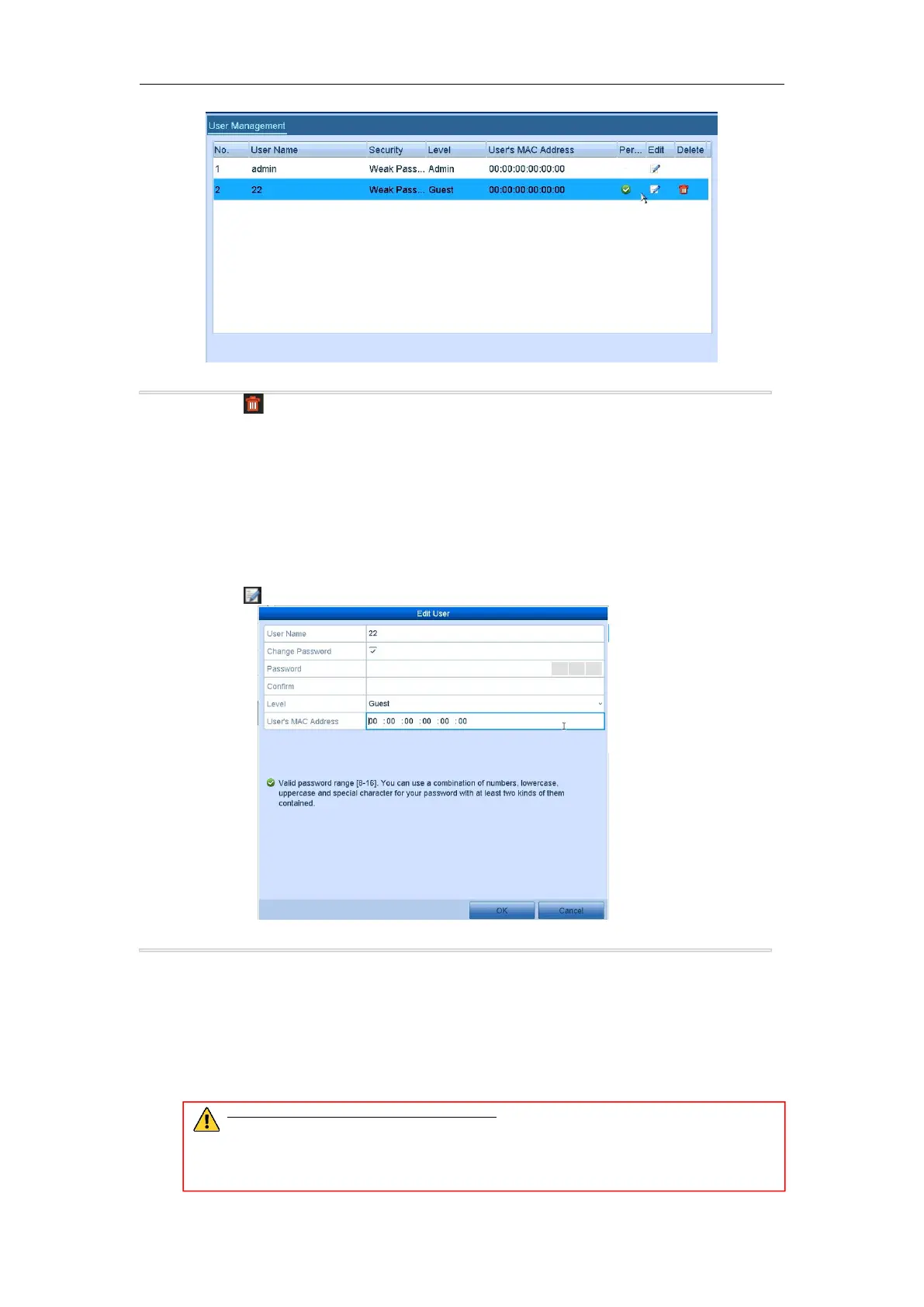
For the added user accounts, you can edit the parameters.
Steps:
1. Enter the User Management interface.
Menu >Configuration>User
2. Select the user to be edited from the list.
3. Click the icon to enter the Edit User interface.
Figure 14. 8 Edit User Interface
4. Edit the corresponding parameters.
You can edit the user information, including user name, password, permission level and MAC address.
Check the checkbox of Change Password if you want to change the password, and input the new
password in the text field of Password and Confirm. A strong password is recommended.
You are only allowed to edit te password and MAC address. Check the checkbox of Change Password
if you want to change the password, and the input the correct old password, and the new password in the
text field of Password and Confirm.
STRONG PASSWORD RECOMMENDED– We highly recommend you create a strong
password of your own choosing (using a minimum of 8 characters, including upper case letters,
lower case letters, numbers, and special characters) in order to increase the security of your
product. And we recommend you reset your password regularly, especially in the high security
system, resetting the password monthly or weekly can better protect your product.



 To Next Page