Digital Video Recorder User Manual
82
consumption of the device and extend the life of the HDDs.
Click Menu > HDD > Advanced.
Check the checkbox of Enable HDD Sleeping (by default), and the HDDs which are free of working for a long
time will be set to sleep.
Uncheck the checkbox of Enable HDD Sleeping, and the HDDs will be set to work for all time.
11.2.1Setting HDD Groups
Purpose:
Multiple HDDs can be managed in groups. Video from specified channels can be recorded onto a particular HDD
group through HDD settings.
Steps:
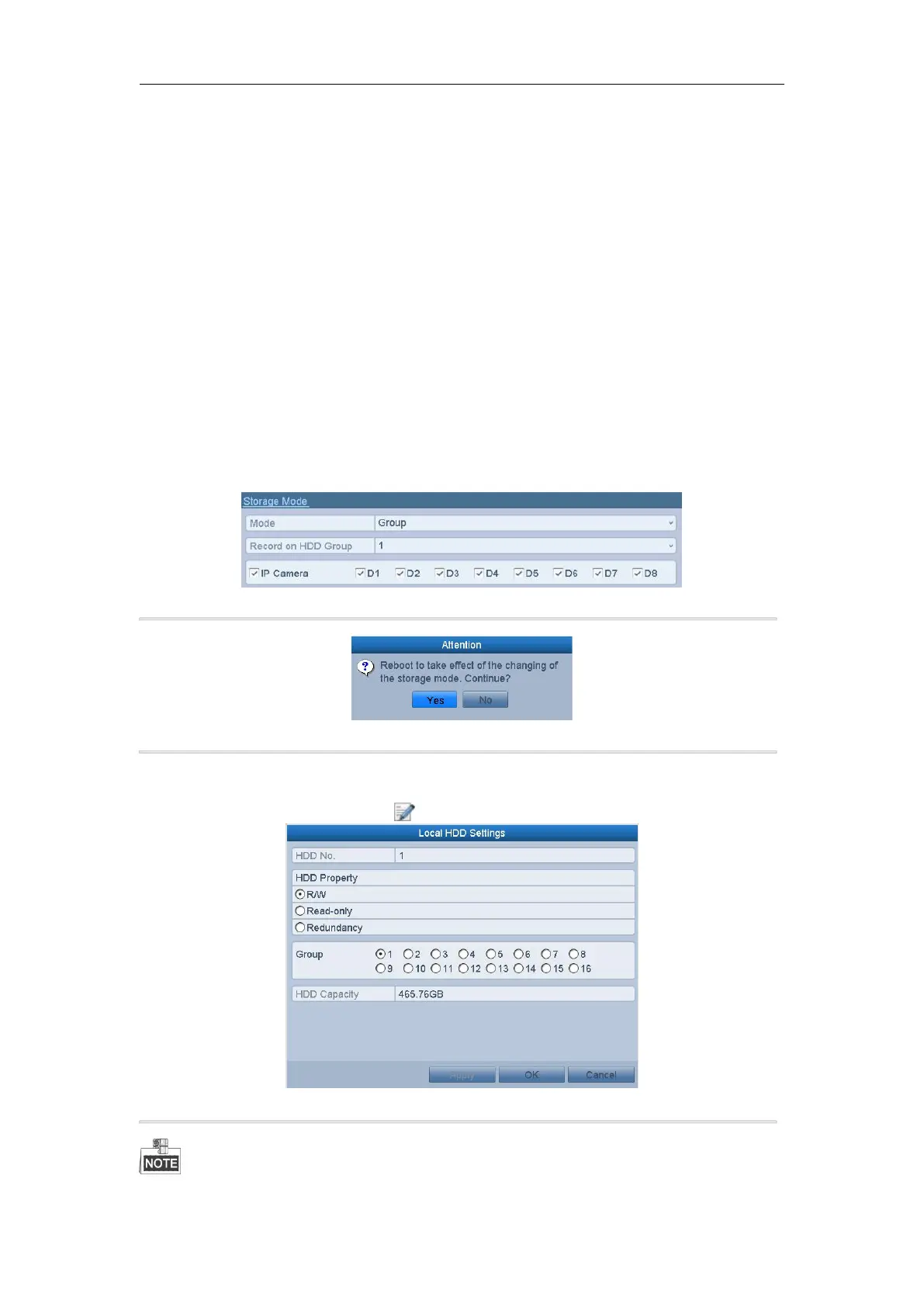
1. Enter the Storage Mode interface.
Menu > HDD > Advanced
2. Set the Mode to Group.
Figure 11. 4 Storage Mode Interface
3. Click the Apply button and the following Attention box will pop up.
Figure 11. 5 Attention for Reboot
4. Click the Yes button to reboot the device to activate the changes.
5. After reboot of device, enter the HDD Information interface.
Menu > HDD > General
6. Select HDD from the list and click the icon to enter the Local HDD Settings interface.
Figure 11. 6 Local HDD Settings Interface
7. Select the Group number for the current HDD.
The default group No. for each HDD is 1.



 To Next Page