Digital Video Recorder User Manual
12
2.2 Activating the Device
Purpose:
For the first-time access, you need to activate the device by setting an admin password. No operation is allowed
before activation. You can also activate the device via Web Browser, SADP or Client Software.
Steps:
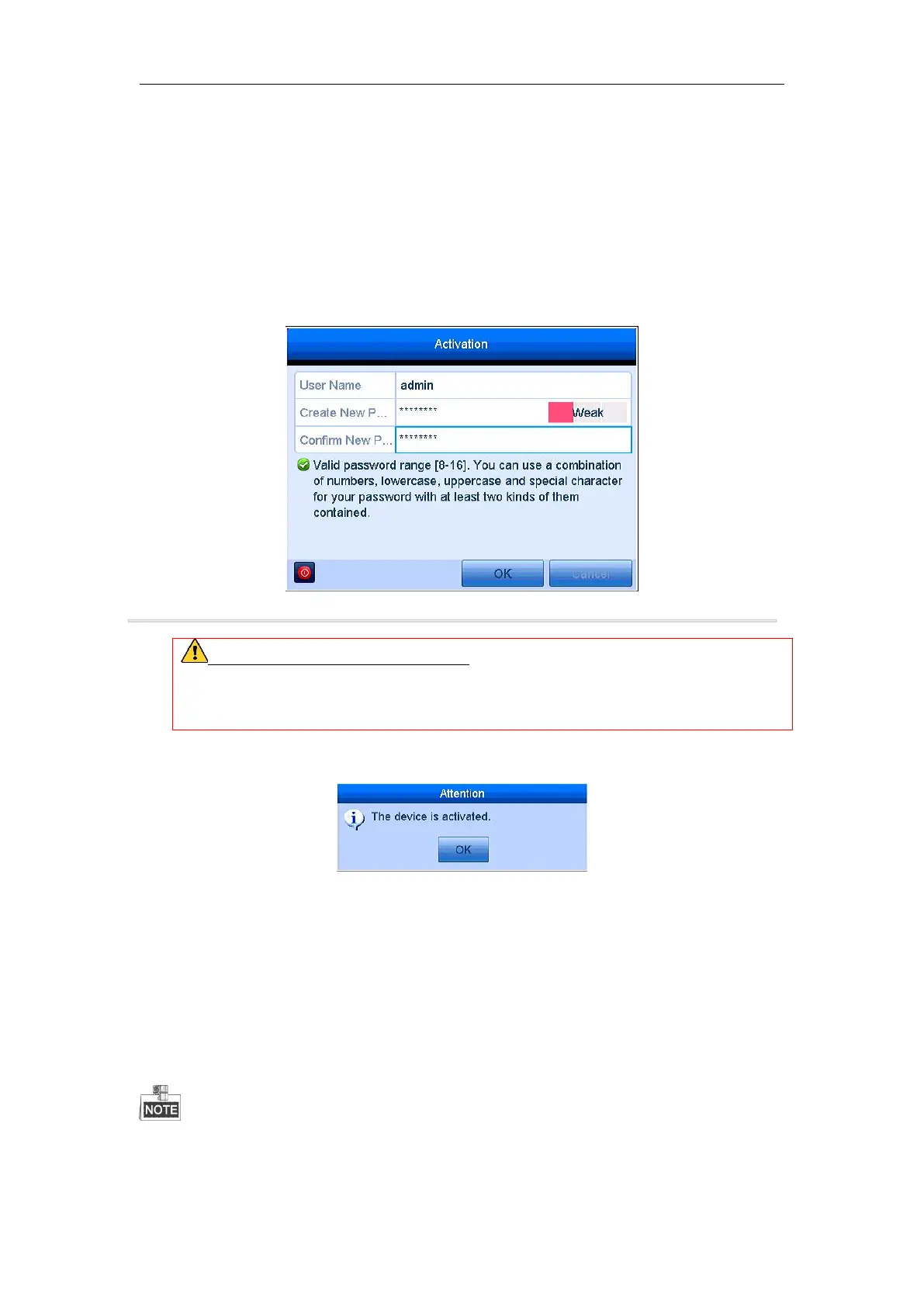
1. Input the same password in the text field of Create New Password and Confirm New Password.
Please keep the password well and don't forget it.
Figure 2. 3 Settings Admin Password
STRONG PASSWORD RECOMMENDED–We highly recommend you create a strong password
of your own choosing (Using a minimum of 8 characters, including at least three of the following
categories: upper case letters, lower case letters, numbers, and special characters.) in order to increase
the security of your product. And we recommend you reset your password regularly, especially in the
high security system, resetting the password monthly or weekly can better protect your product.
2. Click OK to save the password and activate the device.
2.3 Basic Configuration in Startup Wizard
2.3.1 Configuring the Signal Input Channel
After the startup and login, the device system enters the Wizard for configuring the signal input.
You can also click Menu > Camera > Signal Input Status to configure the signal input.
Steps:
1. Check the checkbox to select different signal input types: TVI, or AHD/CVBS.
2. Click Apply to save the settings.



 To Next Page