Digital Video Recorder User Manual
29
All the parameters should be exactly the same as the PTZ camera parameters.
5. Click Apply button to save the settings.
4.2 Setting PTZ Presets, Patrols & Patterns
Before you start:
Please make sure that the presets, patrols and patterns should be supported by PTZ
protocols.
4.2.1 Customizing Presets
Purpose:
Follow the steps to set the Preset location which you want the PTZ camera to point to
when an event takes place.
Steps:
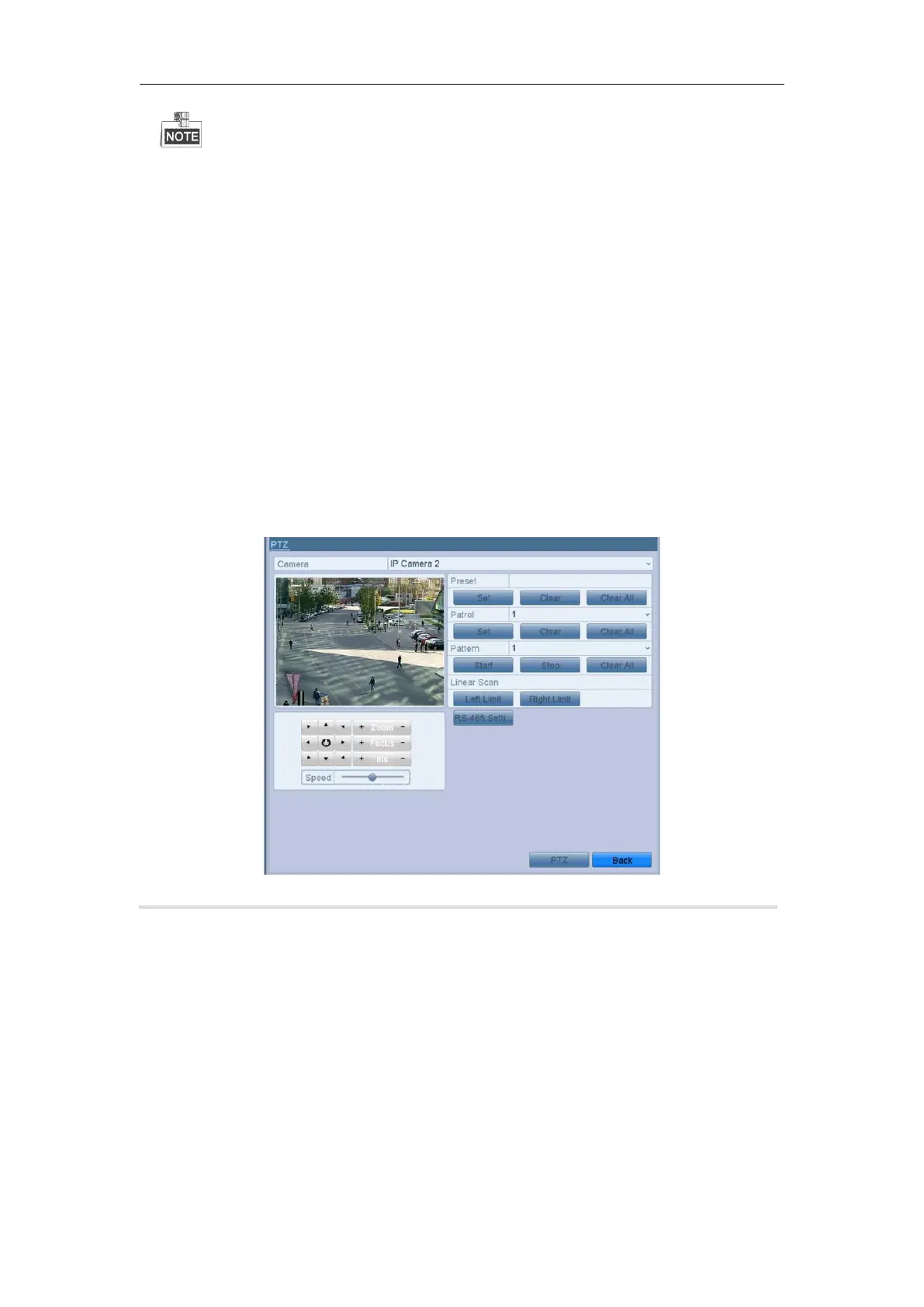
1. Enter the PTZ Control interface.
Menu > Camera > PTZ
2. Use the directional button to wheel the camera to the location where you want to set preset; and the zoom
and focus operations can be recorded in the preset as well.
3. Enter the preset No. (1~255) in the preset text field, and click the Set button to link the location to the preset.
Repeat the steps2-3 to save more presets.
You can click the Clear button to clear the location information of the preset, or click the Clear All button to
clear the location information of all the presets.
Purpose:
This feature enables the camera to point to a specified position such as a window
when an event takes place.
Steps:
1. Click the button PTZ in the lower-right corner of the PTZ setting interface;



 To Next Page