Digital Video Recorder User Manual
64
Purpose:
The DVR can receive the VCA alarm (line crossing detection, intrusion detection, sudden scene change detection
and audio exception detection) sent by analog camera, and the VCA detection must be enabled and configured on
the camera settings interface first. All other VCA detection features must be supported by the connected IP camera.
Only one analog camera supports the VCA settings and VCA alarm of line crossing detection, intrusion
detection, sudden scene change detection and audio exception detection.
9.1 Line Crossing Detection
Purpose:
This function can be used for detecting people, vehicles and objects cross a set virtual line. The line crossing
direction can be set as bidirectional, from left to right or from right to left. And you can set the duration for the
alarm response actions, such as full screen monitoring, audible warning, etc.
Steps:
1. Enter the VCA settings interface.
Menu> Camera> VCA
2. Select the camera to configure the VCA.
You can click the checkbox of Save VCA Picture to save the captured pictures of VCA detection.
3. Select the VCA detection type to Line Crossing Detection.
4. Check the Enable checkbox to enable this function.
5. Click to configure the trigger channel, arming schedule and linkage actions for the line crossing
detection alarm.
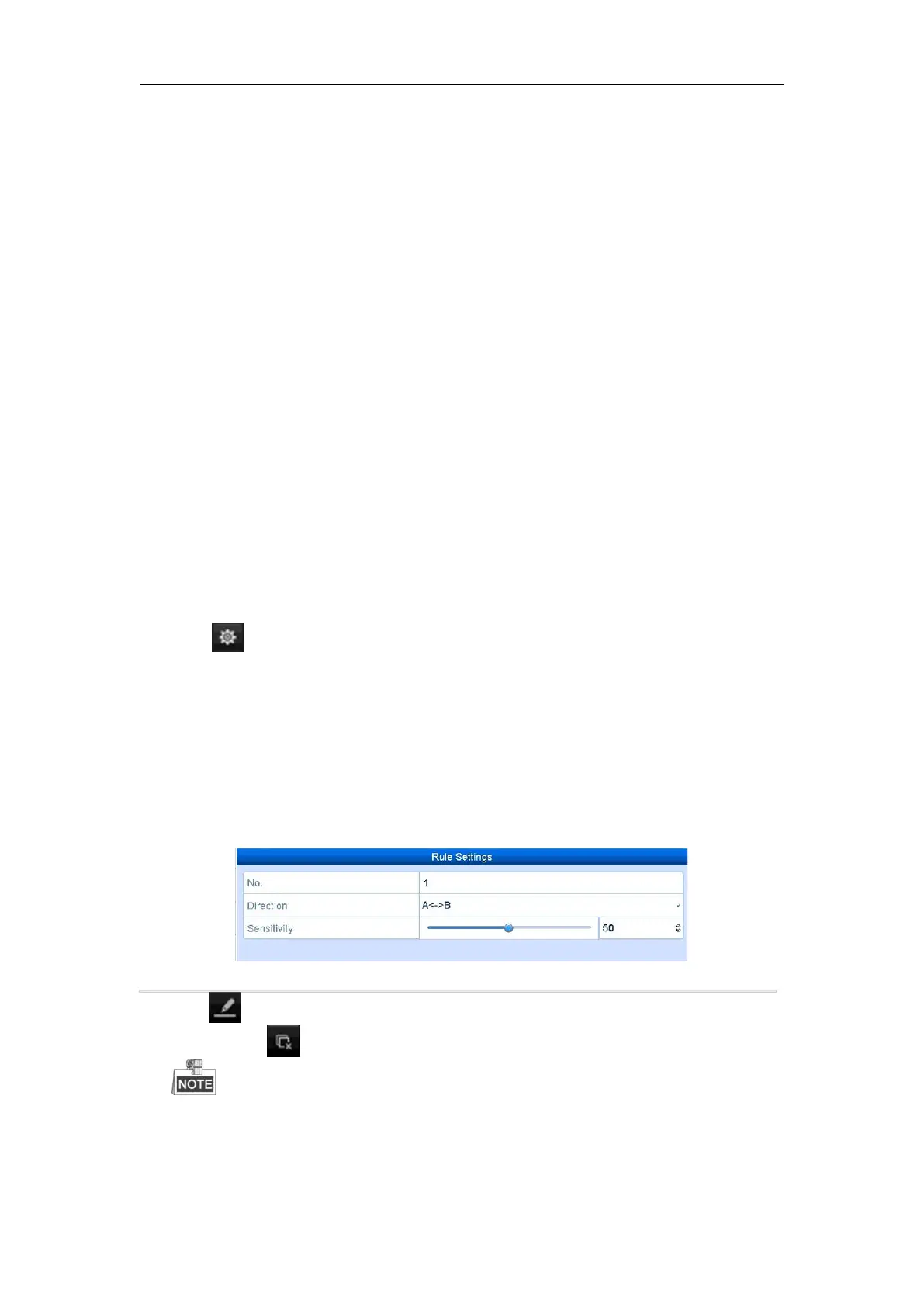
6. Click the Rule Settings button to set the line crossing detection rules.
1) Select the direction to A<->B, A->B or A<-B.
A<->B: Only the arrow on the B side shows; when an object going across the configured line with both
direction can be detected and alarms are triggered.
A->B: Only the object crossing the configured line from the A side to the B side can be detected.
B->A: Only the object crossing the configured line from the B side to the A side can be detected.
2) Click-and-drag the slider to set the detection sensitivity.
Sensitivity: Range [1-100]. The higher the value is, the more easily the detection alarm can be triggered.
3) Click-OK to save the rule settings and back to the line crossing detection settings interface.
Figure 9. 1 Set Line Crossing Detection Rules
7. Click and set two points in the preview window to draw a virtual line.
You can use the to clear the existing virtual line and re-draw it.
Up to 4 rules can be configured.



 To Next Page