Digital Video Recorder User Manual
43
The PTZ Linking function is only available for the VCA settings of IP cameras.
5. Enter Record Schedule settings interface (Menu> Record> Schedule>Record Schedule), and then set Event
as the record type. For details, see step 2 in Chapter 5.2 Configuring Record Schedule.
5.5 Configuring Manual Recording
Purpose:
Follow the steps to set parameters for the manual record. Using manual record, you don’t need to set a schedule for
recording.
Steps:
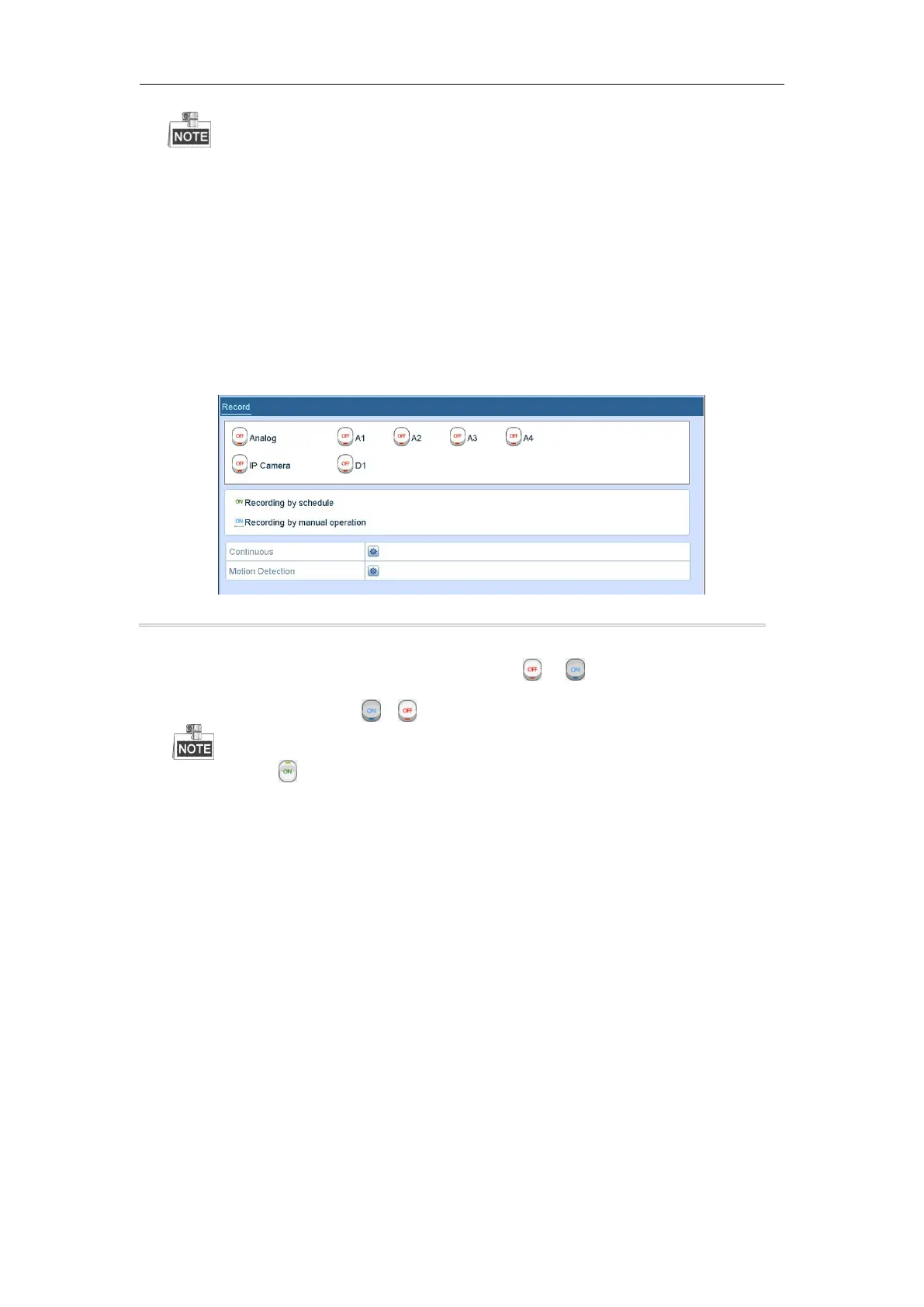
1. Enter the Manual settings interface.
Menu> Manual
Figure 5. 15 Manual Record
2. Enable the Manual Record.
1) Select Record on the left bar.
2) Click the status button before camera number to change to .
3. Disable manual record.
Click the status button to change to .
Green icon means that the channel is configured the record schedule. After rebooting, all the
manua l records enabled will be canceled.
5.6 Configuring Holiday Recording
Purpose:
Follow the steps to configure the record schedule on holiday for that year. You may want to have different plan for
recording on holiday.
Steps:
1. Enter the Record setting interface.
Menu>Record
2. Choose Holiday on the left bar.



 To Next Page