Digital Video Recorder User Manual
86
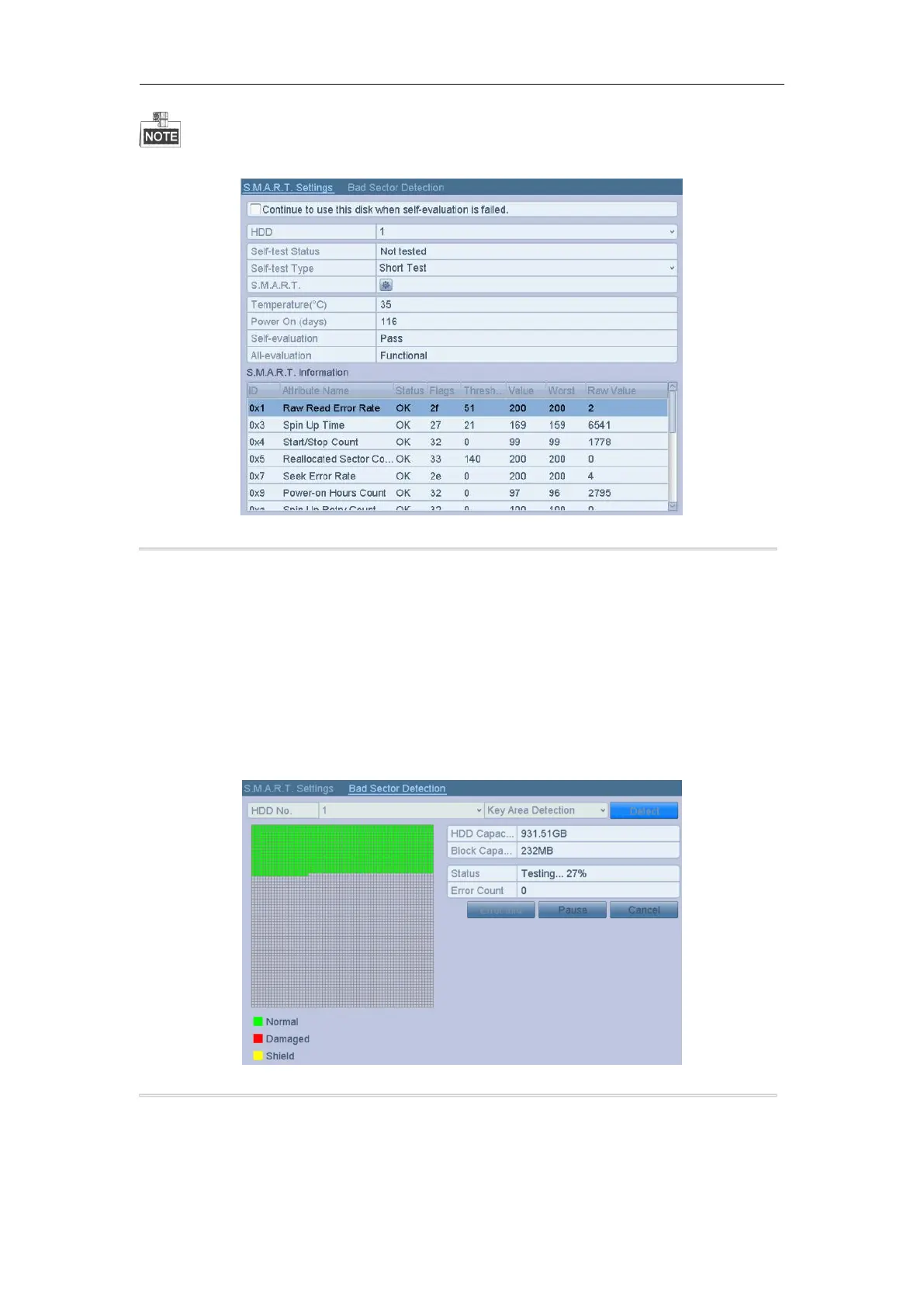
If you want to use the HDD even when the S.M.A.R.T. checking is failed, you can check the checkbox before the
Continue to use this disk when self-evaluation is failed item.
Figure 11. 13 S.M.A.R.T Settings Interface
11.6 Detecting Bad Sector
Purpose:
You can detect the bad sector of the HDD to check the status of the HDD.
Steps:
1. Enter the HDD Detect interface.
Menu>HDD>HDD Detect
2. Click the Bad Sector Detection tab to enter the interface.
3. Select a HDD and click the Detect button to start detecting.
Figure 11. 14 Bad Sector Detecting
4. You can click the Pause button to pause the detection and click the Resume button to resume the detection.
5. If there is error information about the HDD, you can click the Error Info button to view the information.



 To Next Page