Digital Video Recorder User Manual
27
3.4 Manual Video Quality Diagnostics
Purpose:
The video quality of the analog channels can be diagnosed manually and you can view the diagnostic results from
a list.
Steps:
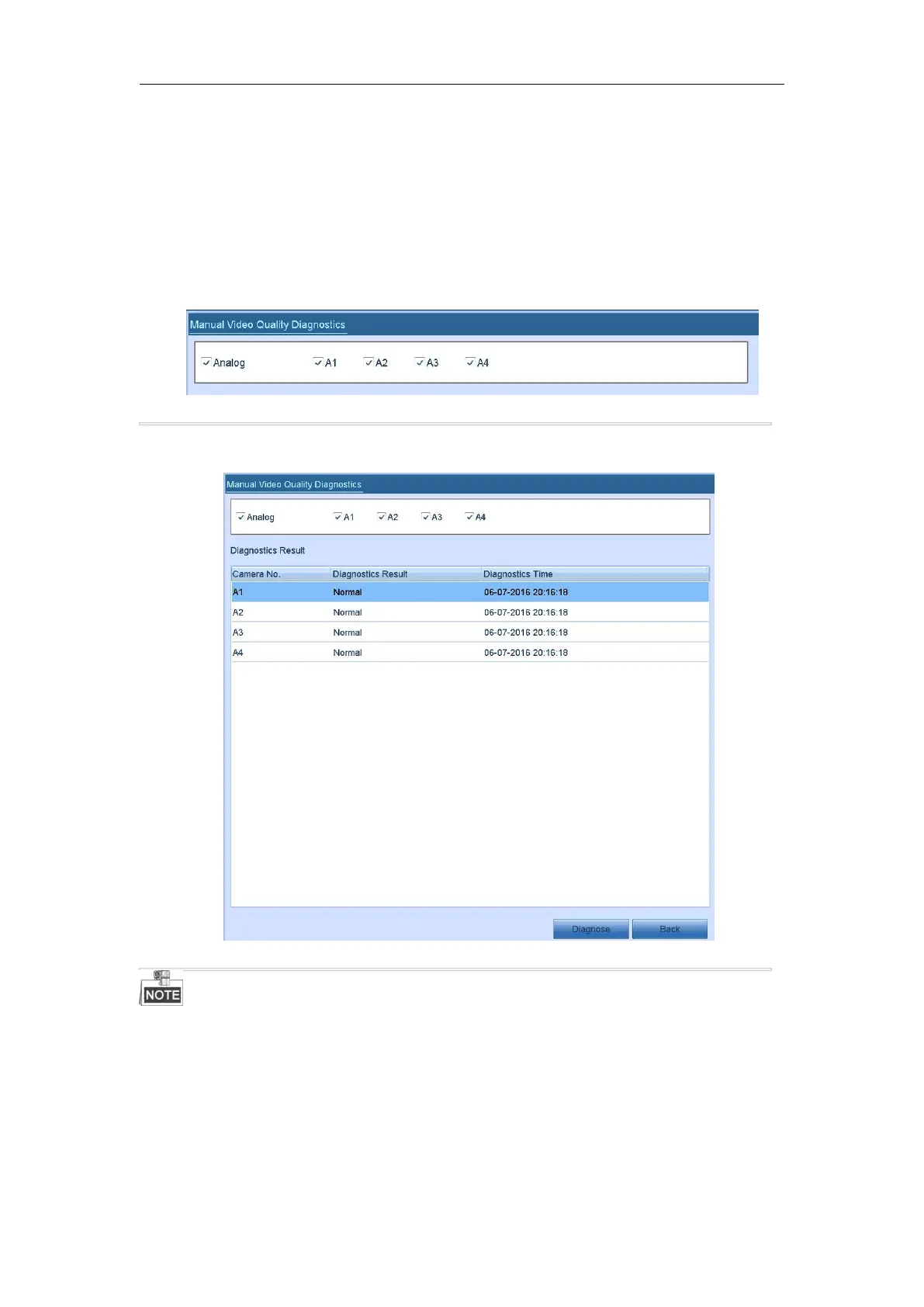
1. Enter the Manual Video Quality Diagnostics interface.
Menu> Manual >Manual Video Quality Diagnostics
Figure 3. 8 Video Quality Diagnostics
2. Check the checkboxes to select the channels for diagnostics.
3. Click the button Diagnose, and the results will be displayed on a list. You can view the video status and
diagnostics time of the selected channels.
Figure 3. 9 Diagnostics Result
Connect the camera to the device for the video quality diagnostics.
Three exception types can be diagnosed: Blurred Image, Abnormal Brightness and Color Cast.



 To Next Page