Digital Video Recorder User Manual
14
Start Wizard at that moment, click Exit. You can also choose to use the Start Wizard next time by leaving
the “Start wizard when device starts?” checkbox checked.
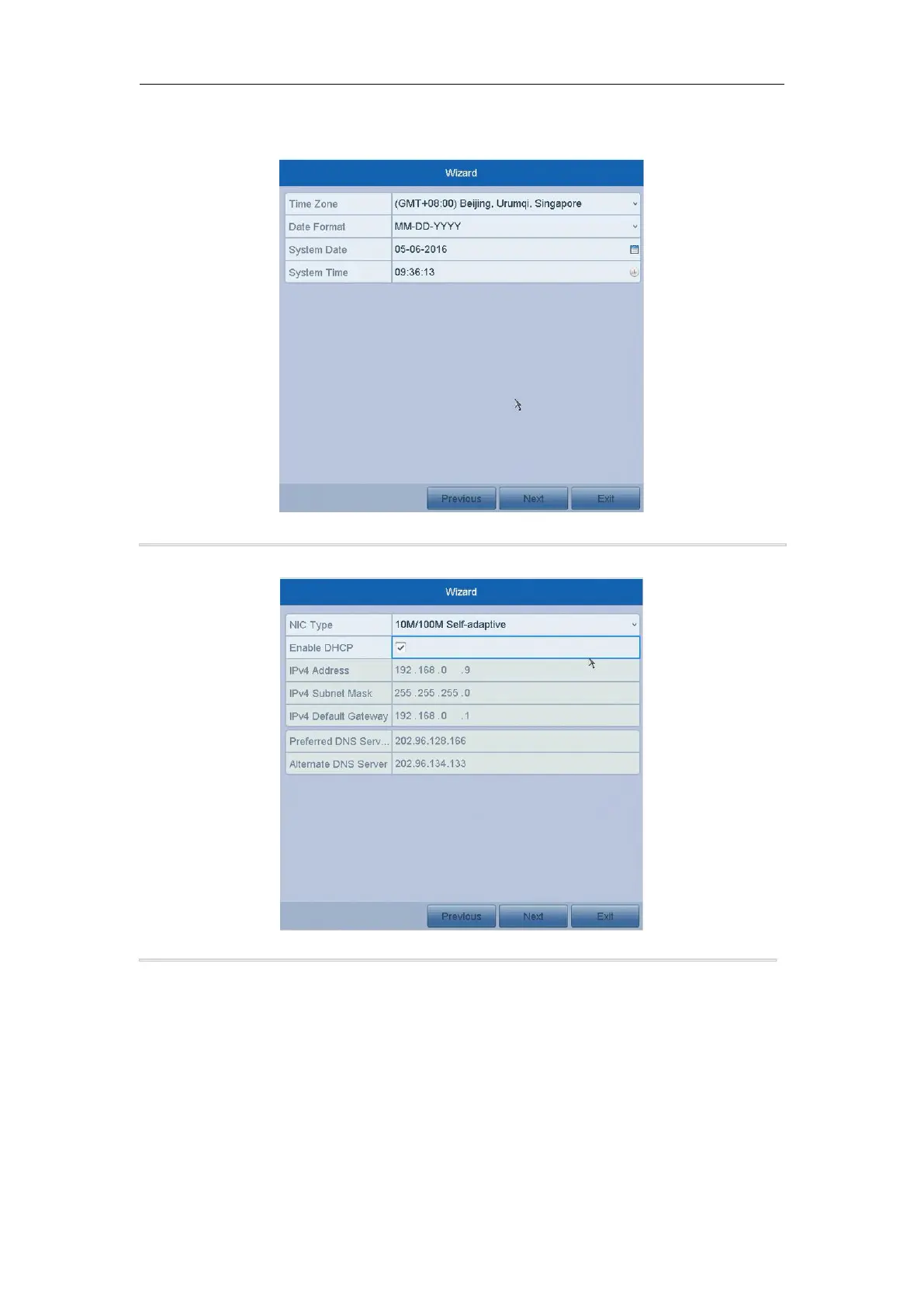
2. Click Next to enter the date and time settings window.
Figure 2. 6 Date and Time Settings
3. After the time settings, click Next button which will take you back to the General Network Setup Wizard
window.
Figure 2. 7 General Network Configuration
4. Click Next button after you configured the basic network parameters. Then you will enter the Cloud P2P
interface. Configure the Cloud P2P according to your need.



 To Next Page