2-4 Display Overview Instrument Overview
2-6 PN: 10580-00252 Rev. J Site Master User Guide
LED Indicators
Power LED
The Power LED is located to the left of the On/Off key. The LED is solid green when the unit
is on and slowly blinks when the unit is off but has external power.
Charge LED
The Charge LED is located to the right of the On/Off key. The LED slowly blinks when the
battery is charging and is solid green when the battery is fully charged.
2-4 Display Overview
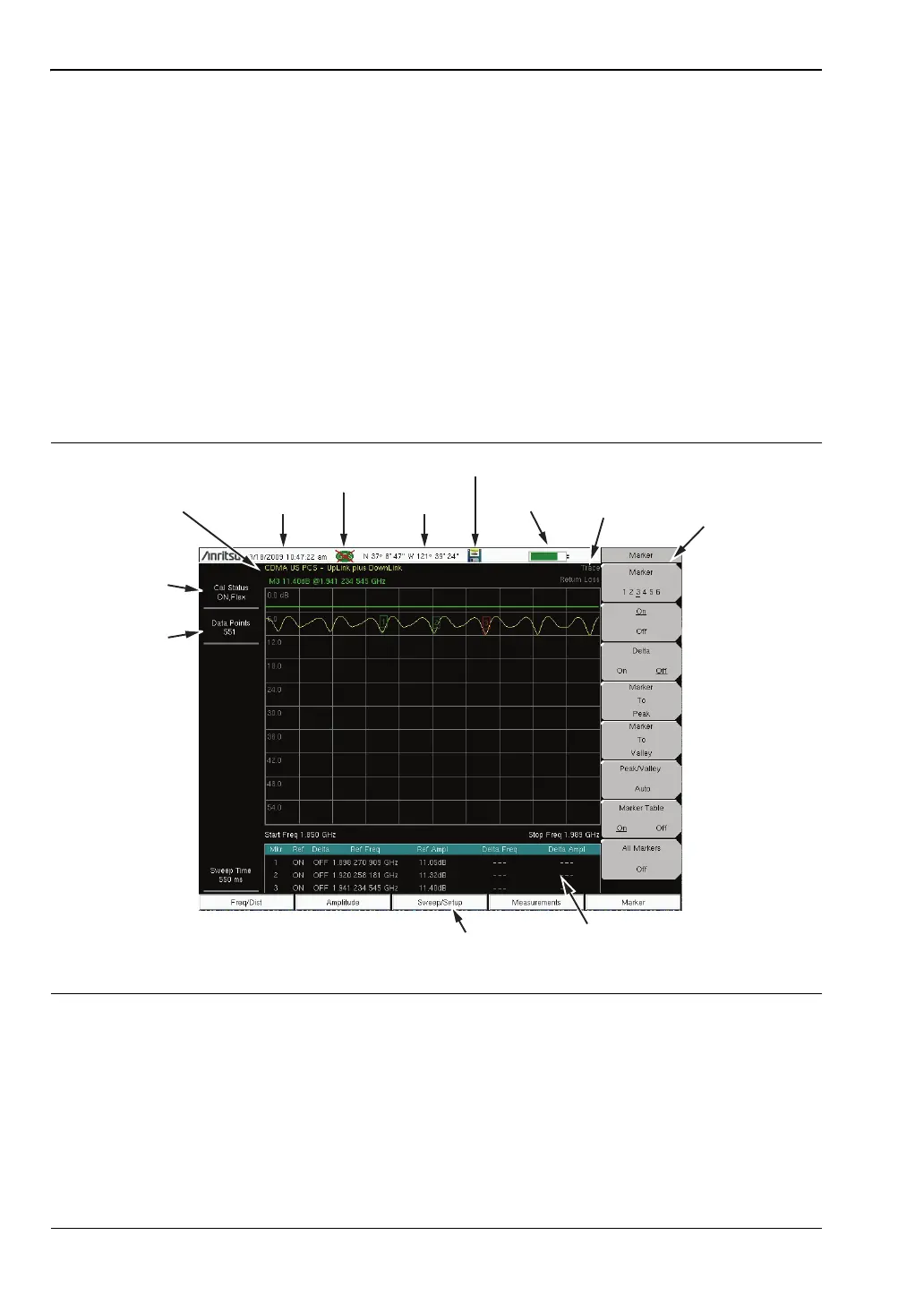
Figure 2-5 and Figure 2-6 illustrate some of the key information areas of the Site Master in
Cable and Antenna mode and Spectrum Analyzer mode. For detailed information on either
mode, refer to the Measurement Guides listed in Appendix A, “Measurement Guides”.
Figure 2-5.
Cable and Antenna Analyzer Return Loss Measurement Display
Date/Time
GPS Icon
GPS Location
Save
Battery
Charge
Submenu
Touch Screen
Keys
Measurement
Settings
Summary
Calibration
Status, Type
Main Menu
Touch Screen Keys
Marker Table
Frequency
Standard
Trace
Measurement
Title













 To Next Page