EasyManua.ls Logo

Anritsu s331c - System Menu Overview

Anritsu s331c
102 pages
Print Icon
To Next Page IconTo Next Page
To Previous Page IconTo Previous Page
Loading...
5-2 System Menu Overview System Operations
5-2 PN: 10580-00252 Rev. J Site Master User Guide
5-2 System Menu Overview
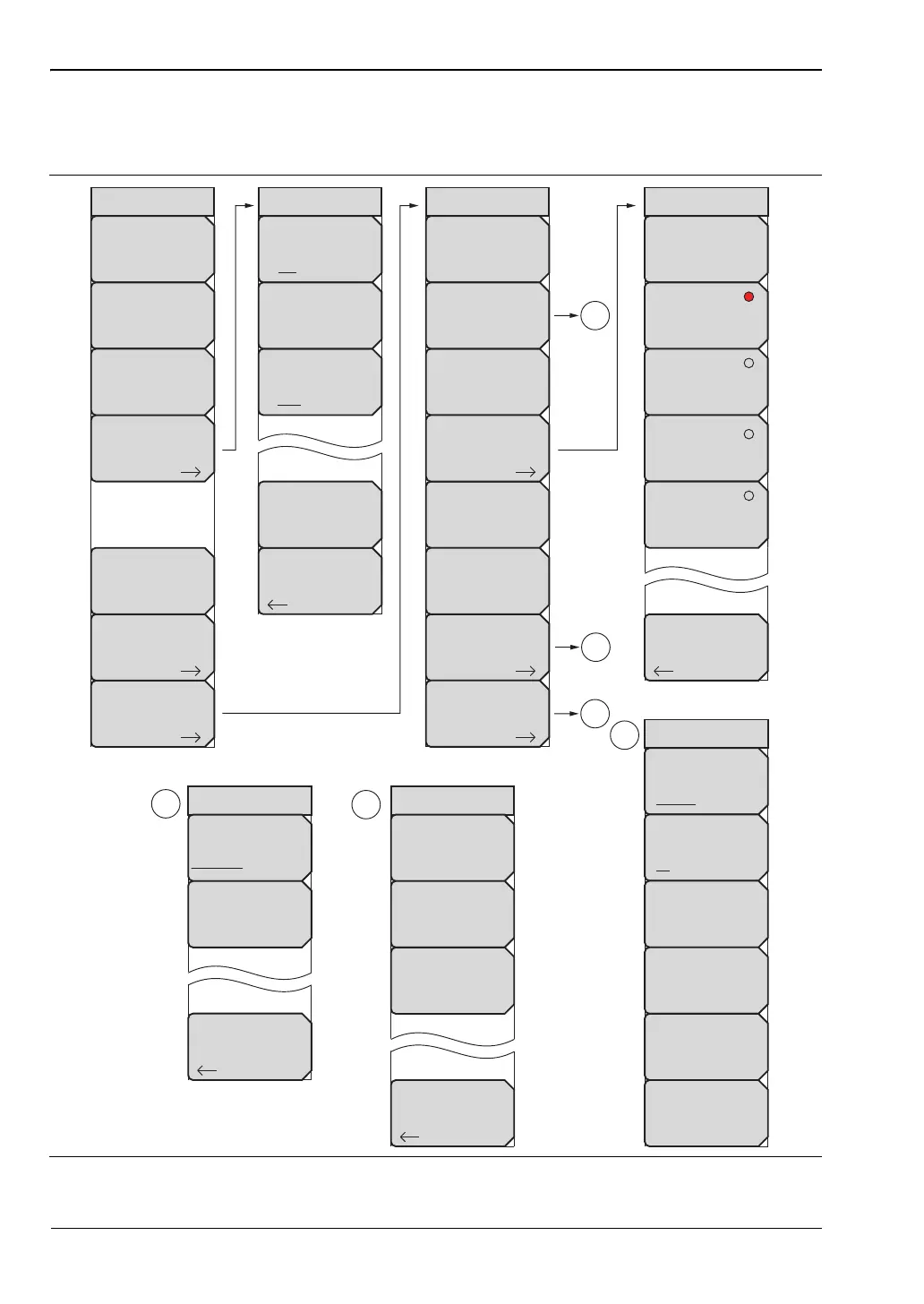
To access the functions under the System menu, select the Shift key, then the System (8) key.
Figure 5-1. System Menu
GPS
Back
GPS
On Off
GPS Voltage
3.3 V 5 V
GPS Info
Reset
System
System
Options
Application
Options
GPS
Status
Self
Test
Application
Self
Test
Calibrate
Touch
Screen
1
Ethernet
Type
Manual DHCP
Field
IP G-Way Sub
First Octet
Second Octet
Third Octet
Fouth Octet
1
Reset
System Options
Date
&
Time
Language
Name
Volume
Ethernet
Config
More
Display
Back
Reset
Factory
Defaults
Master
Reset
Update
Firmware
2
2
Back
Display Settings
Brightness
Default Colors
Black & White
Night Vision
High Contrast
3
Back
System Options 2/2
Share CF &
Pwr Offset
All Modes Not Shared
Set
Remote Access
Password
3

Table of Contents

Related product manuals