Instrument Overview 2-7 Data Entry
Site Master User Guide PN: 10580-00252 Rev. J 2-13
2-7 Data Entry
Numeric Values
Numeric values are changed using the rotary knob, arrow keys, or the keypad. Pressing one
of the main menu keys will display a list of submenus on the right side of the touch screen.
When the value on a submenu key is displayed in red, it is ready for changing. When using
the rotary knob or arrow keys the changing value is shown on the submenu and in red on the
graticule. When using the keypad, the new value is shown in red on the graticule and the
submenu changes to Units. Selecting a unit for the new value completes the entry.
Parameter Setting
Pop-up list boxes or edit boxes are used to provide selection lists and selection editors. Scroll
through a list of items or parameters with the arrow keys, the rotary knob, or the touch
screen. These list boxes and edit boxes frequently display a range of possible values or limits
for possible values.
Finalize the input by pressing the Enter key. At any time before finalizing the input, press the
escape (Esc) key to abort the change and retain the previously existing setting.
Some parameters (such as for antennas or couplers) can be added to list boxes by creating
them and importing them using Master Software Tools.
Text Entry
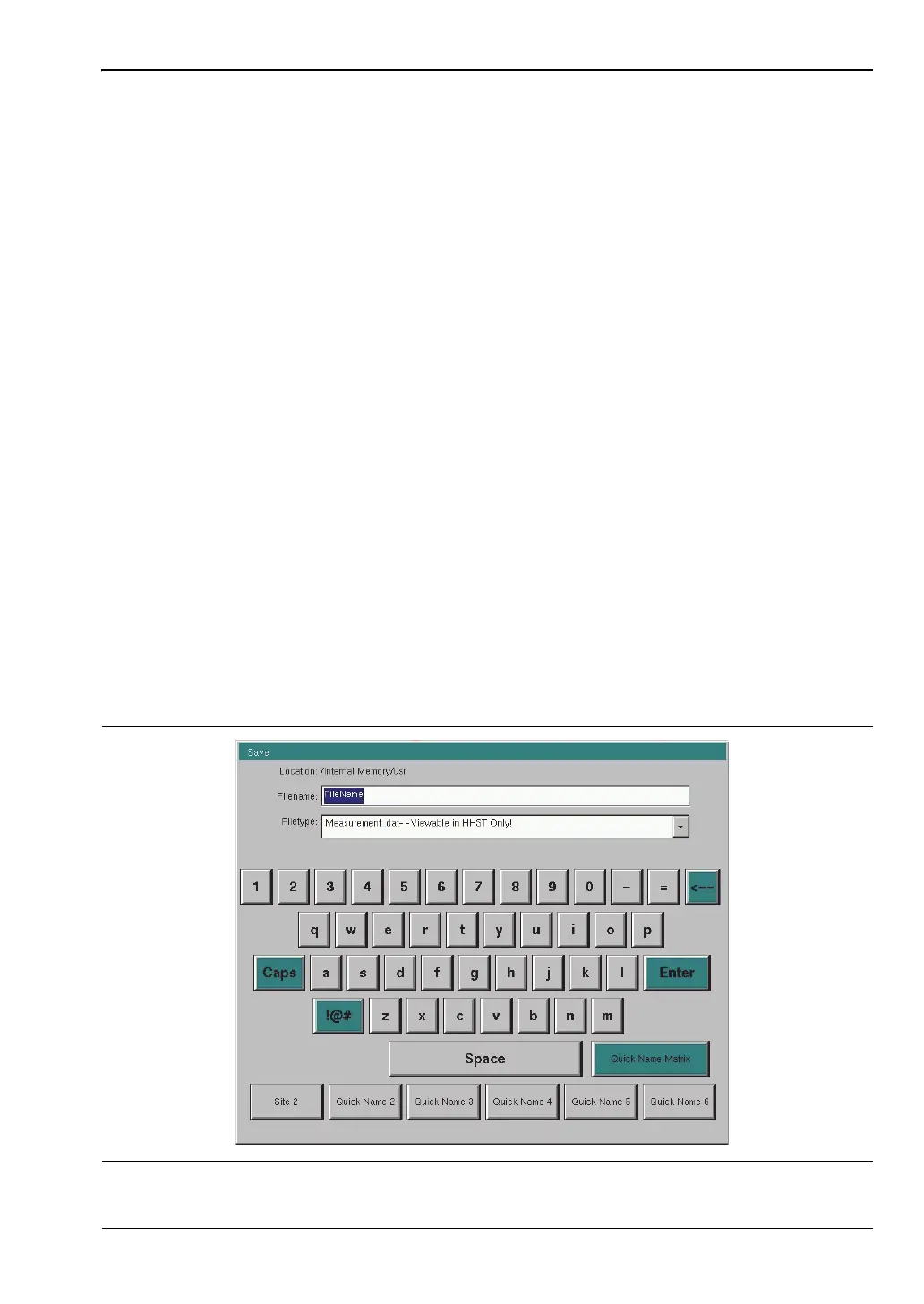
When entering text, as when saving a measurement, the touch screen keyboard is displayed
(Figure 2-13). Characters are entered directly with the touch screen keyboard. The keypad
can be used for numeric entry. The left and right arrow keys will scroll the cursor through the
filename. See “Save Menu” on page 4-9 for additional information.
Figure 2-13. Touch Screen Keyboard













 To Next Page